

Professional estimates in minutes, not hours
Build itemized estimates or polished proposals. Send for online approval. Convert to projects with one click. No re-entry.
Contractors using Werx build estimates in half the time. Reusable templates, material libraries, and one-click project conversion mean less office work and more time on the job.
Start 14-Day Free TrialFrom bid to project in 3 steps
1. Build your estimate
Use itemized line items or full proposals with terms, scope, and pricing. Pull from your product library to save time.
2. Send for approval
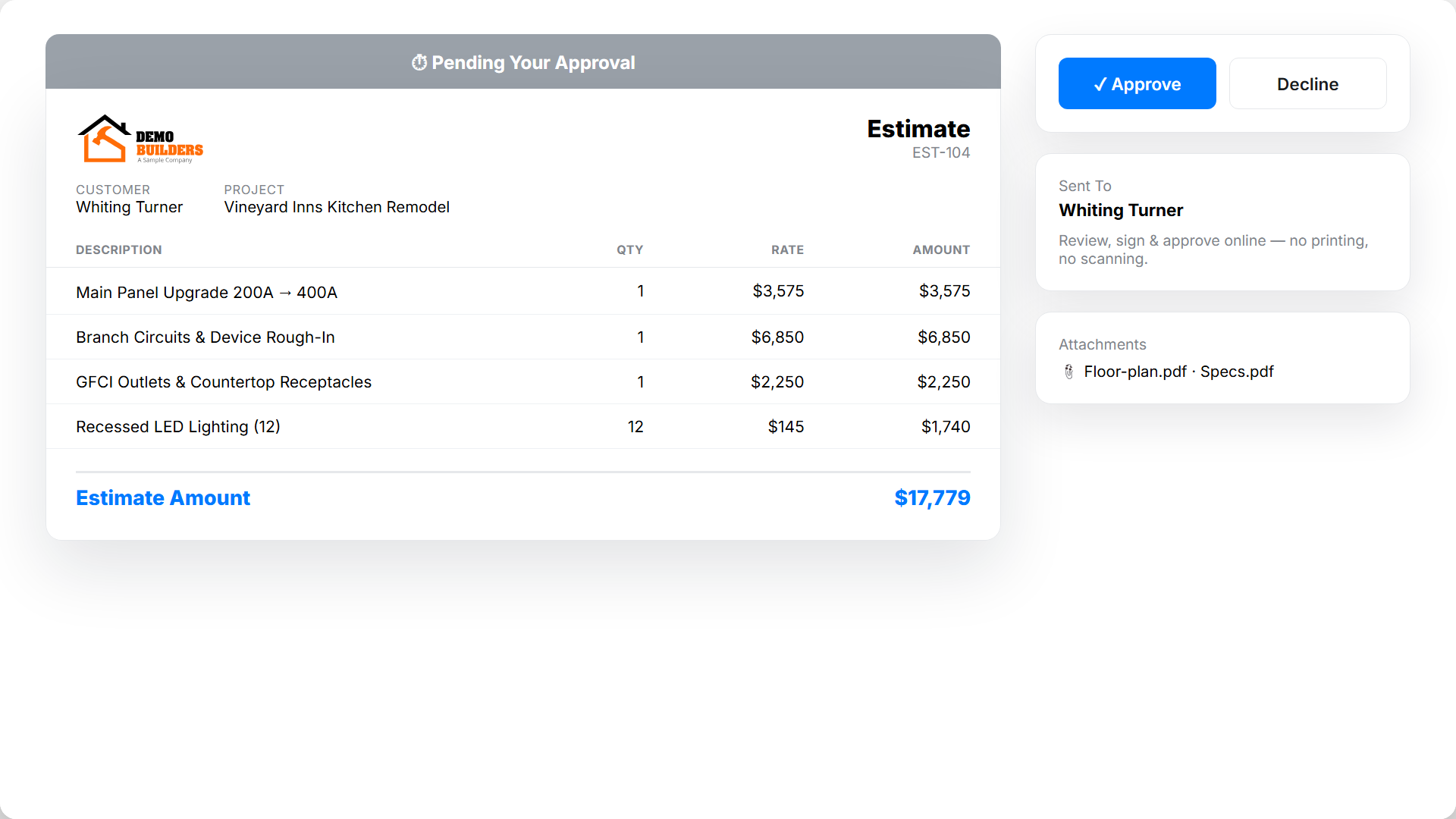
Email directly to the client. They review, sign, and approve online - no printing or scanning.
3. Convert to a project
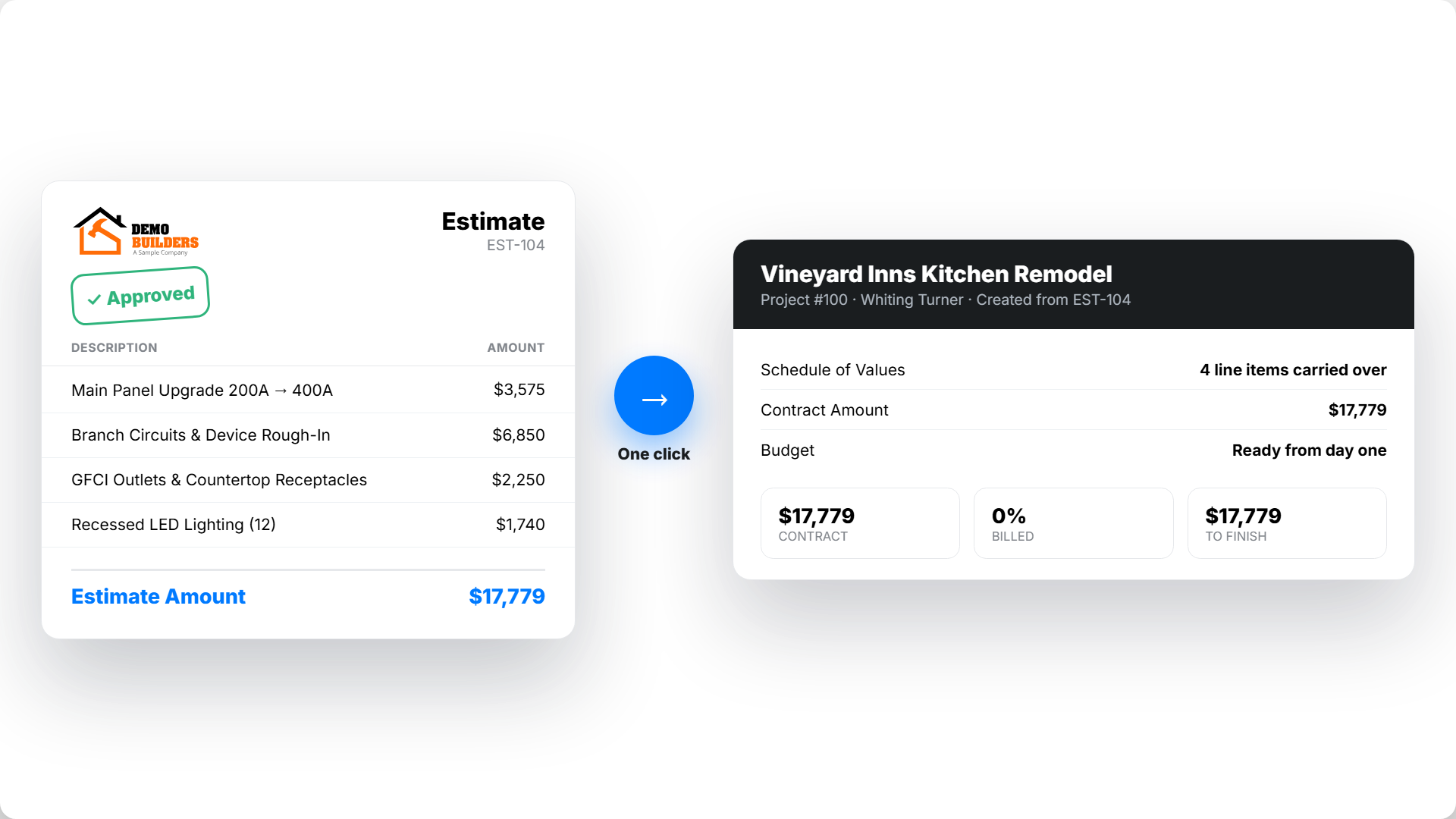
One click turns an approved estimate into a live project. Line items and pricing carry into the schedule of values.
Two formats for every job
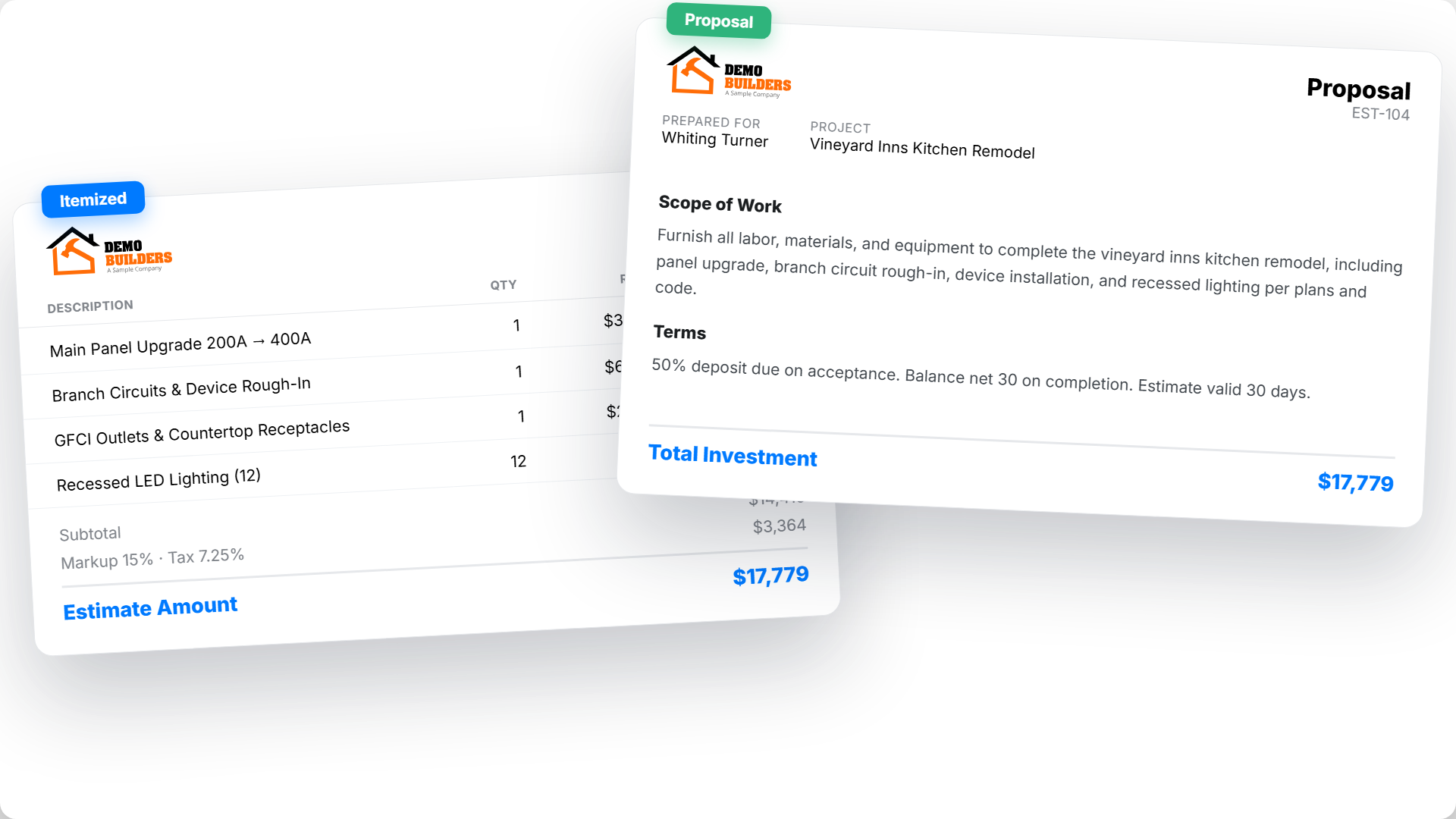
Use itemized estimates for quick line-by-line quotes. Use proposals for complex jobs with scope, terms, and cost breakdowns. Both look professional. Both send for online approval.
Reusable term templates
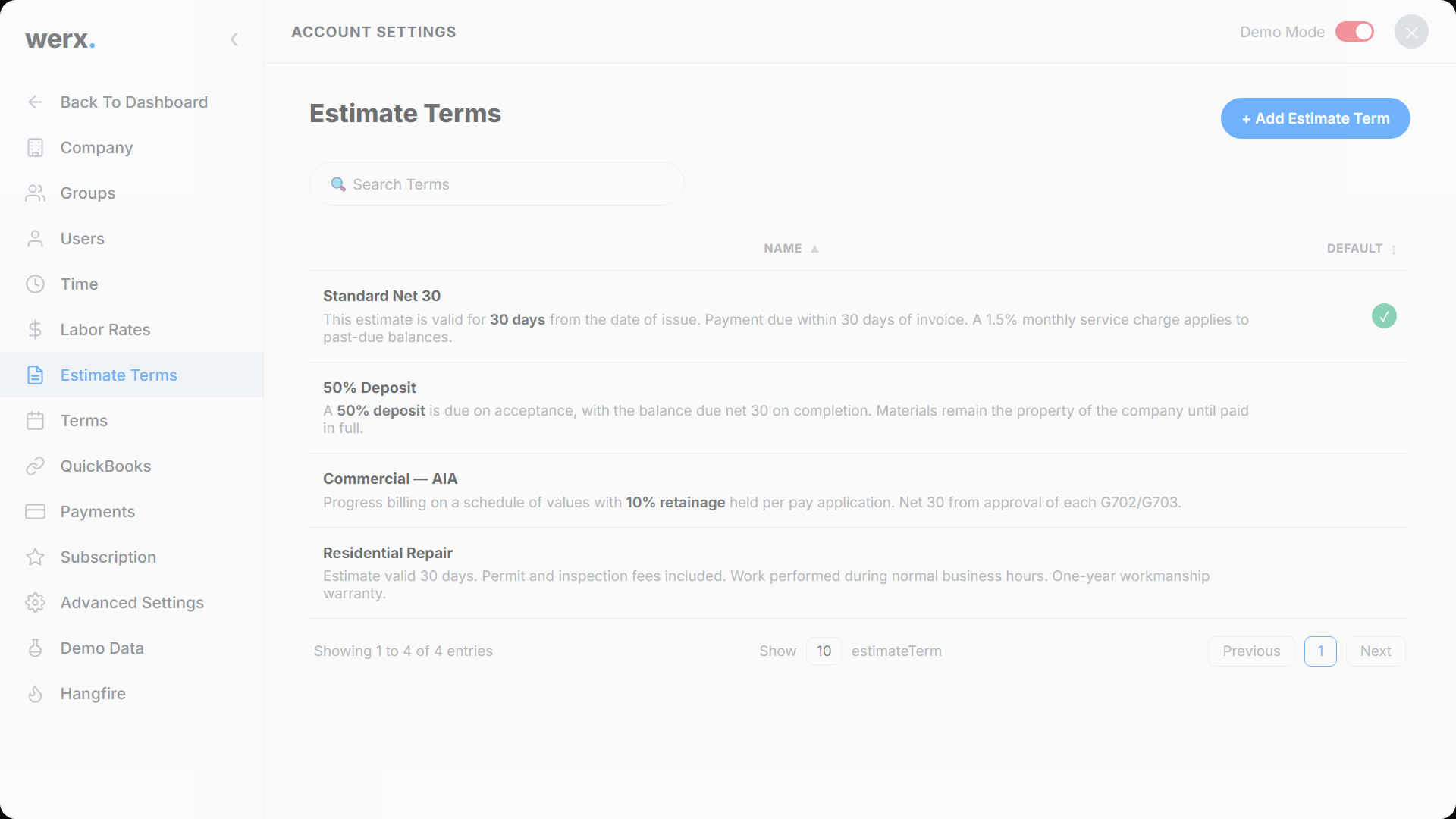
Create templates for payment terms, inclusions, exclusions, and warranties. Apply them to any estimate with one click. Stop retyping the same language on every bid.
Online customer approval
Send estimates to clients by email. They review, approve, and sign online. Attach plans, specs, or photos. No printing. No scanning. You get notified the moment they say yes.
One click from estimate to project
Convert any approved estimate into a project. Line items, descriptions, and pricing carry over. Schedule of values is ready from day one. No re-entry.
Built for speed and accuracy
Product & service library
Save materials, assemblies, and labor items. Reuse across estimates instantly.
Reusable term templates
Payment terms, warranties, and exclusions - create once, apply anywhere.
Online customer approval
Clients approve and sign estimates digitally. You get notified immediately.
Professional formatting
Clean PDFs that make you look like a bigger company.
One-click conversion
Approved estimates become projects with the schedule of values already set.
Attachment support
Attach plans, specs, photos, or any file to the estimate.
Contractors love Werx for estimating

“WERX has improved project predictability and automated all project management processes.”

“Customer service is amazing and all the services you get for one low price just can't be beat. Highly recommend!”
“We implemented this software to our office staff and within a week everyone was able to run our day to day operations as normal.”
Estimating questions
What is the difference between itemized and proposal estimates?
Itemized estimates are line-by-line quotes for straightforward jobs. Proposals include scope descriptions, terms, and full cost breakdowns for complex work.
Can I attach documents to estimates?
Yes. Attach plans, specs, photos, or any file. Attachments go with the estimate when you send it to your client.
How does online approval work?
Your client gets an email link. They review the estimate, approve, and sign digitally. You get notified instantly.
Can I reuse terms across estimates?
Yes. Create term templates once. Apply them to any estimate with one click.
What happens when I convert an estimate to a project?
All line items and pricing carry into the new project's schedule of values, along with estimate notes.
Does Werx handle residential and commercial estimates?
Yes. Itemized and proposal formats work for any job size - from a simple repair to a multi-phase commercial build.
Ready to win more work?
Start your 14-day free trial. No credit card required.
No credit card required · Free migration assistance · Cancel anytime