

Solar Contractor Software
Werx is the office software for solar contractors who want to bill faster and protect margins. Run estimates, progress and AIA-style billing, job costing, and field time. Then sync it all to QuickBooks.
- Estimates and progress billing
- Job costing by cost code
- Two-way QuickBooks Online sync
Stop the busywork
Run your solar business without the spreadsheets
Solar installs are big jobs that bill in phases, with real labor and equipment costs. When estimates and job costs live in spreadsheets, margin leaks and cash comes in slow.
- Estimate in Excel
- Bill installs by hand
- Change orders unbilled
- Job costs after the fact
- Estimate fast in Werx
- Bill by progress or milestone
- Change orders billed
- Job costs in real time
Werx gets solar contractors out of spreadsheets. Estimate, bill by progress, track job costs, and get paid in one app.
Where solar contractors lose money
Most lost margin hides in billing and job costs. Here is where it slips, and how Werx catches it.
Slow estimates lose deals
A late quote loses the install. Build clean estimates fast and send them for online approval.
EstimatesInstalls billed late
Big installs need phased billing. Bill by progress or milestone instead of one lump invoice.
Progress billingCommercial pay apps in Excel
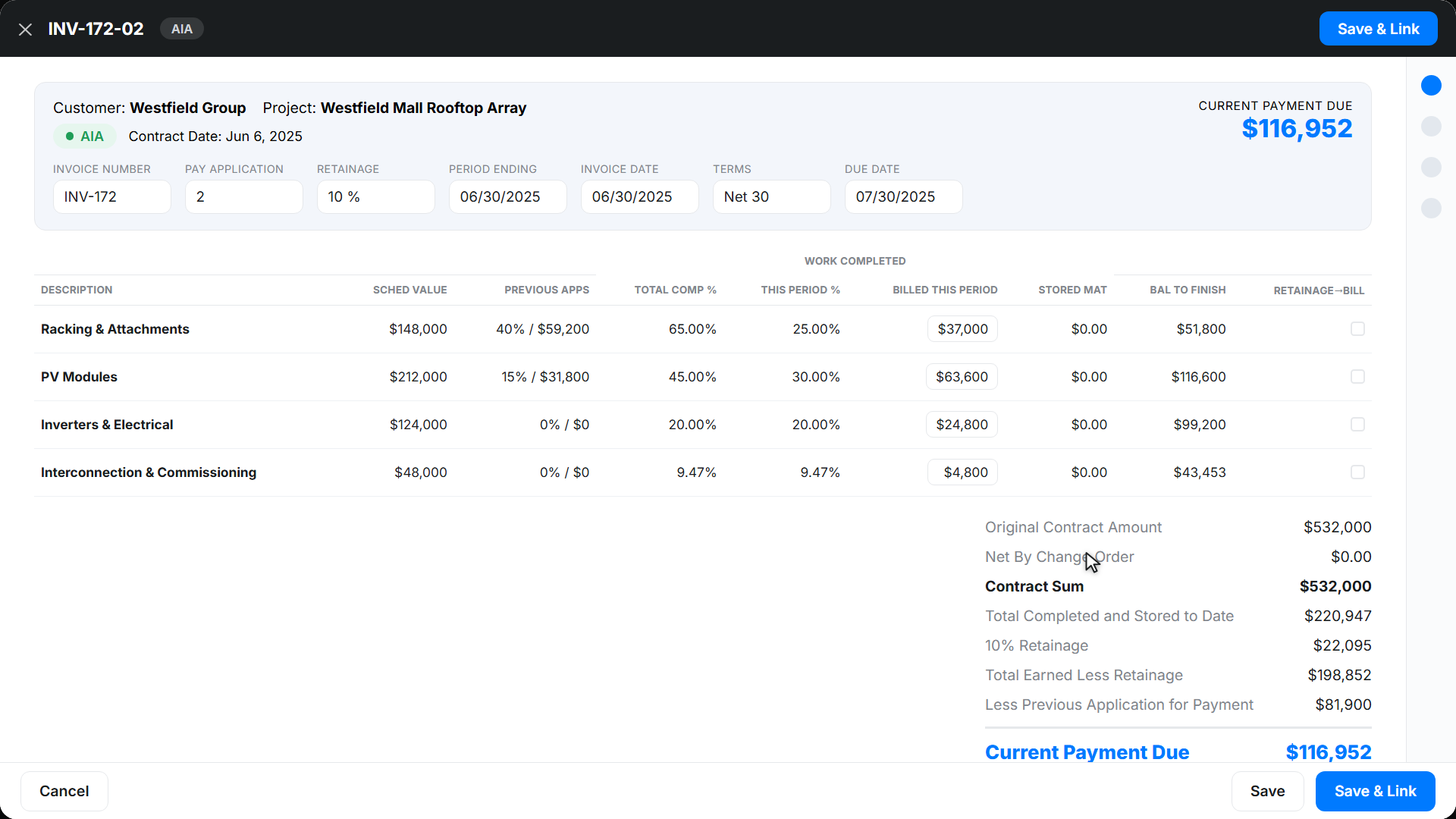
Commercial solar wants G702 and G703 style pay apps. Werx builds them from your schedule of values.
AIA billingUnbilled change orders
Extra work in the field often never gets billed. Werx turns field tickets into billable change orders.
Change ordersNo live job costs
Without real-time costs, panel and labor overruns hit late. Werx shows budget versus actual by cost code.
Job costingFeatures that move your solar business forward
Werx gives solar contractors the office tools to bid, bill, and get paid. Each one is built for install work, not borrowed from a generic app.
- Itemized and proposal estimates
- Progress billing
- AIA-style billing
- Time and material invoicing
- Change order tracking
- Field time tracking
- Job costing
- Job profitability
- Purchase orders
- RFIs and submittals
- QuickBooks integration
- Online payments
Bill an install by progress and get paid
Solar installs bill in phases, not one lump invoice. Werx bills by percent complete or milestone, and builds G702 and G703 style pay apps for commercial jobs.
Werx calculates the current amount due and folds in approved change orders. No spreadsheet, no math errors.
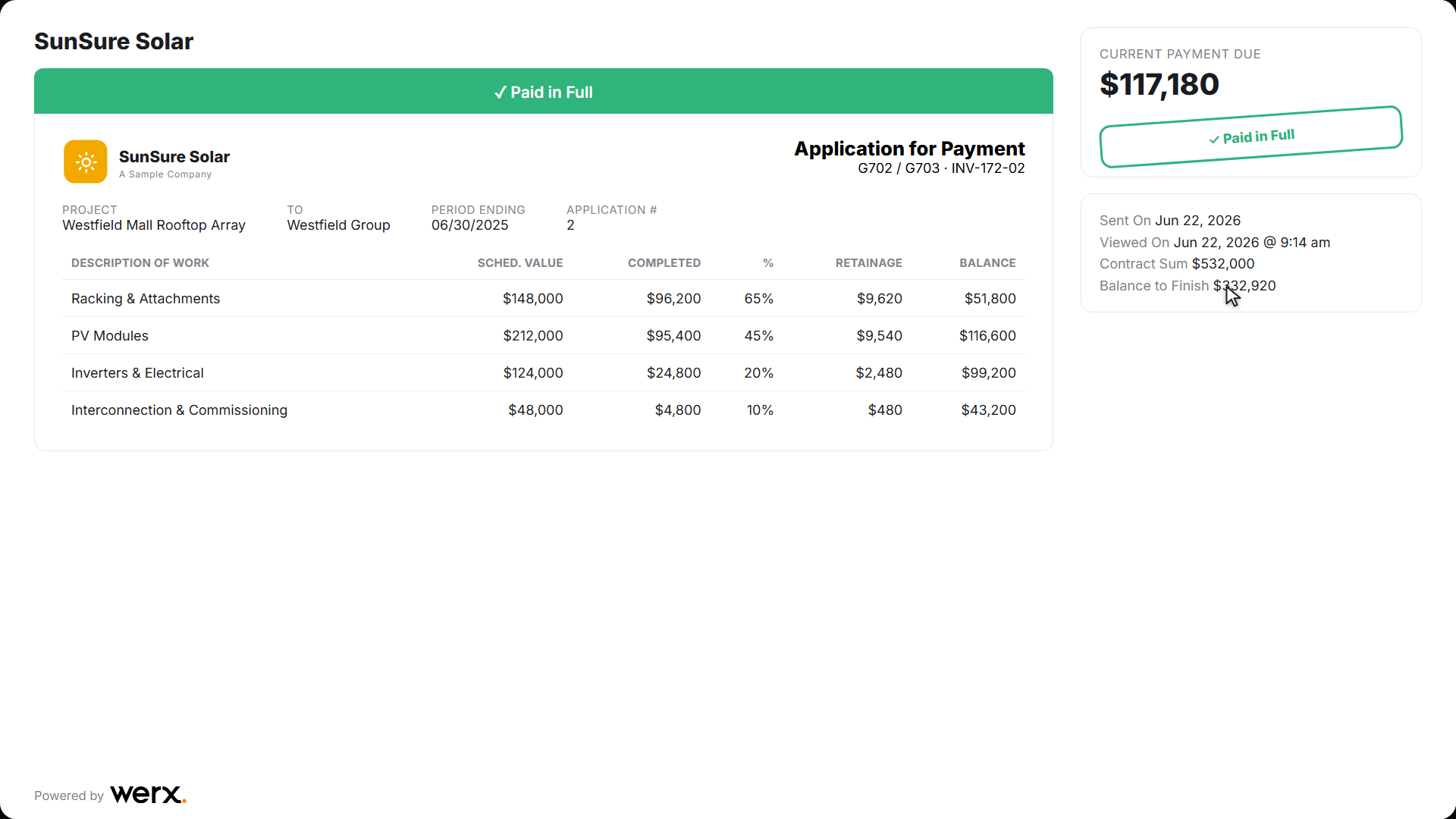
Send the bill through a branded portal. Customers review and pay online. Learn more about progress billing and AIA billing.
Send a bill your customer can pay online
Your customer opens a clean, branded estimate or progress bill. They approve or pay in a couple of taps. You see when they open it, so nothing stalls.
Software that runs the money side of your solar business
From the first estimate to the final payment, Werx keeps your billing, costs, and cash in one place.
Estimates and proposals
Build itemized estimates or proposals with markup and tax. Send for online approval, then turn the won deal into a project.
Progress and AIA-style billing
Bill installs by percent complete or milestone, and build G702 and G703 style pay apps for commercial jobs.
Time and material invoicing
Bill service and small jobs as T&M. Add labor and materials as the work happens.
Job costing and profit
Track budget versus actual by cost code, including panels and labor. See margin on every install.
Change orders
Capture extra work in the field, get it approved, and roll it into your next bill.
Field time tracking
Crews log time by job and cost code from the Werx Field App. Labor cost updates in real time.
Trusted by Contractors Like You

“It feels like the platform was built with real contractors in mind, not just software developers guessing what is needed.”

“It's a reliable tool that has helped me stay organized, manage tasks more efficiently, and keep projects on track.”
“Great program, user friendly and allows Project Managers easy access to monitor their project's budgets.”
Why solar contractors choose Werx
Most field apps skip the hard part: real billing and job costing. Werx is built for it.
Built for installs
Made for contractors who bill big phased jobs, not a plain invoice tool.
Phased and AIA-style billing
Bill by progress or milestone, and build G702 and G703 style pay apps for commercial work.
Know your margin
Live job costs and profit on every install, so you catch losses while you can still fix them.
Works with QuickBooks
Two-way sync with QuickBooks Online on every plan, at no extra cost.
One office system
Estimates, billing, costs, time, and payments in one place. No juggling apps.
Keep your books in sync
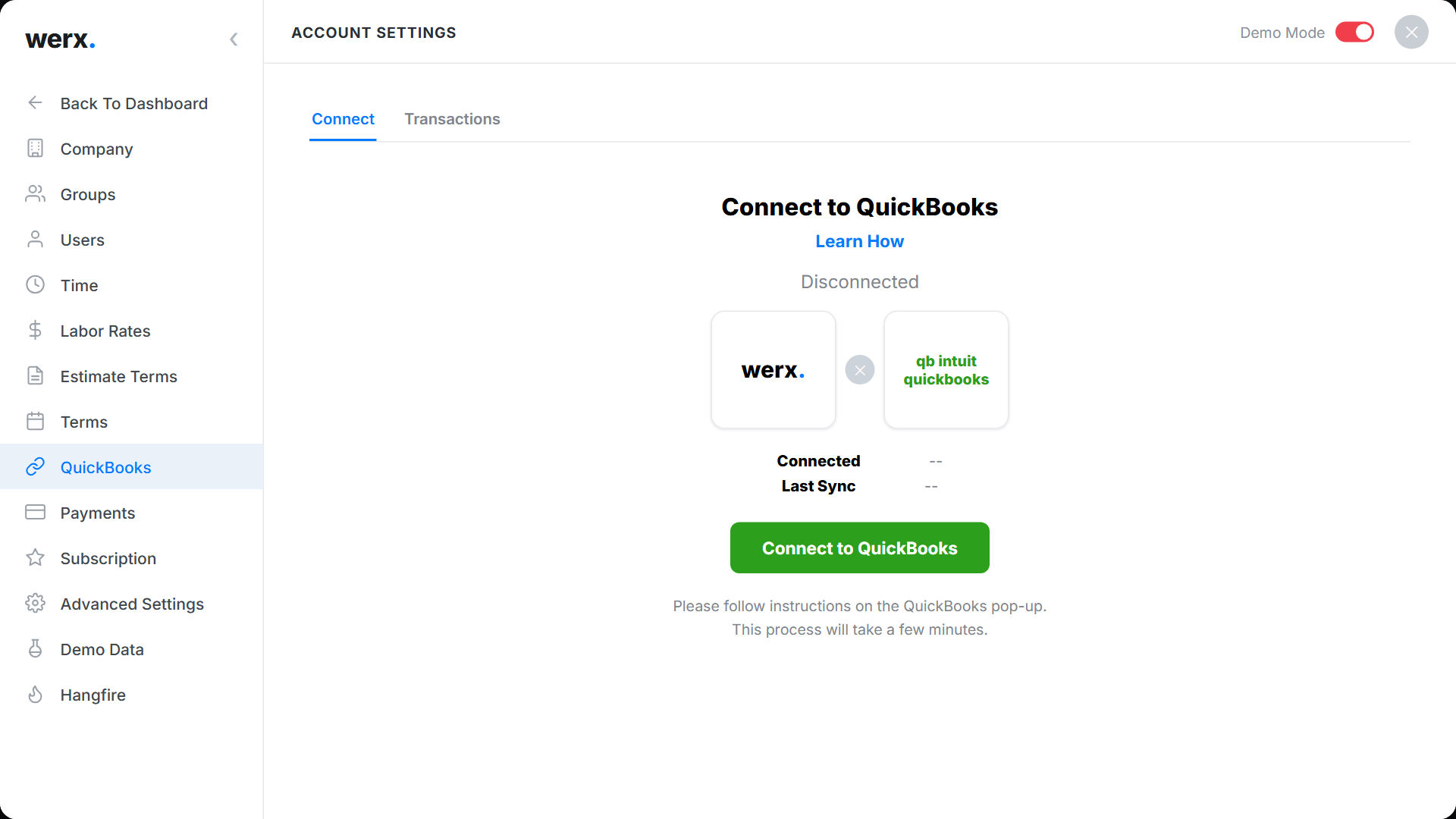
Connecting Werx to QuickBooks Online is simple. Sync your invoices, payments, and expenses so your books stay current. No double entry, and no end-of-month scramble.
What is solar contractor software?
Solar contractor software is an office tool that handles estimates, billing, job costs, and payments for solar installation companies. It replaces spreadsheets and paper for the money side of the business.
Werx is built for install work. Estimate a system, turn the deal into a project, and bill by progress or milestone. Commercial jobs bill with AIA-style and progress billing on a schedule of values.
See job costs in real time, track labor from the field, and sync to QuickBooks. You bid, bill, and get paid from one place.
FAQ - Solar Contractor Software
Is Werx solar billing software?
Yes. Werx bills installs by progress or milestone, and builds G702 and G703 style pay apps for commercial jobs.
Can I create solar estimates and proposals?
Yes. Build itemized estimates or proposals with markup and tax, then send them for online approval.
Can Werx do job costing for solar installs?
Yes. Werx tracks budget versus actual by cost code, including panels and labor, with projected and to-date profit.
Does Werx work for residential and commercial solar?
Yes. Bill residential installs by progress or milestone, and commercial jobs with AIA-style and progress billing.
Can my customers pay online?
Yes. Werx connects to Stripe, so customers pay by credit card or ACH from the portal.
Does Werx sync with QuickBooks?
Yes. Werx syncs two ways with QuickBooks Online. Invoices, payments, and expenses flow into your books, included on every plan.
Simple to use. Free to try.
No credit card required · Free migration assistance · Cancel anytime