

Get paid for every change. Not just the ones you remember.
Werx tracks every scope change from field authorization to approved change order - then rolls it straight into your billing. Extra Work Authorizations, Change Order Requests, and Change Orders, all linked, all documented.
Unbilled change orders are pure lost profit. Werx gives every change a paper trail - authorized in the field, priced in the office, approved by the client, and billed on the next pay app. No more "I forgot to write that up." Included on every plan, from $49/mo.
Start 14-Day Free TrialFrom extra work to billed change order in 3 steps
1. Authorize the extra work
Your crew captures an Extra Work Authorization (EWA) the moment scope changes - from the field app, with a customer signature.
2. Price the change order request
Turn the EWA into a Change Order Request (COR) with cost lines. Track it as pending, approved, or declined.
3. Issue and bill the change order
Approve the COR into a formal Change Order (CO). It updates your contract sum and flows into your next AIA-style or progress invoice.
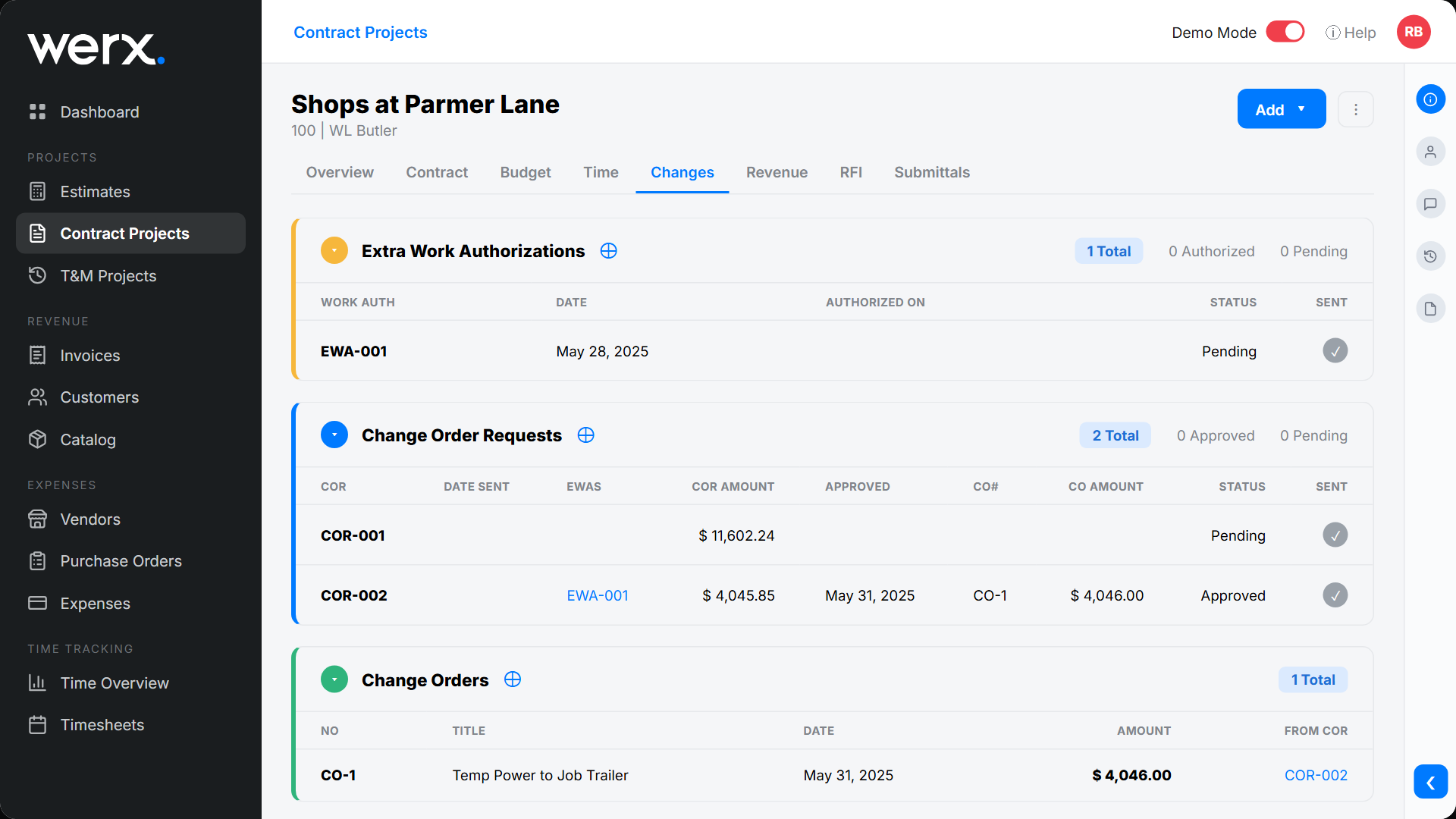
EWA → COR → CO, fully linked
Every change is connected end to end. See which Extra Work Authorization became which Change Order Request, and which request was approved into a Change Order - with dates, amounts, and status for each. Pending changes are flagged so nothing sits unbilled for weeks.
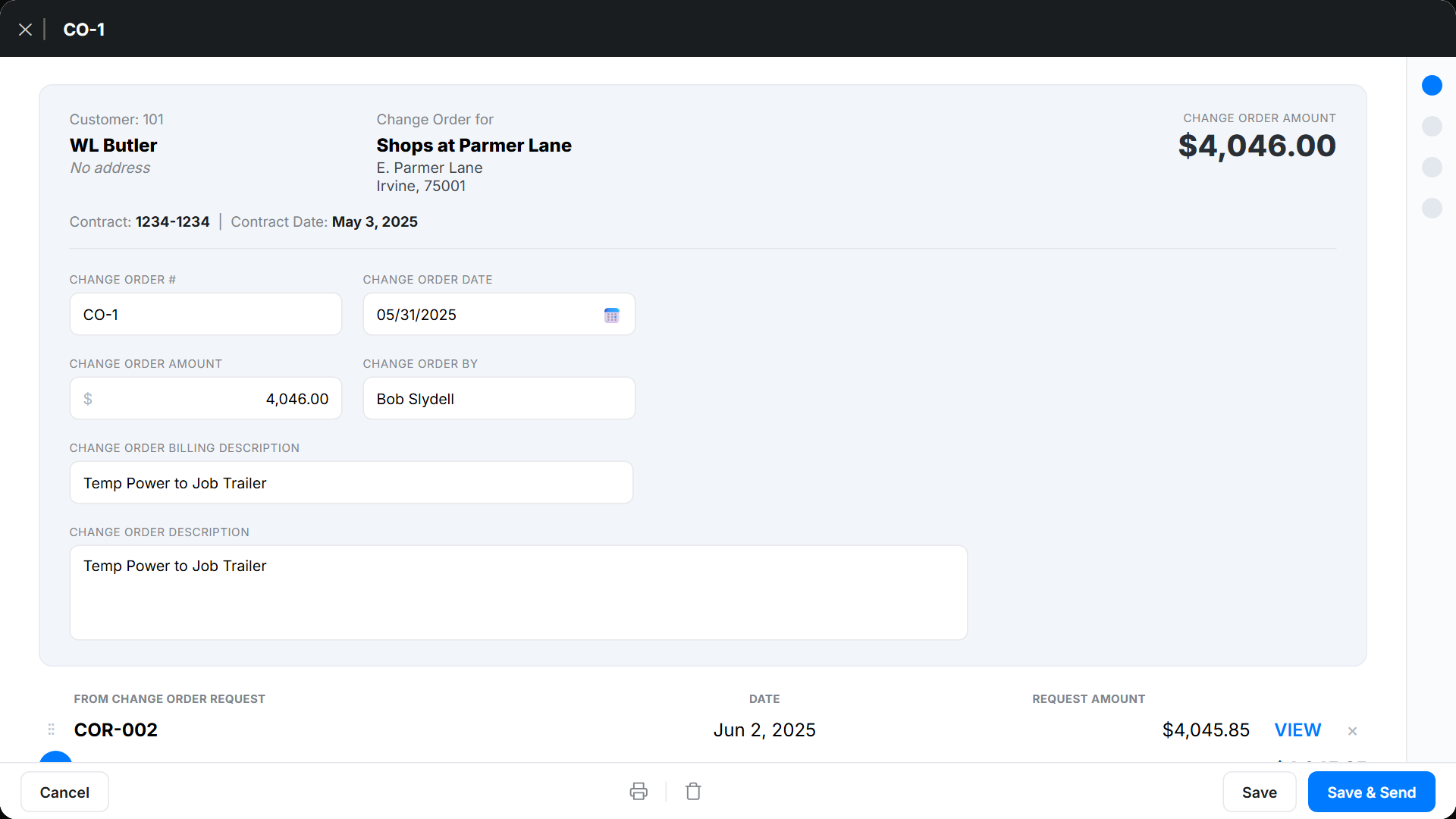
Send change orders your clients will sign
Generate a clean, branded change order with the billing description, amount, and the request it came from. Print it or send it for approval - every CO links back to its source so the history is airtight if a job is ever disputed.
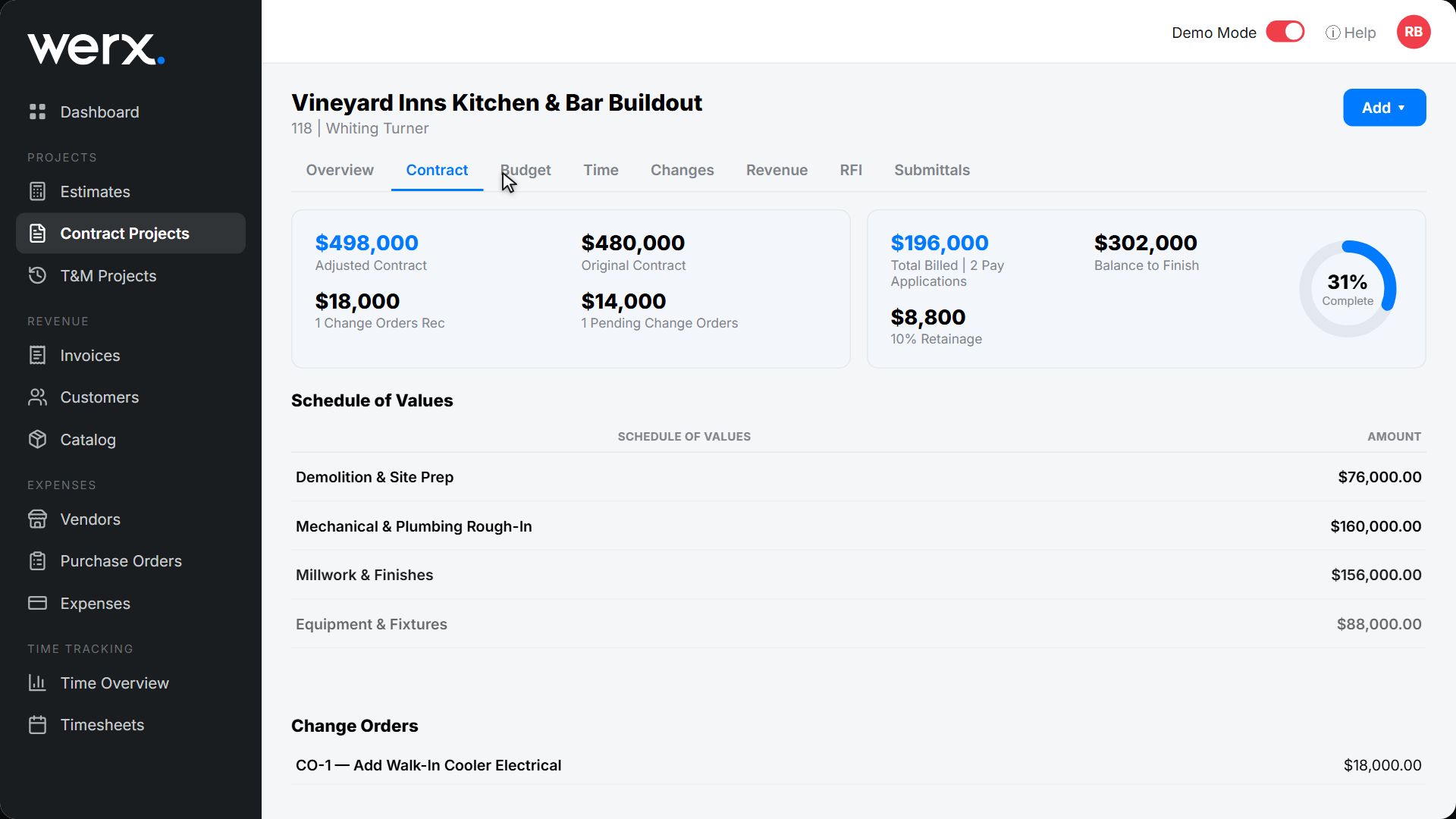
Approved changes update your schedule of values
When a change order is approved, your adjusted contract sum updates automatically and the new line appears on your Schedule of Values - ready to bill on the next G702/G703 style pay application or progress invoice. No separate spreadsheet, no re-keying.
Everything you need to manage changes
Extra Work Authorizations
Capture extra work in the field with a customer signature before the work starts.
Change Order Requests
Price changes and track pending / approved / declined status.
Formal change orders
Issue branded CO documents that adjust the contract sum.
Full audit trail
Every CO links to its request and authorization with dates and amounts.
Rolls into billing
Approved changes flow onto your AIA-style or progress invoice automatically.
Aging flags
Pending changes get surfaced so nothing goes unbilled.
Contractors stop leaving change-order money on the table

“Great for billing management, processing and applying payments to the project.”

“Customer service is amazing and all the services you get for one low price just can't be beat. Highly recommend!”
“We implemented this software to our office staff and within a week everyone was able to run our day to day operations as normal.”
Change order questions
What is the difference between an EWA, a COR, and a CO?
An Extra Work Authorization (EWA) documents extra work in the field, often with a signature. A Change Order Request (COR) prices that work for client approval. A Change Order (CO) is the approved, contract-adjusting document. Werx links all three.
Do change orders update my contract value?
Yes. Approving a change order updates your adjusted contract sum and adds the line to your schedule of values automatically.
Can I bill a change order on an AIA pay application?
Yes. Approved change orders flow into your G702/G703 style pay application or progress invoice, so you bill the change as part of your normal draw.
Can field crews start a change in the field?
Yes. The Werx Field App captures Extra Work Authorizations with a customer signature, so the documentation starts on site.
Is change order management included on every plan?
Yes. Change orders, AIA-style billing, and job costing are included on every Werx plan starting at $49/mo - no upgrade required.
Stop giving away change-order work
Start your 14-day free trial. No credit card required.
No credit card required · Free migration assistance · Cancel anytime