

RFIs and submittals, documented and on time.
Track every request for information and submittal against the project - priority, cost and schedule impact, drawing and spec references, attachments, and a full response trail. The project controls commercial GCs expect, without the enterprise price tag.
On commercial work, an unanswered RFI or a lost submittal turns into a delay claim. Werx keeps both on the project, with due dates, priority, impact flags, and a documented response - so questions get answered and approvals get tracked. Included on every plan from $49/mo.
Start 14-Day Free TrialProject controls in 3 steps
1. Create the RFI or submittal
Log it against the project with a title, priority, due date, and the drawing or spec section it relates to.
2. Flag the impact
Mark cost and schedule impact, attach files, and send it for response so nothing is ambiguous.
3. Record the response
Capture the answer or disposition with the responder and timestamp - a clean trail if a job is ever disputed.
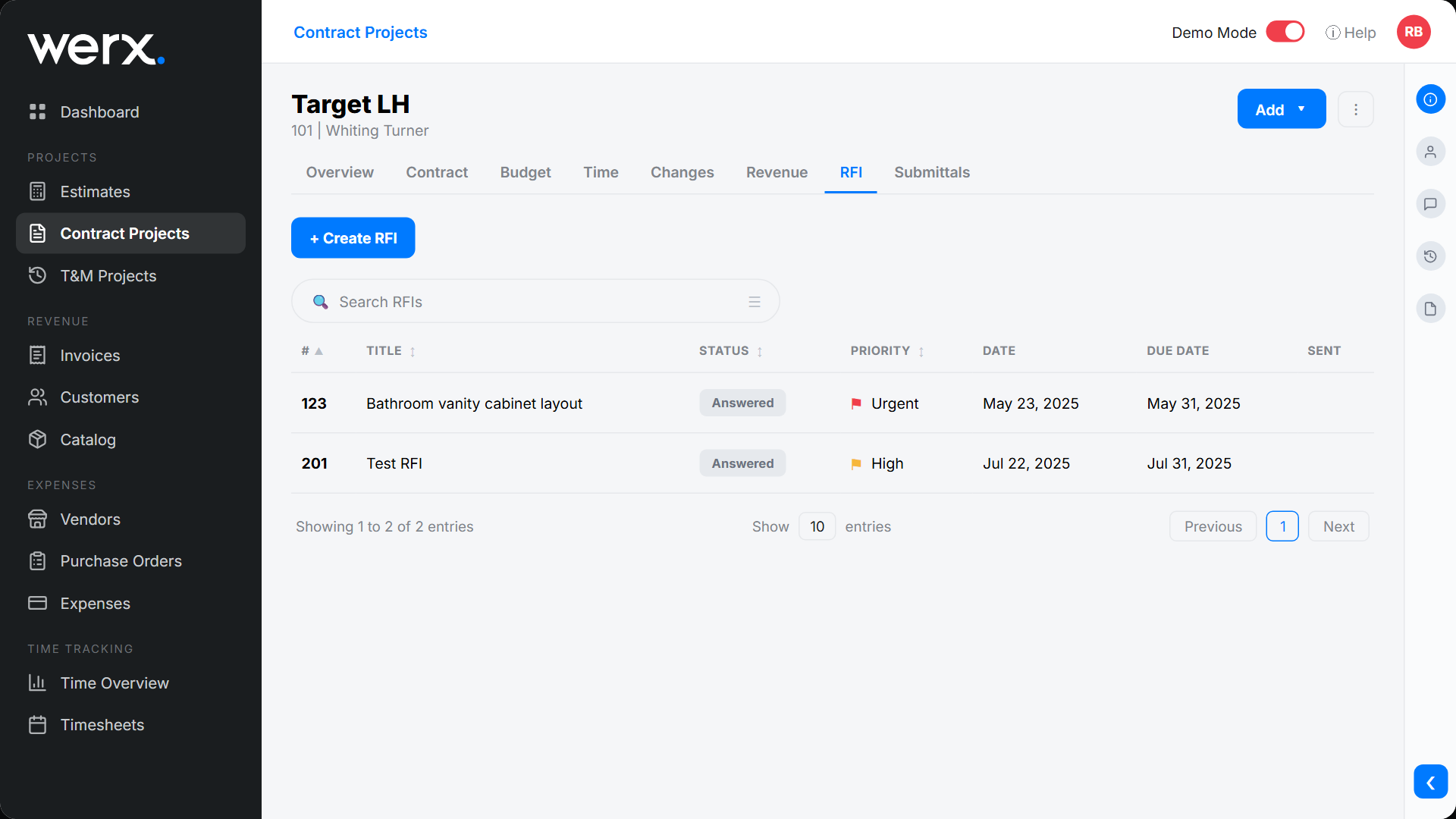
Requests for information that don't slip
Each RFI carries a priority flag, due date, status, and the drawing and spec section it references - plus cost and schedule impact and file attachments. Responses are captured with who answered and when, so the record is airtight.
Submittals reviewed and tracked
Log submittals with a spec section, priority, and due date, attach the documents, and record the review disposition - approved, approved as noted, or accepted conditionally. Everyone sees the current status without chasing email threads.

A paper trail that protects you
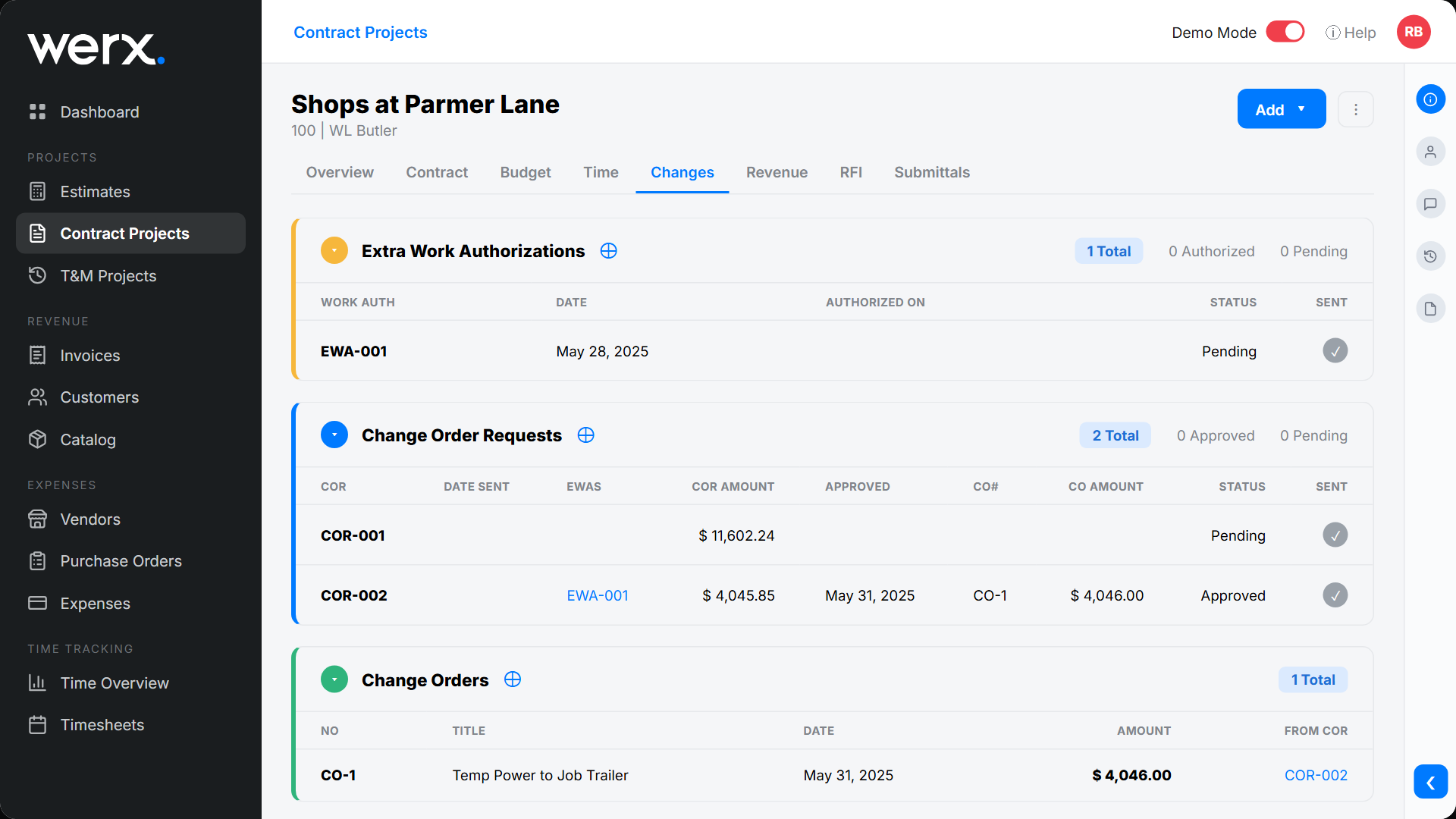
Every RFI and submittal lives on the project with dates, impacts, attachments, and a tracked response. Pair it with change order management and you have the full documentation chain from question to extra work to billed change order.
Everything you need for project controls
Priority flags
Mark RFIs and submittals urgent, high, or normal.
Cost & schedule impact
Flag whether a question affects price or timeline.
Drawing & spec references
Tie each item to the drawing and spec section.
File attachments
Attach drawings, cut sheets, and supporting docs.
Tracked responses
Capture the answer or disposition with responder and timestamp.
On the project
RFIs, submittals, and change orders all live on the job.
Built for the way commercial jobs actually run

“It feels like the platform was built with real contractors in mind, not just software developers guessing what is needed.”
“Great program, user friendly and allows Project Managers easy access to monitor their project's budgets.”

“It's a reliable tool that has helped me stay organized, manage tasks more efficiently, and keep projects on track.”
RFI & submittal questions
What is an RFI in construction?
A Request for Information (RFI) is a formal question - usually to clarify a drawing, spec, or condition. Werx tracks each RFI with priority, due date, cost and schedule impact, references, and a documented response.
How are submittals tracked?
Each submittal carries a spec section, priority, due date, attachments, and a review disposition (such as approved or accepted conditionally), with a tracked response trail.
Can I record cost or schedule impact?
Yes. Every RFI can be flagged for cost impact and schedule impact, so the effect of an open question is clear before it becomes a dispute.
Can I attach drawings and documents?
Yes. Attach files to any RFI or submittal - drawings, cut sheets, or supporting docs - so everything lives in one place.
Is RFI and submittal tracking included on every plan?
Yes. RFIs, submittals, and change orders are included on every Werx plan from $49/mo - no upgrade required.
Ready to run commercial jobs with confidence?
Start your 14-day free trial. No credit card required.
No credit card required · Free migration assistance · Cancel anytime