

See profit on every job. In real time.
Werx connects your estimates, costs, and invoices into one live picture - projected and to-date margin on every project, and a company dashboard that shows exactly where the money goes. No exports, no spreadsheets.
You can't fix a losing job after it closes. Because estimates, time, costs, and billing all live in Werx, your margin is always current - per project and across the company. Catch the problem job in week two, not at year-end. Included on every plan from $49/mo.
Start 14-Day Free TrialLive profitability in 3 steps
1. Everything connects
Estimates become budgets, field time and bills become costs, and pay apps become revenue - all on the same job.
2. Werx does the math
Projected profit, profit-to-date, and margin update automatically as the job moves.
3. See it at every level
Drill into one project or roll it all up to a company-wide view of revenue, cost, and profit.
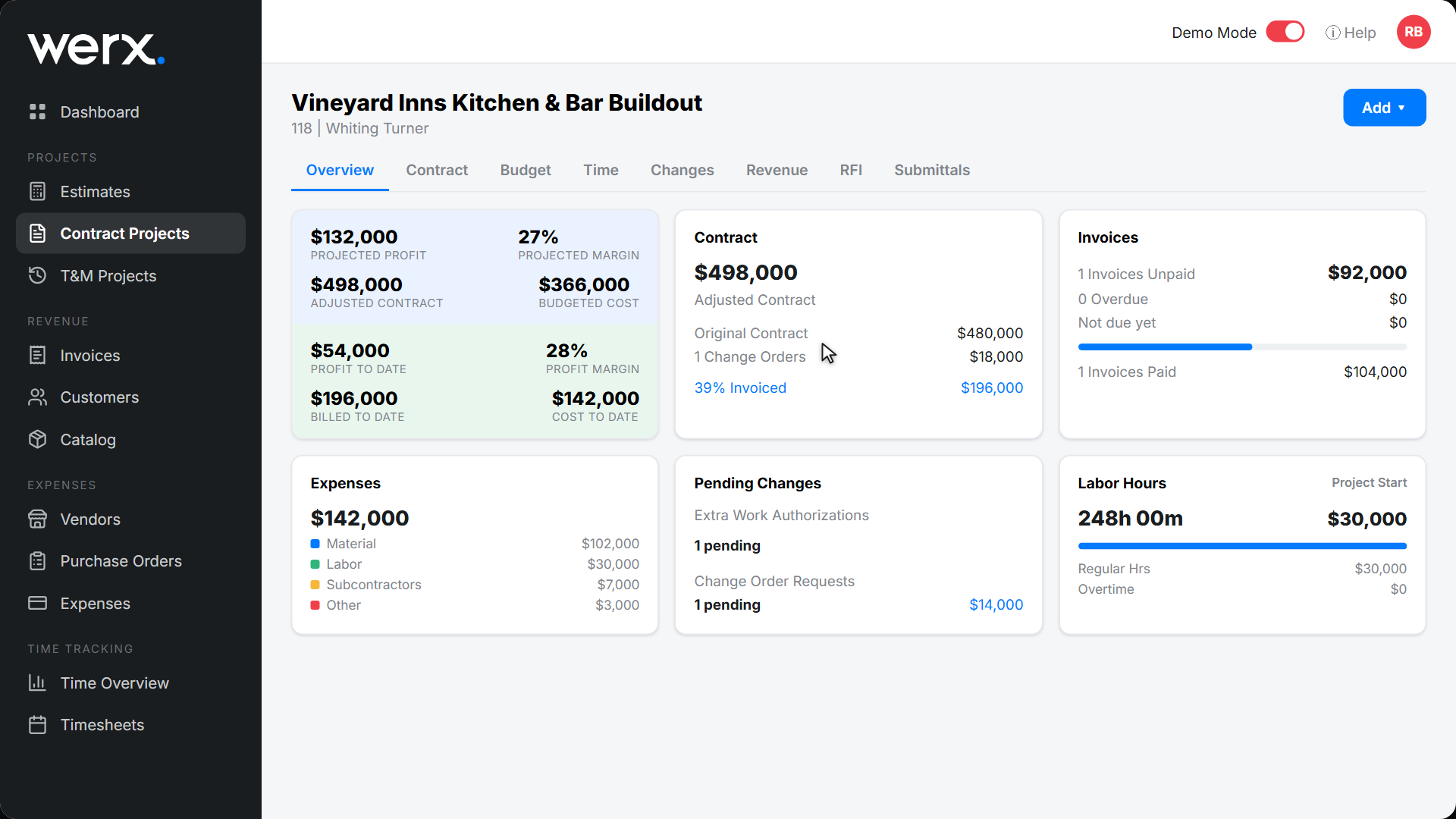
A live P&L for every job
Each project shows projected profit and margin, profit-to-date, billed vs. cost, invoices outstanding, expenses by type, and labor hours - all on one screen. Pending change orders are flagged so you know what's still uncaptured.
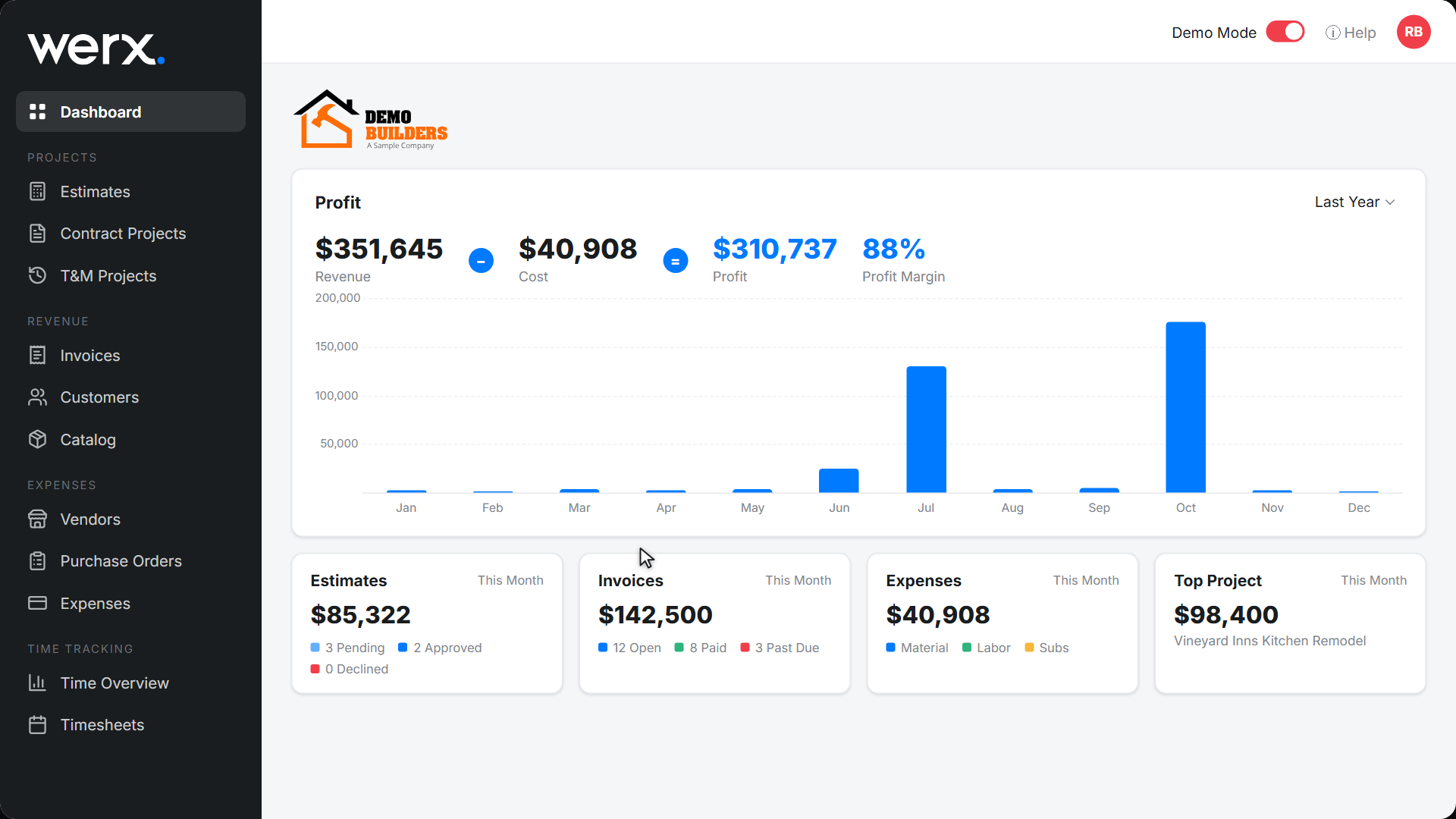
Your whole business at a glance
The dashboard rolls every job into a single view: revenue, cost, profit, and margin, with a month-by-month revenue chart and a breakdown of estimates, invoices, and expenses. Answer "are we making money?" without opening a spreadsheet.
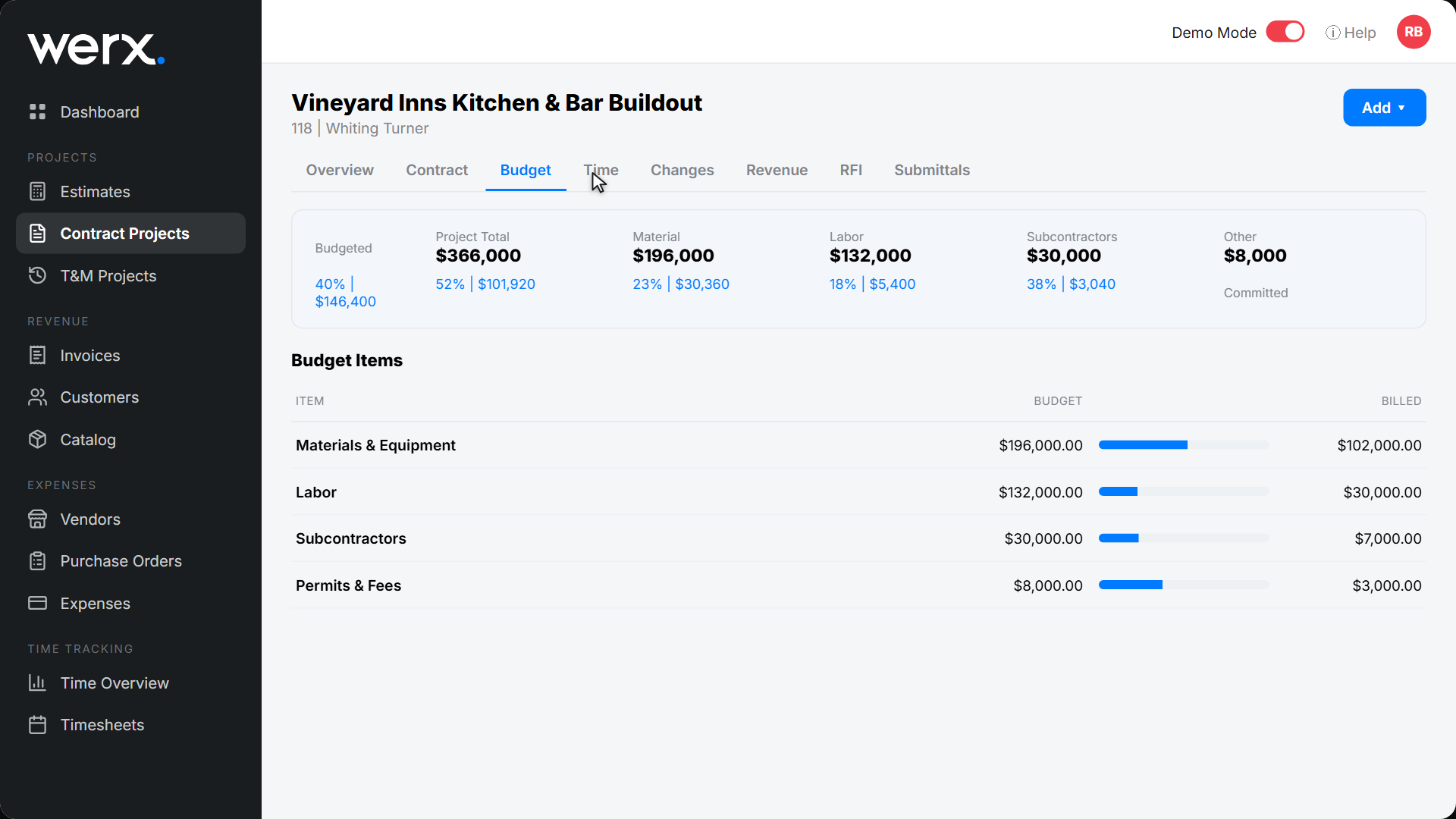
See where every dollar goes
Expenses break down by material, labor, subcontractor, equipment, and other - per job and company-wide. Spot the category that's blowing the budget and act on it, backed by the same job costing data that drives your billing.
Everything you need to track profit
Live project margin
Projected and to-date profit on every job.
Company dashboard
Revenue, cost, profit, and margin across all jobs.
Revenue chart
See revenue by month at a glance.
Expense breakdown
Costs by material, labor, subs, equipment, and other.
Invoice & AR view
Outstanding, overdue, and paid at a glance.
No exports needed
It's always current - no spreadsheet rebuilds.
Contractors run on real numbers, not gut feel

“Great for billing management, processing and applying payments to the project.”

“It feels like the platform was built with real contractors in mind, not just software developers guessing what is needed.”
“Great program, user friendly and allows Project Managers easy access to monitor their project's budgets.”
Profitability & reporting questions
How does Werx calculate job profit?
Werx compares revenue (your invoices and pay apps) against costs (labor, materials, POs, bills, and expenses) on the same job, then shows projected and to-date margin in real time.
Can I see profit across the whole company?
Yes. The dashboard rolls every project into a company-wide view of revenue, cost, profit, and margin, with a monthly revenue chart.
Do I need to run reports or export data?
No. Because estimating, costing, time, and billing all live in Werx, the numbers are always current - there's nothing to rebuild.
What makes the margin accurate?
Labor is costed at the fully burdened rate, committed costs from POs are included, and approved change orders adjust the contract - so the margin reflects reality.
Is reporting included on every plan?
Yes. Profitability and reporting are included on every Werx plan from $49/mo - no upgrade required.
Ready to know your numbers?
Start your 14-day free trial. No credit card required.
No credit card required · Free migration assistance · Cancel anytime