

Know if you're making money. While the job's still open.
Build a job budget, then track actual costs against it in real time - labor, materials, purchase orders, and subs. Catch overruns before they eat your margin, not after the job closes.
Most contractors find out a job lost money when the job is over. Werx shows committed and actual costs against budget as the work happens - by material, labor, equipment, subcontractor, and other. Real job costing, included on every plan from $49/mo. No add-on, no accountant required.
Start 14-Day Free TrialReal job costing in 3 steps
1. Build a budget by cost code
Set budgets for material, labor, equipment, subs, and other - from scratch, from the contract, or copied from a past job.
2. Costs flow in automatically
Field time, vendor bills, purchase orders, and expenses all land on the right job and budget line as they happen.
3. See budget vs. actual in real time
Watch committed and actual costs against budget, drill into any line, and see projected profit before it's too late to act.
Budget vs. committed, down to the cost code
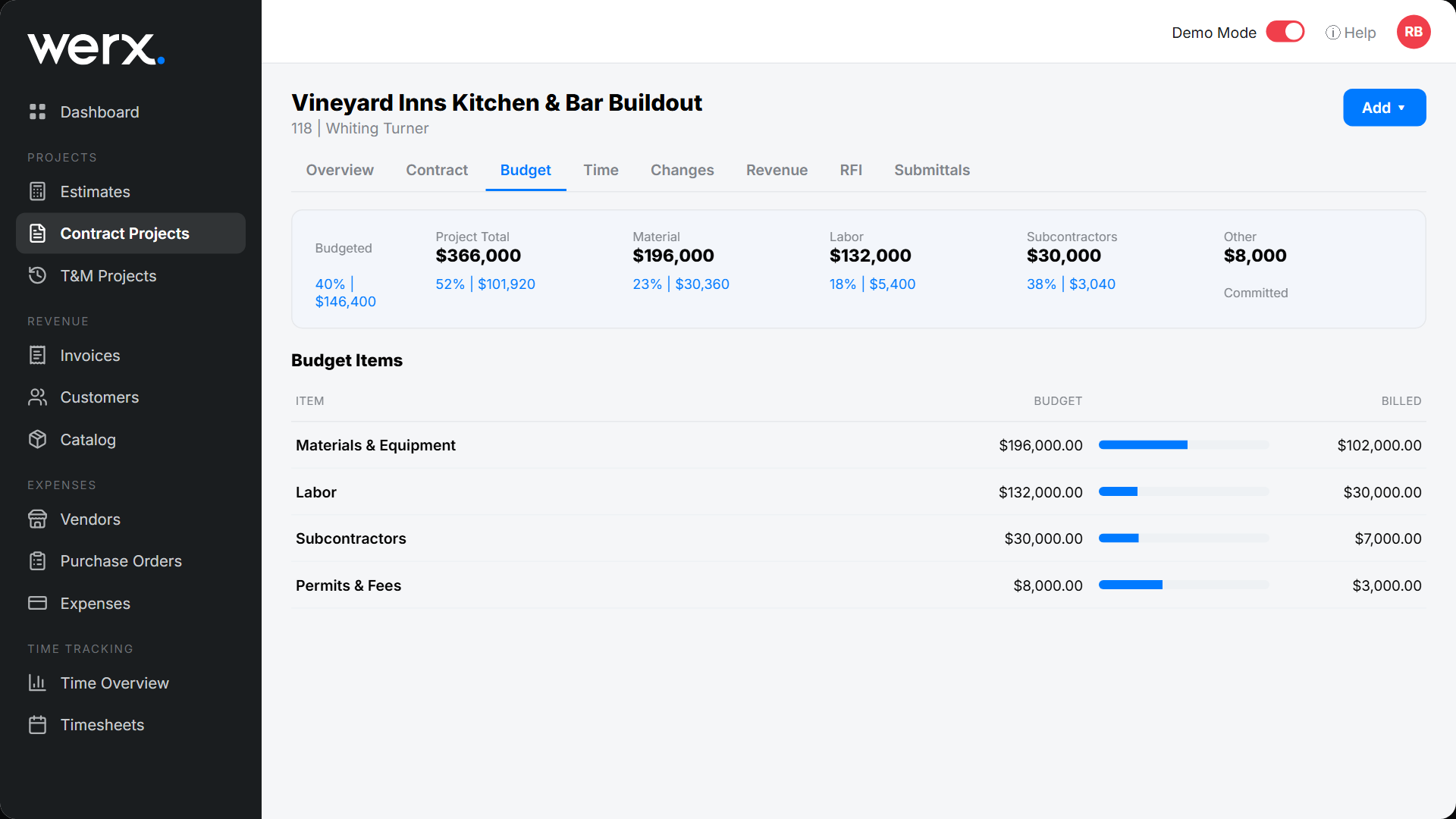
Job costing in Werx starts with a job budget. Set a budget by cost code, then see every category - material, labor, equipment, subcontractors, other - with budgeted, committed, and billed amounts side by side. Expand any line to the item behind it: a purchase order, a vendor bill, or a labor time entry. Nothing is a black box.
Labor costs that include the burden
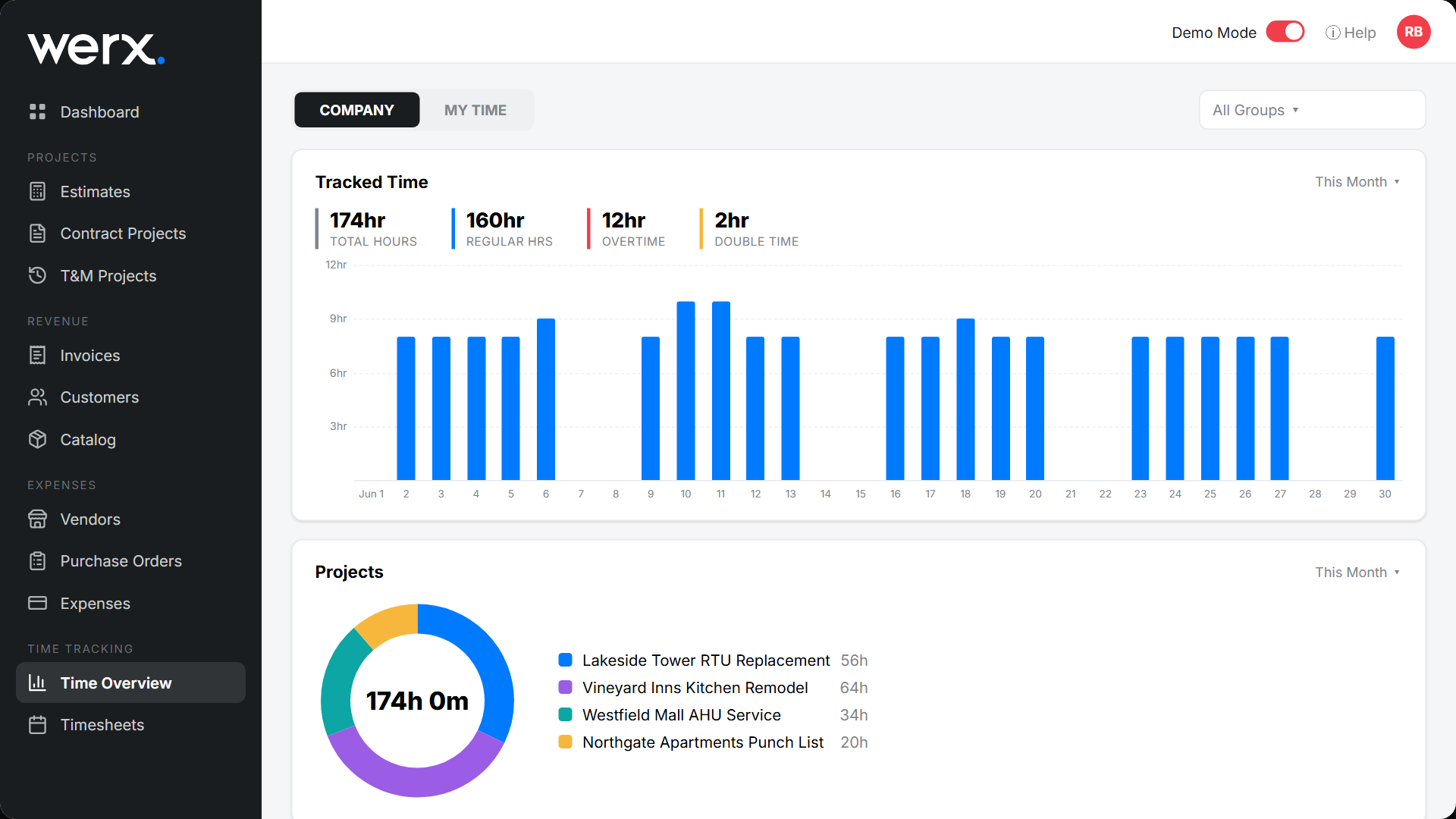
Field hours flow in from time tracking and hit the budget at your fully burdened rate - base pay plus taxes, benefits, insurance, and more. Regular, overtime, and double time are handled automatically, so your job cost reflects what labor actually costs you.
Projected profit on every job and the whole company
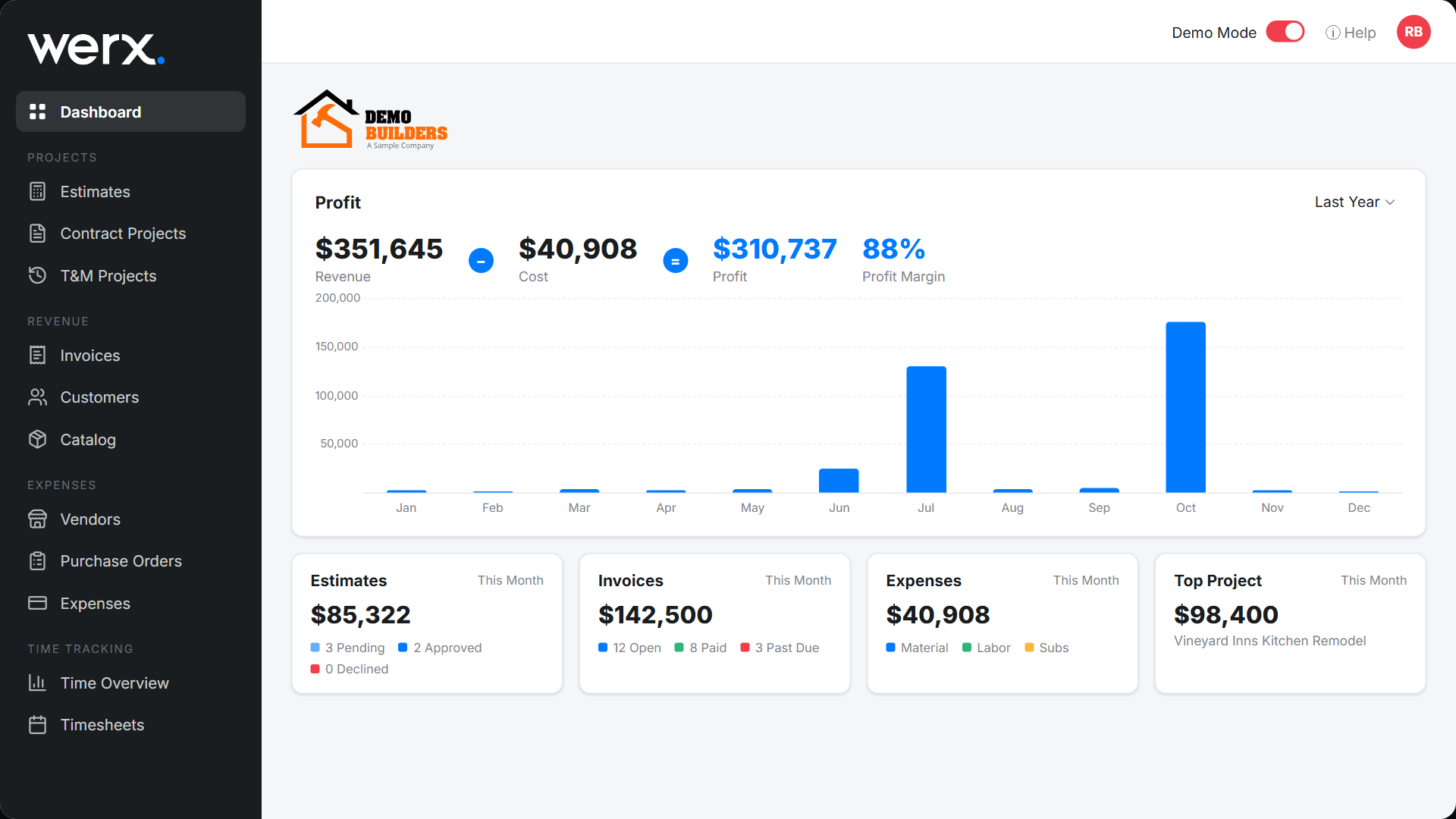
Each project shows projected profit, profit-to-date, and margin. Zoom out and the company dashboard rolls it all up - revenue, cost, profit, and a breakdown of where the money goes. Know which jobs make money and which ones bleed it.
Everything you need for job costing
Cost-code budgets
Budget by material, labor, equipment, subs, and other.
Committed cost tracking
See what's committed via POs and bills, not just spent.
Burdened labor cost
Field hours hit the budget at the fully burdened rate.
Drill-down detail
Trace any budget line to its PO, bill, or time entry.
Budget templates
Copy a budget from the contract or another project.
Real-time profit
Projected and to-date margin per job and company-wide.
Contractors finally see their real numbers

“Great for billing management, processing and applying payments to the project.”

“It feels like the platform was built with real contractors in mind, not just software developers guessing what is needed.”
“Great program, user friendly and allows Project Managers easy access to monitor their project's budgets.”
Job costing questions
What is job costing?
Job costing tracks the actual cost of a job - labor, materials, equipment, and subs - against its budget, so you can see profit per project instead of just company-wide.
Is job costing the same as budgeting?
In Werx they're one workflow. You build a job budget by cost code, then Werx tracks committed and actual costs against it in real time. Every project's Budget tab shows budgeted vs. committed vs. billed.
How do labor costs get into job costing?
Field time entries apply to the correct project and cost code, then hit the budget at the employee's fully burdened rate (pay plus taxes, benefits, and insurance).
Does Werx track committed costs, not just actuals?
Yes. Purchase orders and vendor bills show as committed against the budget, so you see exposure before the money is even spent.
Can I see profit before the job is done?
Yes. Every project shows projected profit and profit-to-date in real time, and the company dashboard rolls it up across all jobs.
Is job costing included on every plan?
Yes. Job costing, time tracking, and AIA-style billing are on every Werx plan from $49/mo - no upgrade required.
Ready to see your real margins?
Start your 14-day free trial. No credit card required.
No credit card required · Free migration assistance · Cancel anytime