

Purchase orders that flow straight into job costs.
Issue POs to your vendors, track what's received, convert to a bill in one click, and pay - with every line coded to the right job and budget. No double entry between purchasing, job costing, and accounts payable.
When purchasing lives in a separate system from job costs, materials get billed twice or never get costed at all. Werx ties POs, vendor bills, and expenses to the job and budget line, so what you commit and what you pay both show up where they belong. Included on every plan from $49/mo.
Start 14-Day Free TrialFrom PO to paid in 3 steps
1. Issue a purchase order
Create a PO to a vendor, coded to a job and budget line, with ship-to and date-needed details.
2. Receive and copy to bill
Mark items received and convert the PO to a vendor bill in one click - no re-keying.
3. Approve and pay
Route the bill for review, record the payment, and the cost lands on the job budget automatically.
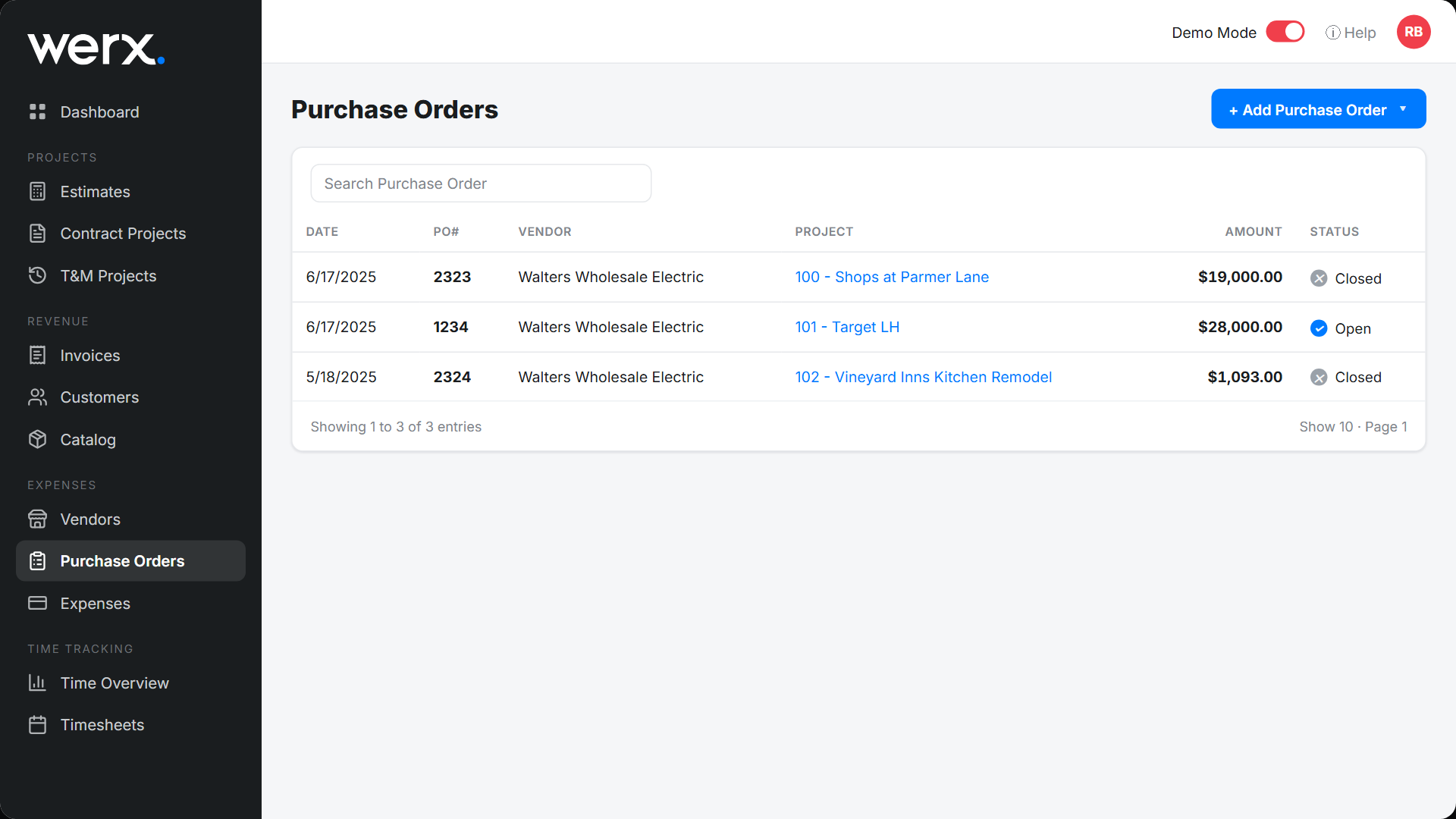
Project-linked purchase orders
Every PO is tied to a project and budget line, with open or closed status and receiving tracking. See all your purchase orders, what's outstanding, and which job each one belongs to - at a glance.
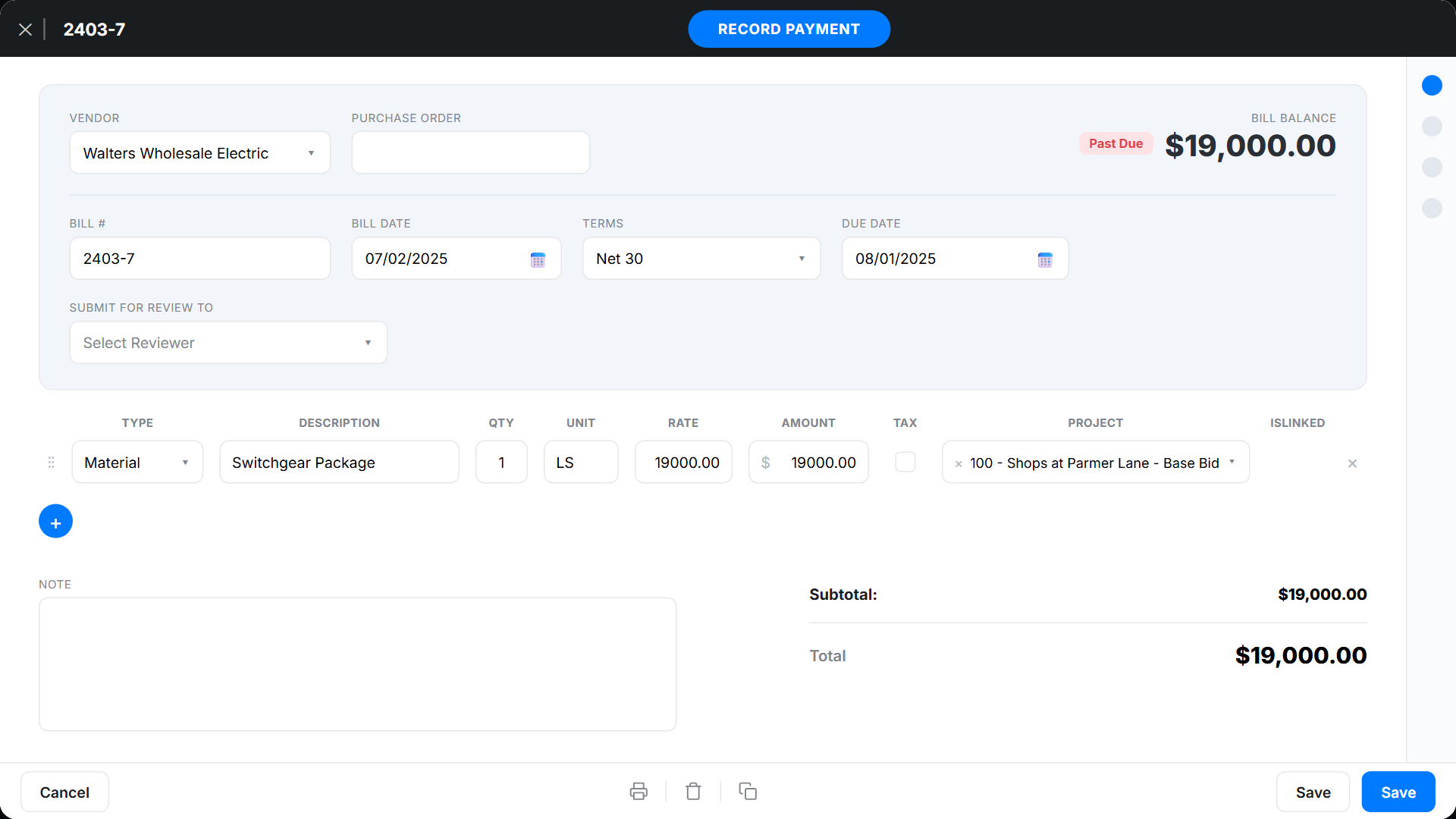
Vendor bills with an approval step
Convert a PO straight into a vendor bill, or enter one directly. Set terms, route it to a reviewer, and record the payment when it's due. Vendor accounts show open balances and AP aging so you always know what you owe and to whom.
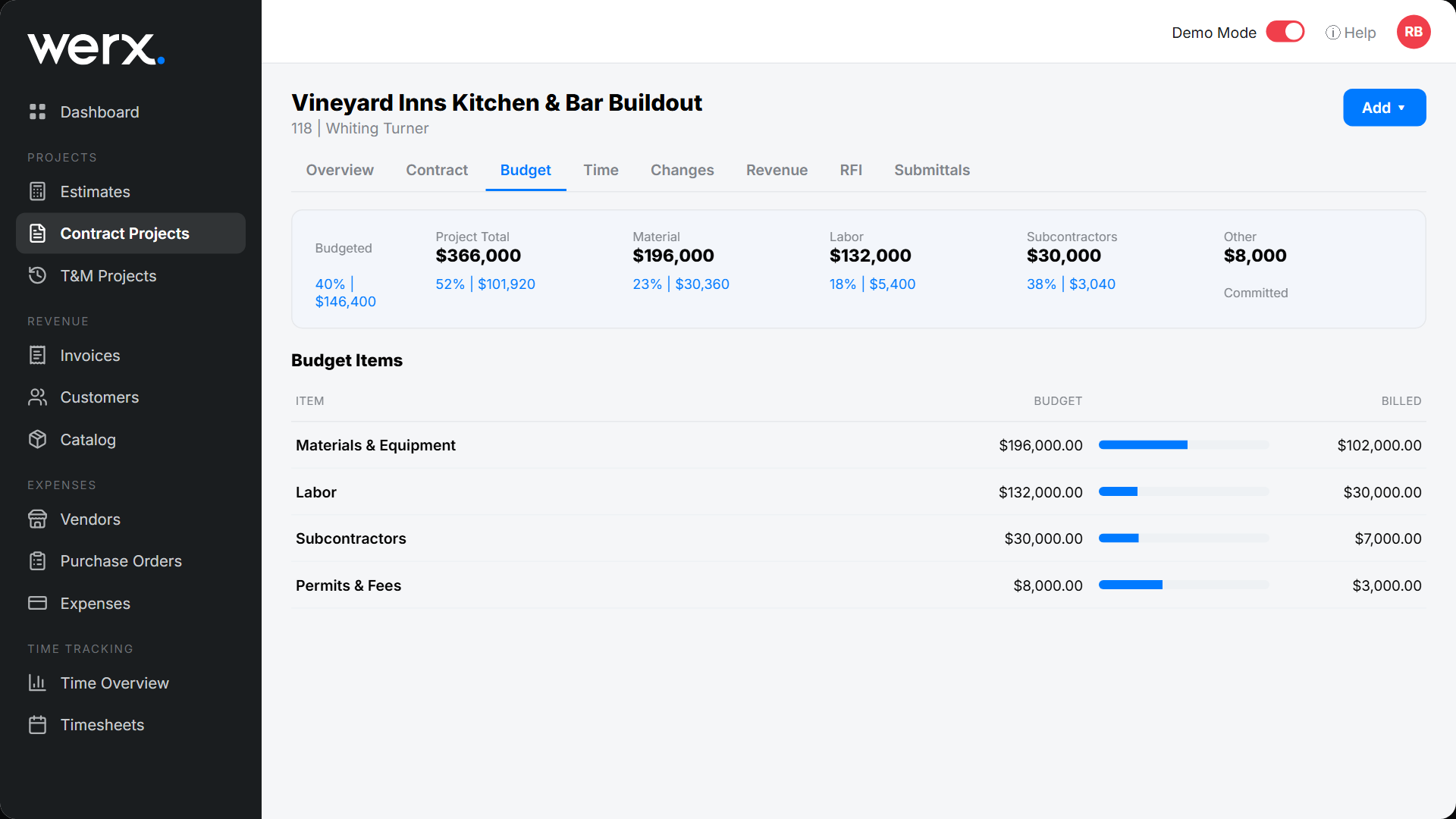
Committed costs show on the budget
A purchase order is a commitment, and Werx treats it like one. The moment you issue a PO, it shows as committed against the job's budget - so you see exposure before the bill even arrives. Pair it with job costing for a complete picture.
Everything you need for purchasing & A/P
Project-linked POs
Code every purchase order to a job and budget line.
Receiving tracking
Mark items received and close POs as they're fulfilled.
Copy to Bill
Turn a PO into a vendor bill in one click.
Bill approvals
Route bills to a reviewer before they're paid.
Vendor accounts & AP aging
Track open balances and what's past due by vendor.
QuickBooks sync
Vendors, bills, and payments sync to QuickBooks Online.
Contractors keep purchasing and job costs in sync

“Great for billing management, processing and applying payments to the project.”

“It feels like the platform was built with real contractors in mind, not just software developers guessing what is needed.”
“Great program, user friendly and allows Project Managers easy access to monitor their project's budgets.”
Purchase order questions
Can I convert a purchase order into a bill?
Yes. Use Copy to Bill to turn a PO into a vendor bill in one click - the vendor, items, amounts, and job coding all carry over.
Do purchase orders affect my job budget?
Yes. An issued PO shows as a committed cost against the budget line, so you see exposure before the bill arrives.
Can I track what I owe each vendor?
Yes. Each vendor account shows open bills, balances, and AP aging, with a full history of POs and payments.
Do bills and vendors sync to QuickBooks?
Yes. Werx syncs vendors, bills, and payments to QuickBooks Online two-way, so accounts payable stays consistent.
Is purchasing included on every plan?
Yes. Purchase orders, expense tracking, and job costing are included on every Werx plan from $49/mo.
Ready to connect purchasing to job costs?
Start your 14-day free trial. No credit card required.
No credit card required · Free migration assistance · Cancel anytime