

Real labor cost on every project
Track crew hours from the field or the office. See labor costs update in real time. Regular, overtime, and double time - all tied to projects.
Contractors switch to Werx time tracking because it connects hours to project costs automatically. No spreadsheets. No guessing at labor costs weeks after the job. Real numbers in real time.
Start 30-Day Free TrialFrom clock-in to cost report in 3 steps
1. Crew clocks in from the field
Open the Werx Field App, select a project, and enter clock-in and clock-out times.
2. Manager reviews and approves
Review entries from the web app. Edit, approve, or reject before costs post.
3. Labor costs hit the budget
Approved hours flow into project budgets automatically - regular, OT, and double time.
Track time from the field
The Werx Field App runs on iOS and Android. Crews clock in, select a project, and log hours from the job site. No paper timesheets. No phone calls. Your office sees who is working where in real time.
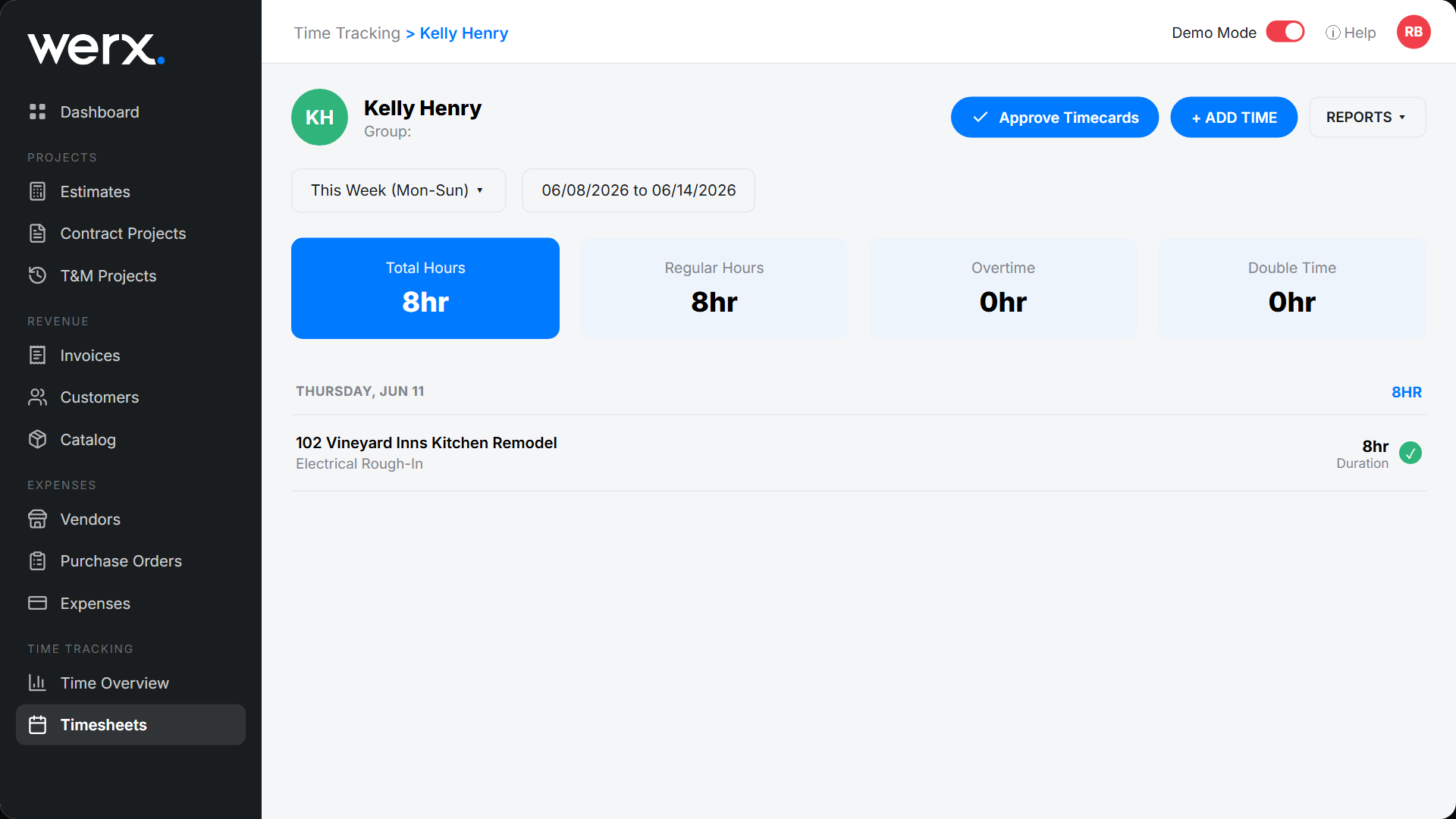
Office time entry and approval
Office staff and project managers enter time from the web app. Review, edit, and approve entries from your desk. Field and office entries flow into the same system. One view of labor hours across all projects.
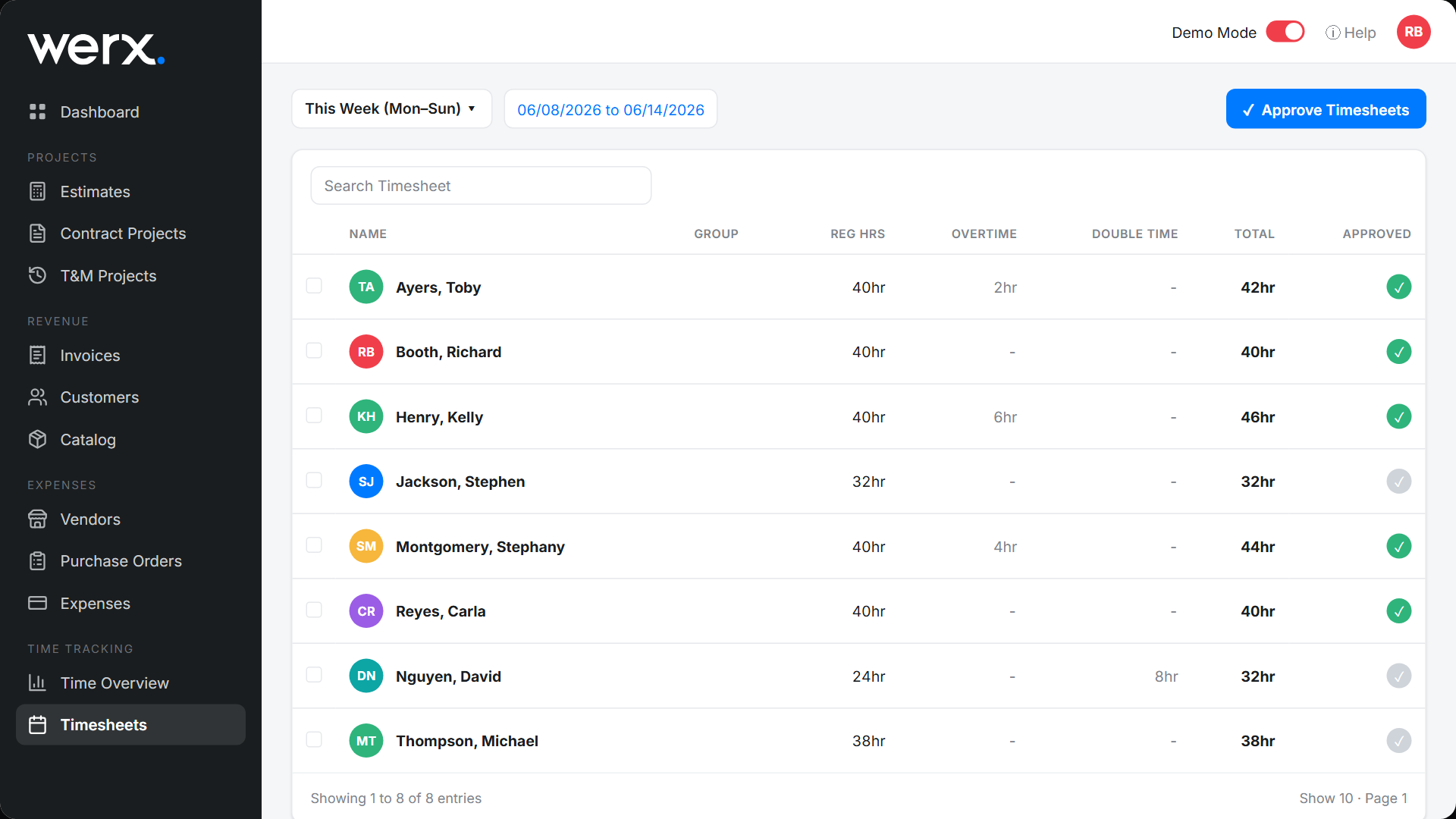
See labor costs as they happen
Werx tracks regular hours, overtime, and double time automatically. Compare labor costs against your budget on every project. Catch overruns before they eat your margin.
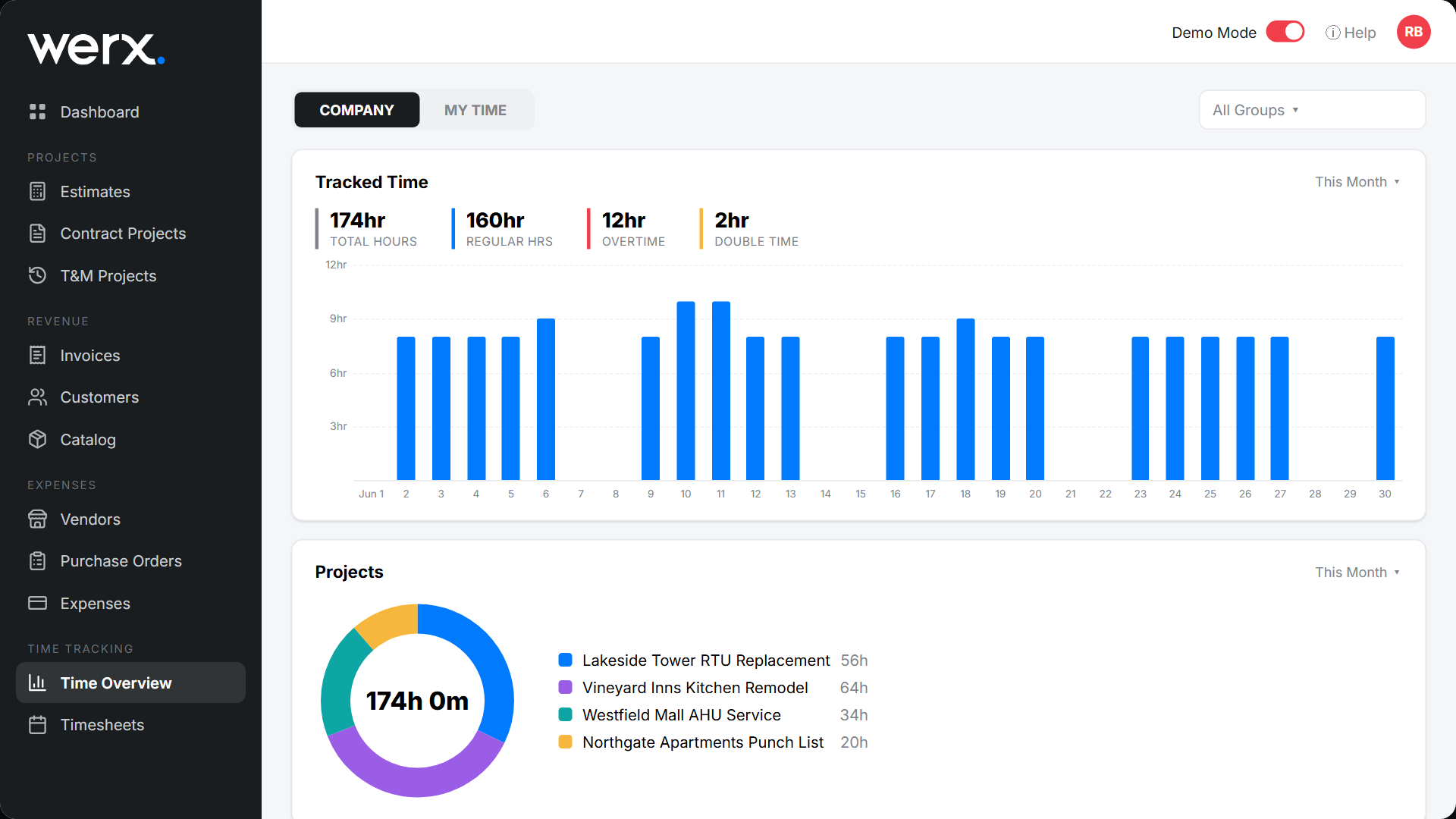
Hours tied to projects and cost codes
Every time entry connects to a project. Labor costs flow into project budgets automatically. See hours spent, what they cost, and how they compare to your original budget - all in real time.
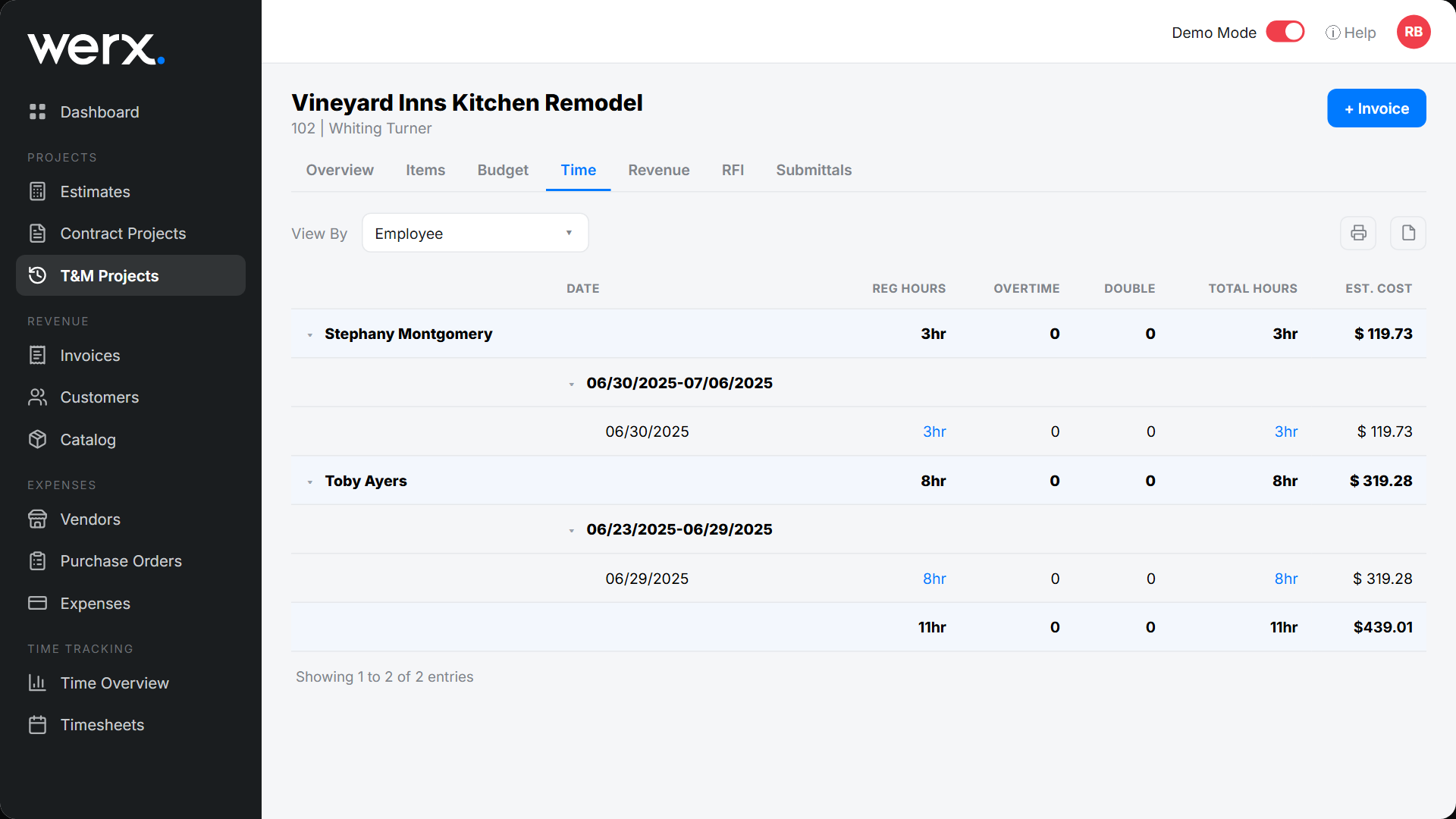
Built for crews in the field
iOS and Android app
The Werx Field App works on any phone or tablet.
Overtime calculations
Regular, overtime, and double time categorized automatically.
Project-level tracking
Every entry ties to a project and cost code.
Manager approvals
Review and approve time before it posts to budgets.
Real-time labor costs
See labor dollars update as hours are logged.
No extra cost
The Field App is included on every Werx plan.
Contractors love Werx for time tracking

“It's a reliable tool that has helped me stay organized, manage tasks more efficiently, and keep projects on track.”

“It feels like the platform was built with real contractors in mind, not just software developers guessing what is needed.”
“Time Tracking on Werx is very easy for my team — they can easily type in what project their hours are going to, input the time and save.”
Time tracking questions
What is the Werx Field App?
A mobile app on iOS and Android. Crews clock in, select a project, and log hours from the job site.
Can Werx track overtime and double time?
Yes. Werx categorizes hours as regular, overtime, or double time based on your settings.
Can office staff enter time?
Yes. Enter time from the web app. Managers can also review and enter time on behalf of field crews.
How does time tracking connect to projects?
Every entry is tied to a project. Labor hours and costs apply to the project budget automatically.
Does it work with progress billing and T&M?
Yes. Labor costs flow into both progress billing and T&M project budgets in real time.
Is the Field App included?
Yes. The Werx Field App is included on every plan at no extra cost.
Ready to track labor costs in real time?
Start your 30-day free trial. No credit card required.
No credit card required · Free migration assistance · Cancel anytime