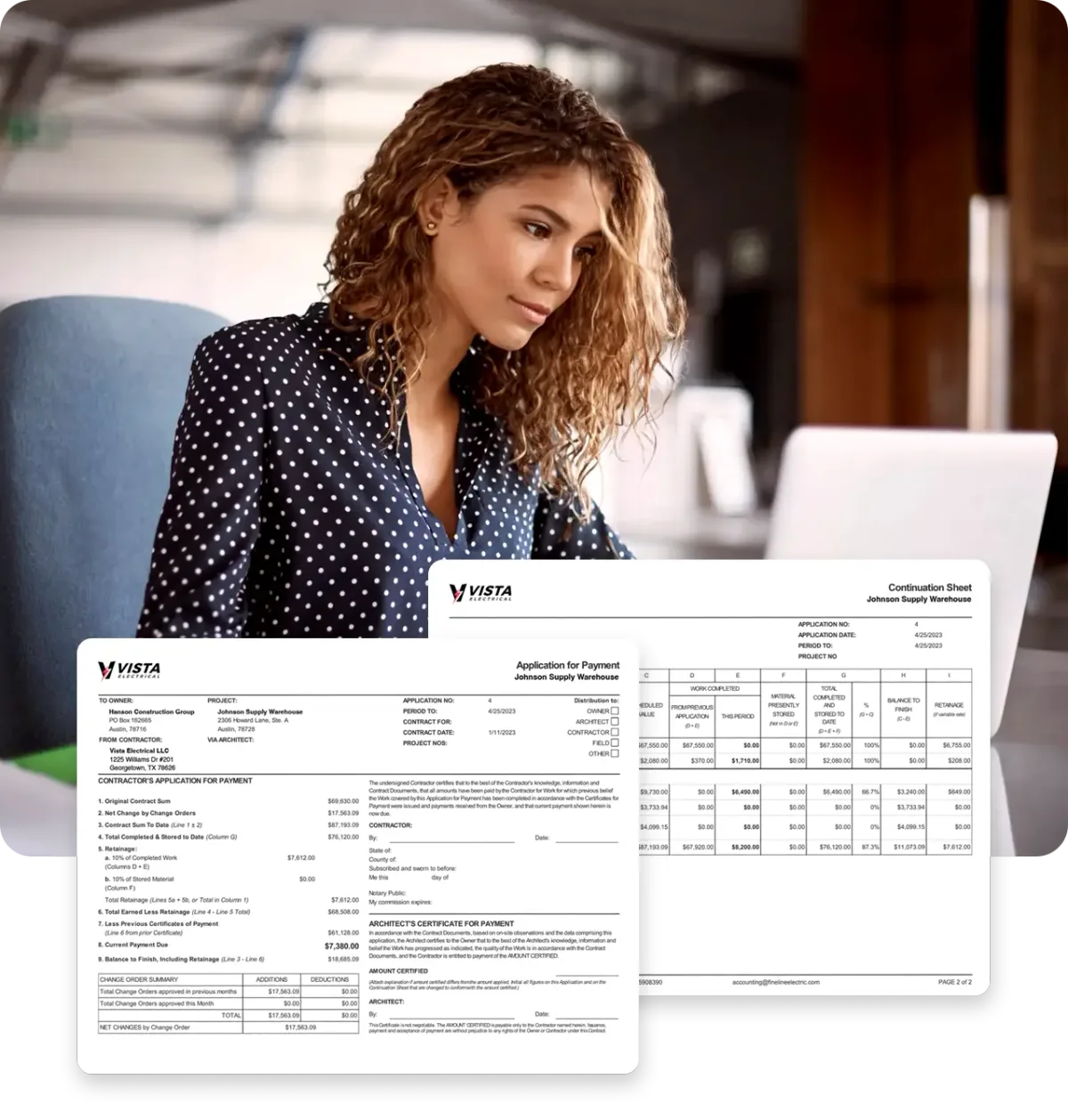

A pay application usually bounces for one plain reason. The numbers do not tie out. The G703 does not match the G702, a column went stale, or backup is missing. Every one of those is preventable with a short check before you hit send.
Why do pay applications get rejected?
Here is an honest note first. No one publishes an industry-wide rejection rate for pay apps. But the evidence points hard at paperwork, not at anyone's ability to pay.
In Rabbet's 2025 Construction Payments Report, contractors named lack of organized processes as the top cause of slow payments. It outranked cash flow, bank delays, and inflation, for GCs and subs alike. The friction lives in how pay apps and approvals get handled.
The stakes are not small. Rabbet estimates slow payments cost US construction $299 billion in 2025. That works out to a hidden tax of about 14 percent on project costs.
Your own wait is long even when everything goes right. Subcontractors wait an average of 51 days after submitting a pay app, per Billd's 2026 subcontractor report. GCs in the same survey believed they pay in 35 days.
A rejection adds a full cycle on top of that. The reviewer sends the package back, you fix it, and you wait for the next window. That is why the fix belongs before submission, not after.
New to the forms themselves? Start with the G702 and G703 form basics first. This post assumes you know the forms and shows you why they bounce.
Does your G703 tie back to your G702?
This is the most common math failure, and the easiest to catch. The G703 continuation sheet lists every line of work. The G702 cover sheet totals that money and computes the payment due.
The two must agree to the penny. Line totals on the G703 roll up to the contract sum, completed work, stored materials, and retainage on the G702. If any figure differs, the reviewer stops reading and sends it back.
Three spots cause most of the trouble:
- A line was edited on one form but not the other.
- Retainage was figured at the wrong rate, or only on some lines.
- A change order was added to the G702 total but never got its own G703 line.
Change orders deserve special care. Only approved change orders belong in your contract sum. Put each one on its own line, and leave pending ones out until they are signed.
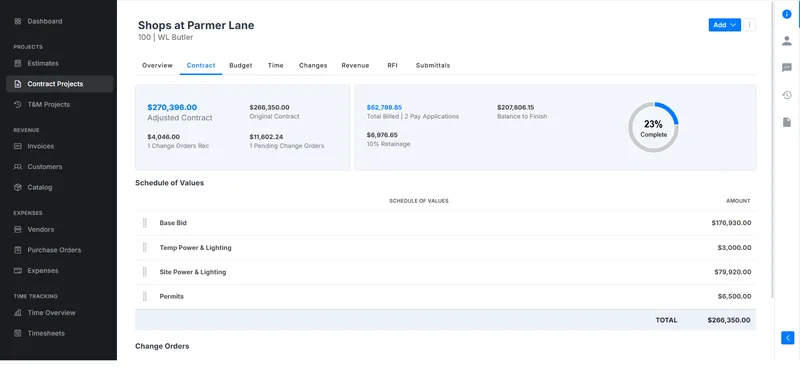
Your schedule of values is the base layer under all of this. If the SOV is clean, the forms built from it stay clean. Here is how to build a schedule of values that holds up.
Did you update the previous-applications column?
The G703 carries a column for work billed on previous applications. Each new app starts from that number. This period plus previous equals your total completed to date, on every line.
A stale previous column is a silent killer. Bill from last quarter's numbers and you either double-bill a line or leave money behind. The GC's team compares your column to what they certified last cycle, so they catch it instantly.
The fix is a one-minute reconciliation. Before you build this month's app, confirm the previous column equals last month's total completed. Do it line by line, not just at the total.
Watch the retainage carryover too. Retainage held grows with each application. If the held-to-date figure does not track your billing history, the release at the end will turn into a fight.
What backup does the GC expect?
A clean pay app with missing attachments still gets rejected. Reviewers at Procore and Siteline both document missing paperwork among the most common reasons pay apps stall. The common asks:
- Progress photos or other proof of completed work.
- Receipts and insurance for stored materials, plus photos of where they sit.
- A signed lien waiver whose amount matches the payment requested.
- Certified payroll reports on public jobs.
- A current certificate of insurance.
The lien waiver deserves its own warning. The waiver amount must equal the payment you are requesting, usually net of retainage. Read how lien waivers work before you sign one.
Stored materials trip people up too. If you bill for materials on site but uninstalled, the GC wants proof they exist and are insured. Miss the backup and that line comes out of your payment.
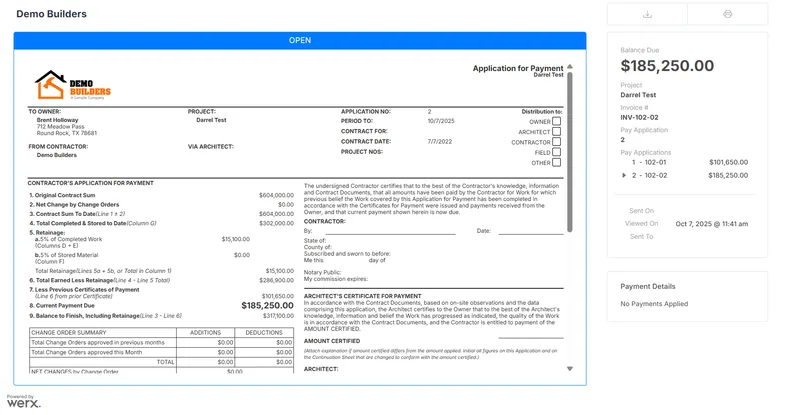
Ask the GC for their required attachment list at the start of the job. Every GC's package is a little different. Knowing the list up front beats guessing at it every month.
The pre-submit checklist
Run this list before every submission. It takes about ten minutes.
- G703 line totals add up to every figure on the G702.
- Percent complete on each line matches what the field can verify.
- The previous-applications column equals last month's total completed, line by line.
- This period plus previous equals total completed to date on every line.
- Retainage is figured at the contract rate, on work and stored materials.
- Approved change orders sit on their own lines. Pending ones are out.
- Stored materials carry receipts, photos, and insurance backup.
- The lien waiver amount matches the payment you are requesting.
- Required attachments are in: photos, certified payroll on public work, current COI.
- The app is signed, notarized if required, and submitted in the GC's channel before the cutoff.
Print it, or save it wherever you build your billing. The list never changes, and neither do the rejection reasons. If you build pay apps by hand, our free pay app builder does the tie-out math for you.
How does software prevent the math errors?
Most checklist items above are arithmetic. Software is better at arithmetic than tired humans on the last day of the billing window.
Contractor software like Werx builds the G702 and G703 style forms from your schedule of values. The line items, totals, and retainage tie together by construction, so the cover sheet cannot drift from the continuation sheet. The previous-applications column rolls forward from last cycle on its own.
Approved change orders flow to their own SOV lines automatically. Percent complete carries over month to month, so you update progress instead of retyping history. That removes the stale-column and wrong-total failures entirely.
The result is a package the reviewer can certify without questions. If you bill as a sub, the same discipline applies one level down. Here is how AIA billing works for subcontractors.
Software that handles AIA-style billing will not chase your photos or sign your waiver. It does make the math side of the checklist automatic. That leaves you the ten percent of the checklist that needs judgment.
Key takeaways
- No one publishes pay app rejection rates, but contractors name disorganized process as the top cause of slow pay.
- The G703 must tie to the G702 to the penny, including retainage and change orders.
- Reconcile the previous-applications column against last month before you build the new app.
- Backup gets apps rejected as often as math: photos, waivers, certified payroll, COI.
- Run the ten-minute pre-submit checklist every cycle. Rejections cost you a full month.