

Help Center
RFIs
Track field questions from request to a documented answer.
Updated June 21, 2026
An RFI (Request for Information) documents a question and its answer on a project — with a priority, cost and schedule impact, drawing and spec references, and attachments. Keeping RFIs in Werx protects you against disputes and delay claims.
Create an RFI
- Open the contract project and select the RFI tab.
- Click + Create RFI.
- Enter a title, priority, and due date.
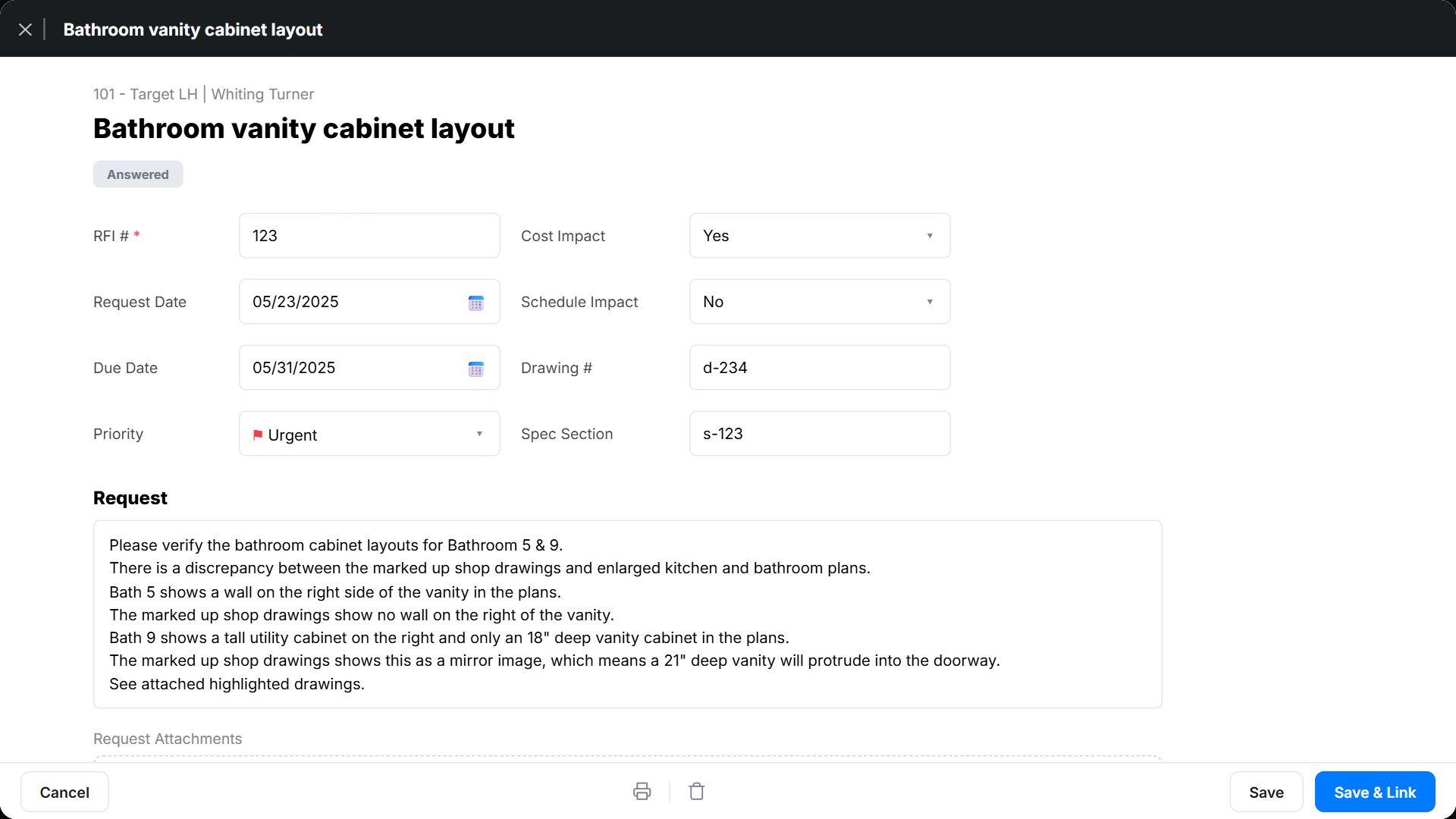
- Write the request, add drawing # and spec section references, and attach any files.
- Use Save & Link to send it.
Track and respond
The RFI log lists each RFI with its number, title, status, priority, date, due date, and sent state. On the RFI itself you can flag Cost Impact and Schedule Impact, then record the response — Werx stamps who answered and when, giving you a complete audit trail.
RFI FAQ
What is the difference between an RFI and a submittal?
An RFI asks a question and captures the answer; a submittal routes a product or material for review and approval.
Can I attach drawings?
Yes. Attach files to the RFI and reference the relevant drawing and spec sections so the answer is unambiguous.