

Help Center
Your subscription
Your plan, renewal date, user licenses, cards on file and invoice history in one place.
Updated October 15, 2026
The Subscription page is where an administrator manages what the company pays Werx. It shows the plan you are on and when it renews, how many extra user licenses you carry, the cards Werx charges, and every invoice so far. Changing plan, adding a card and cancelling all start here.
- Click your avatar in the top right, choose Account Settings, then click Subscription.
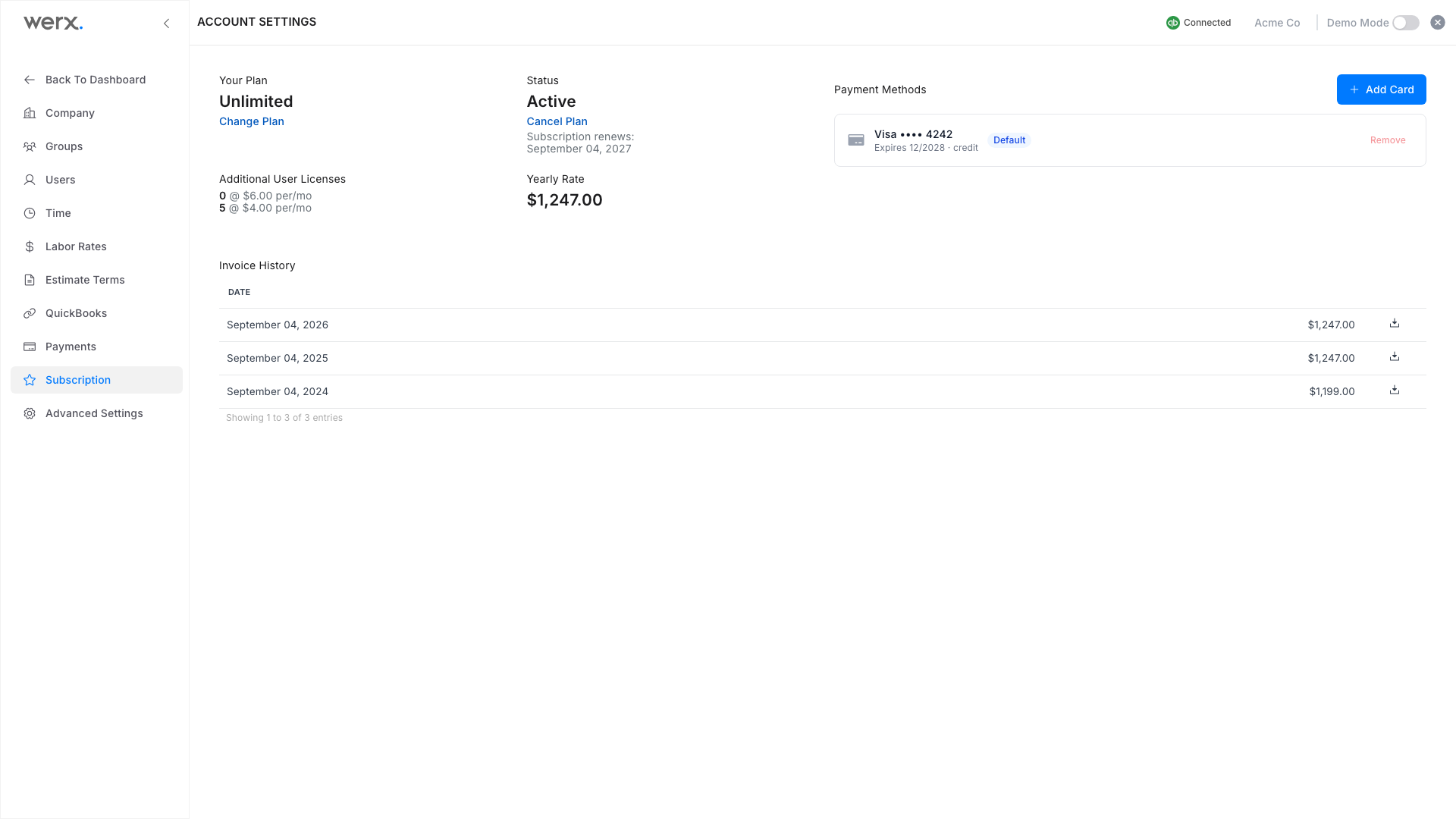
- Your Plan names the plan you are on, with Change Plan to move up or down. Status shows whether it is active and the date it renews.
- Additional User Licenses counts the paid seats beyond the one included: full users and time-only users at their own rates. The rate panel is the total you pay each period.
- Cards on file are listed with Add Card to add one, Set default to choose which card is charged, and Remove for cards you no longer use.
- Invoice History lists every charge. Click a row to download that invoice as a PDF.
- To stop at the end of the current period, click Cancel Plan under Status. The plan stays active until that date, and Reactivate Plan appears in case you change your mind.
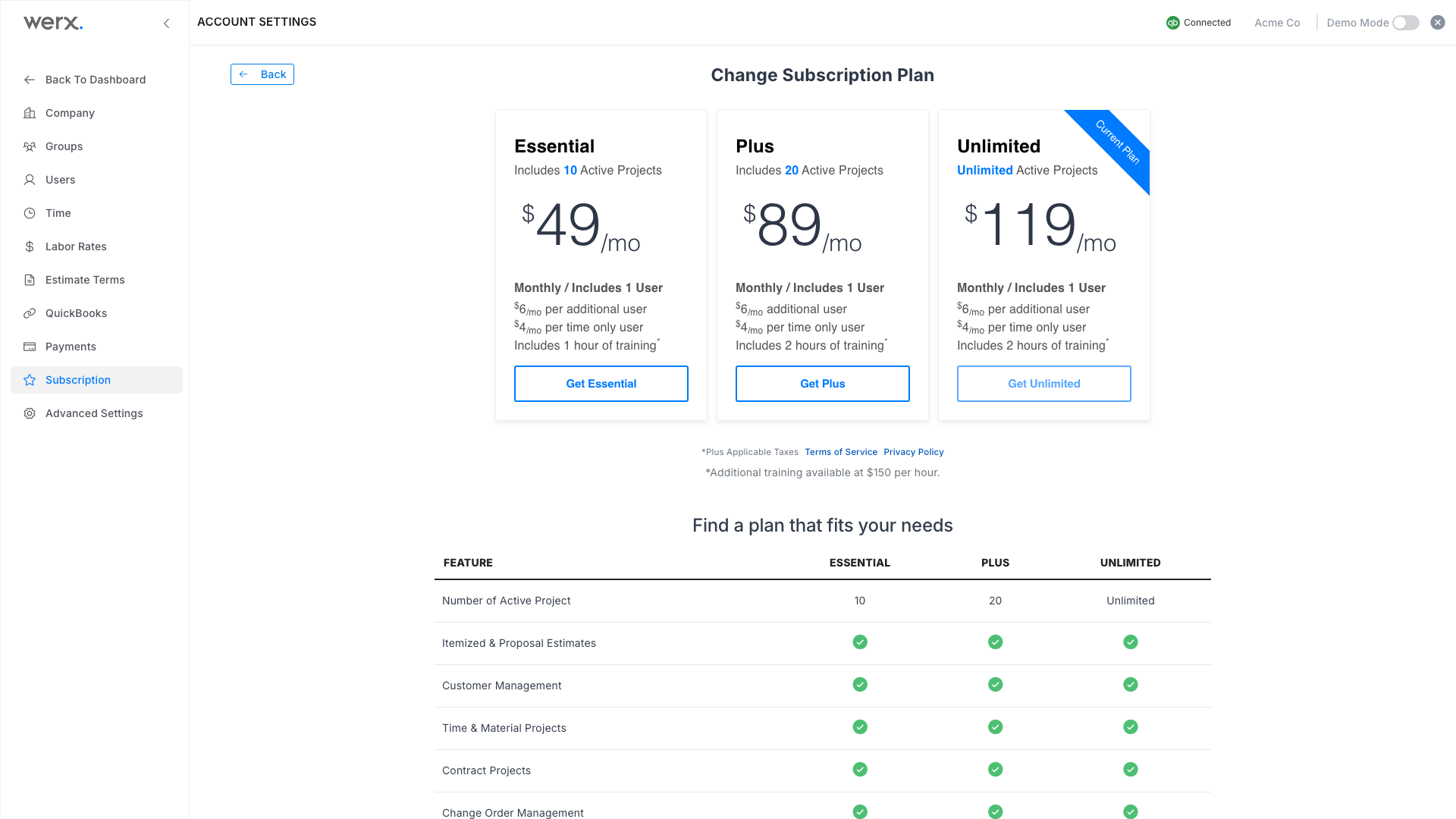
- Click Change Plan to compare Essential, Plus and Unlimited. Your current plan is marked; pick another to move. A company without a subscription sees the same plans on its first sign-in.
Good to know
- Licenses. Every plan includes one user. Each extra full user and each time-only user adds a per-user charge, shown under Additional User Licenses and included in the rate.
- Changing plan. A move to a bigger plan takes effect right away. A move to a smaller plan is scheduled for the end of the current period, and the page says when.
- Cancelling. You keep full access until the period ends. Your data stays in place, and Reactivate Plan restores the renewal at any time before that date.
Subscription FAQ
Who can see this page?
Administrators only. Other users do not see Account Settings.
Where do I get a receipt?
Under Invoice History, click the invoice to download its PDF.
Will I be charged when I add a user?
Yes. Extra full users and time-only users are billed at the per-user rates shown on the page.
What happens to my data if I cancel?
Nothing is deleted. Your projects, customers and documents are waiting if you renew.