

Werx Academy
How Cloud Tools Save Time in Construction
Cut paperwork, kill double entry, and keep one current view of every job. That is where the hours come back.
Cloud tools save contractors time by ending the paper chase. They put project data, billing, and field updates in one place you can reach from anywhere. The field and the office work from the same numbers, in real time.
What are cloud tools?

Cloud tools are apps that run on remote servers, reached through a browser or phone. You skip the local install and the office server. They update on their own and work across every device.
- Reach your data from any device with internet
- No costly servers or IT setup
- Automatic updates keep you on the latest version
- Data is backed up and secured off-site
How do cloud tools save contractors time?
Time is money on a job, and cloud tools claw back the hours lost to manual work. They cut the rekeying, the missed messages, and the data stuck in silos. Less busywork means more time on the tools.
- One source of truth across the office and field
- Fewer errors that force rework later
- Faster handoffs between estimate, project, and billing
How does real-time collaboration help?

Cloud platforms let office staff and field crews work the same data at once. A change in the field shows up in the office right away. The office no longer waits on paperwork at day's end.
- No waiting for crews to drop off timesheets
- Managers see schedule and budget shifts as they happen
- Crews open project files from the jobsite
How do you stop duplicate data entry?
Connected cloud tools pass information between each other on their own. An estimate becomes a project, which feeds billing, which syncs to accounting. You enter the data once and use it everywhere.
- Enter a number one time and reuse it
- Cut errors from rekeying across systems
- Save hours each week on admin work
How do cloud tools speed up decisions?
When the data is central and current, you decide fast. You stop hunting for reports or waiting on a callback. You catch a problem while it is still cheap to fix.
- Dashboards show job health at a glance
- Cash flow and profit numbers stay current
- Small problems surface before they grow
When should you move to cloud tools?
Move to the cloud when paper and spreadsheets start costing you time. If crews drive paperwork to the office or numbers never match, it is time. Growing job counts make the switch pay off even faster.
Start with the tools tied to cash, like time tracking and billing. Add estimating and project management as the work grows. A solo operator with one job at a time can wait, but most crews benefit early.
- Timesheets and reports arrive late from the field
- The same data gets typed into two or three places
- You cannot see real-time job cost or cash flow
- The team runs on scattered texts and emails
How does Werx put the cloud to work for contractors?
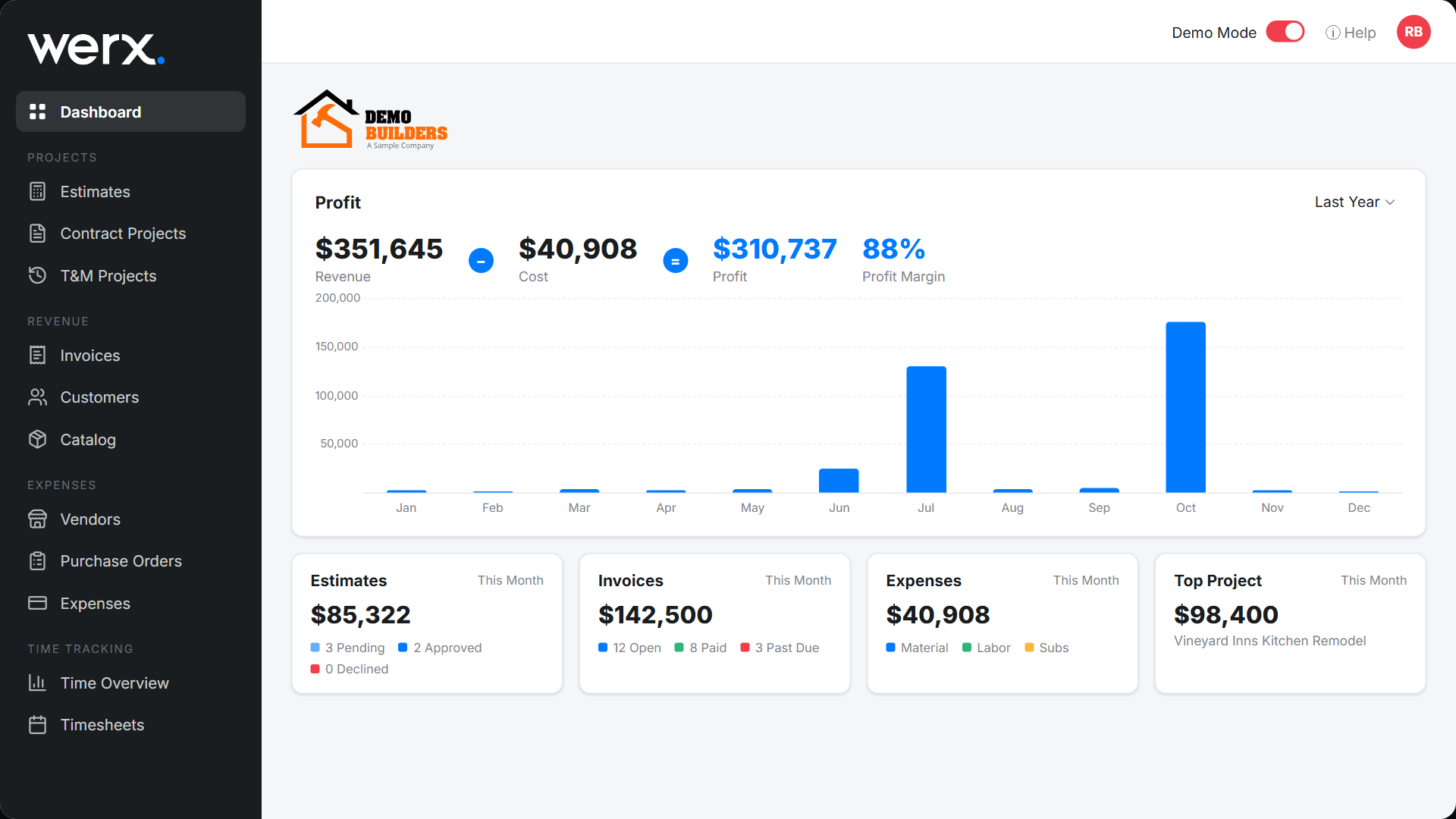
Werx is a cloud platform built for small and midsize contractors. Contractor software like Werx joins estimating, AIA billing, time tracking, and QuickBooks integration in one connected system.
- Open everything from a browser or phone
- Crews track time and progress from the jobsite
- Estimates roll into projects and billing on their own
- Job data syncs with QuickBooks as it changes
For more on getting tools to talk to each other, see the tech stack small teams need.
Key takeaways
- Cloud tools save time by ending paperwork and double entry
- The field and office work the same data in real time
- Connected tools pass data from estimate to billing to accounting
- Switch when manual work starts costing you hours each week
- Werx runs your whole job in one cloud platform with QuickBooks sync
Frequently Asked Questions
Are cloud tools secure for construction data?
Yes. Reputable platforms use strong encryption, regular backups, and tight access controls. That is often safer than local computers or paper files.
Do cloud tools work without internet?
Many apps offer offline use that syncs once you reconnect. On most jobsites, mobile data covers real-time access.
How much do cloud tools cost?
Most use monthly subscriptions that fit small teams. The saved hours and avoided errors usually return more than the cost.
Ready to grow your business?
Start your 14-day free trial today. No credit card required.
No credit card required · Free migration assistance · Cancel anytime