

Werx Academy
How Does QuickBooks Integration Simplify Contractor Accounting?
Enter project data once in Werx. The sync posts clean records to QuickBooks, so nobody rekeys invoices.
QuickBooks integration connects your project billing and field data to your general ledger. It ends double entry and keeps job costs accurate. Werx handles AIA, progress, and T&M invoicing, retainage, and time tracking. Then it syncs clean records to QuickBooks Online, so your books match the work.
Why does integration matter for contractors?
Construction financials are project-based. Without a sync, you rekey invoices, payments, and job costs. That invites errors and delays. Integration keeps field, billing, and accounting in lockstep.
- Stops duplicate data entry between systems
- Keeps job costs, AR, and revenue tied to the work
- Improves cash flow visibility and month-end close
- Builds an audit-friendly trail for each project
What actually syncs, and in which direction?
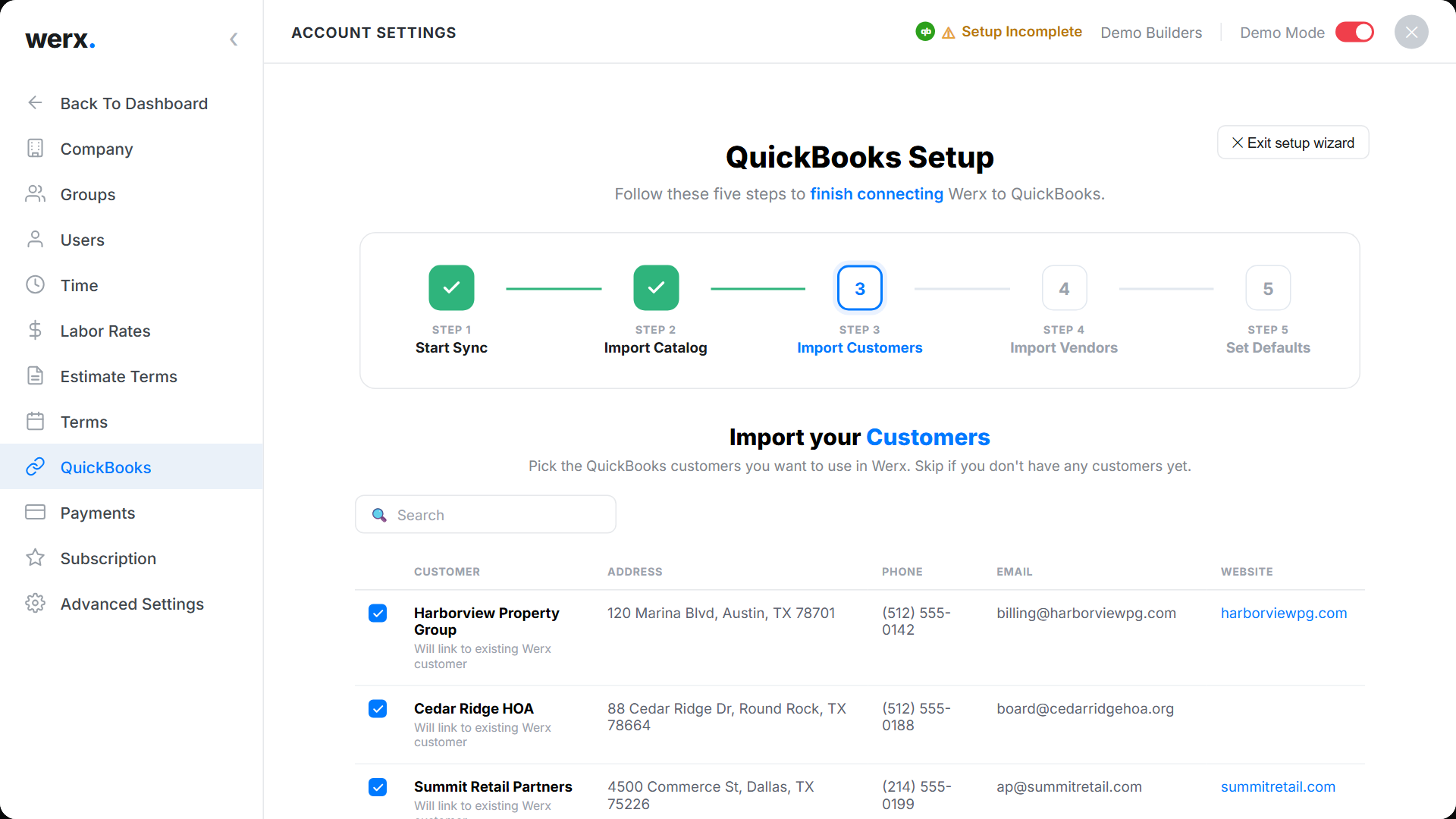
Werx pushes the project-billing truth into your books. QuickBooks stays the system of record. You control what to sync and when.
- Customers and jobs with project references
- Invoices and credit memos from AIA, progress, and T&M billing
- Payments and fees, including online payments, to keep AR current
- Items, services, and taxes mapped to your chart of accounts
- Job-cost detail for labor and materials, summarized as configured
What are the top benefits?
Integration turns project activity into clean accounting entries fast. You save hours and protect margin.
- Accurate job costing without spreadsheet workarounds
- Faster invoicing and collections with online payment processing
- Clean AR aging, with retainage tracked in your workflow
- Shorter month-end close and fewer CPA adjustments
What goes wrong without integration?

Manual copy and paste creates blind spots and profit fade. The books drift from the real job status.
- Double entry and mismatched SOV and cost codes
- Missed hours or materials that cause underbilling
- Late change-order posting and revenue issues
- AR that does not reflect real project status
How do Werx and QuickBooks work together?
Werx runs the construction workflows. QuickBooks keeps the general ledger. The integration keeps both sides consistent.
- Build SOVs and generate AIA billing or progress billing
- Bill service and remodel work with T&M billing
- Capture labor in the field with time tracking
- Post clean records to the GL with QuickBooks integration
When should you set up QuickBooks integration?
Set it up before your invoice volume grows. Set it up when two people enter the same data twice. Set it up when month-end close drags on for days.
A brand-new contractor with a handful of invoices can wait. Once billing and field data pile up, connect the systems. New to this? Start with why contractors struggle with QuickBooks.
- You issue regular AIA, progress, or T&M invoices
- You rekey the same records in two tools
- You track retainage and pay apps each month
- You want job costs and the GL to match
How do you set it up the right way?
Plan your mappings once. Then reap the benefit on every job.
- Standardize items and cost codes; map them to accounts
- Use consistent names for customers, jobs, and phases
- Decide summary versus detail level for job-cost sync
- Reconcile monthly and lock closed periods
Key takeaways
- Integration ends double entry and speeds month-end close
- The sync turns project activity into clean GL entries
- Cash flow improves with accurate AR and online payments
- Werx and QuickBooks keep field, billing, and books aligned
Frequently Asked Questions
Will I still use QuickBooks after integrating?
Yes. Werx manages project workflows and billing. QuickBooks stays your general ledger for reporting, taxes, and the chart of accounts.
What data should sync to keep job costs accurate?
Sync customers, jobs, invoices, payments, and job-cost detail as configured. Keep items and services mapped to the right accounts for clean financials.
Can I control the level of detail that syncs?
Yes. You can summarize or add more detail based on CPA preferences. Balance easy reading with audit needs.
Ready to grow your business?
Start your 14-day free trial today. No credit card required.
No credit card required · Free migration assistance · Cancel anytime