

Werx Academy
How to Reduce Time Theft and Timesheet Errors
Stop padded hours, buddy punching, and miscoded time with simple daily habits and light controls.
Time theft and timesheet errors drain profit through padded hours, buddy punching, and miscoded time. You fix it with a simple daily workflow, clear standards, and supervisor approvals. No surveillance needed. Add light-touch tech that makes the right entry the easy one.
Why do time theft and errors happen?

Most problems come from manual steps and vague rules, not bad actors. Remove the guesswork and you remove most of the loss.
- Paper or memory-based entry: hours guessed at week's end
- No coding standard: wrong job, phase, or cost code
- Shared logins or devices: the door to buddy punching
- Optional approvals: errors flow straight to payroll
What policy fixes actually work?
Set a few firm rules and keep them the same across jobs. No micromanaging required.
- Daily entry: hours logged the same day they are worked
- Weekly approval: the foreman signs off before payroll
- Job, phase, and cost code required on every entry
- No shared credentials: unique logins, or a kiosk with a PIN
Which light-touch tech controls help?
Use tools that guide correct behavior by design. You do not need heavy tracking to get clean data.
- Pickers only, no free text, for job, phase, and cost code
- Inline validation that blocks missing fields and wild overtime
- Optional location snapshot at entry for verification, not tracking
- Audit trail of who edited what, when, and why
How do you train crews and manage the change?

Crews adopt what saves them time. Keep the rollout short and practical.
- A 5 to 10 minute toolbox talk and a one-page cheat sheet
- Promote the daily entry, weekly approval rhythm
- Recognize crews with on-time submissions
- Phase out paper fully to stop backsliding
Which KPIs show your controls are working?
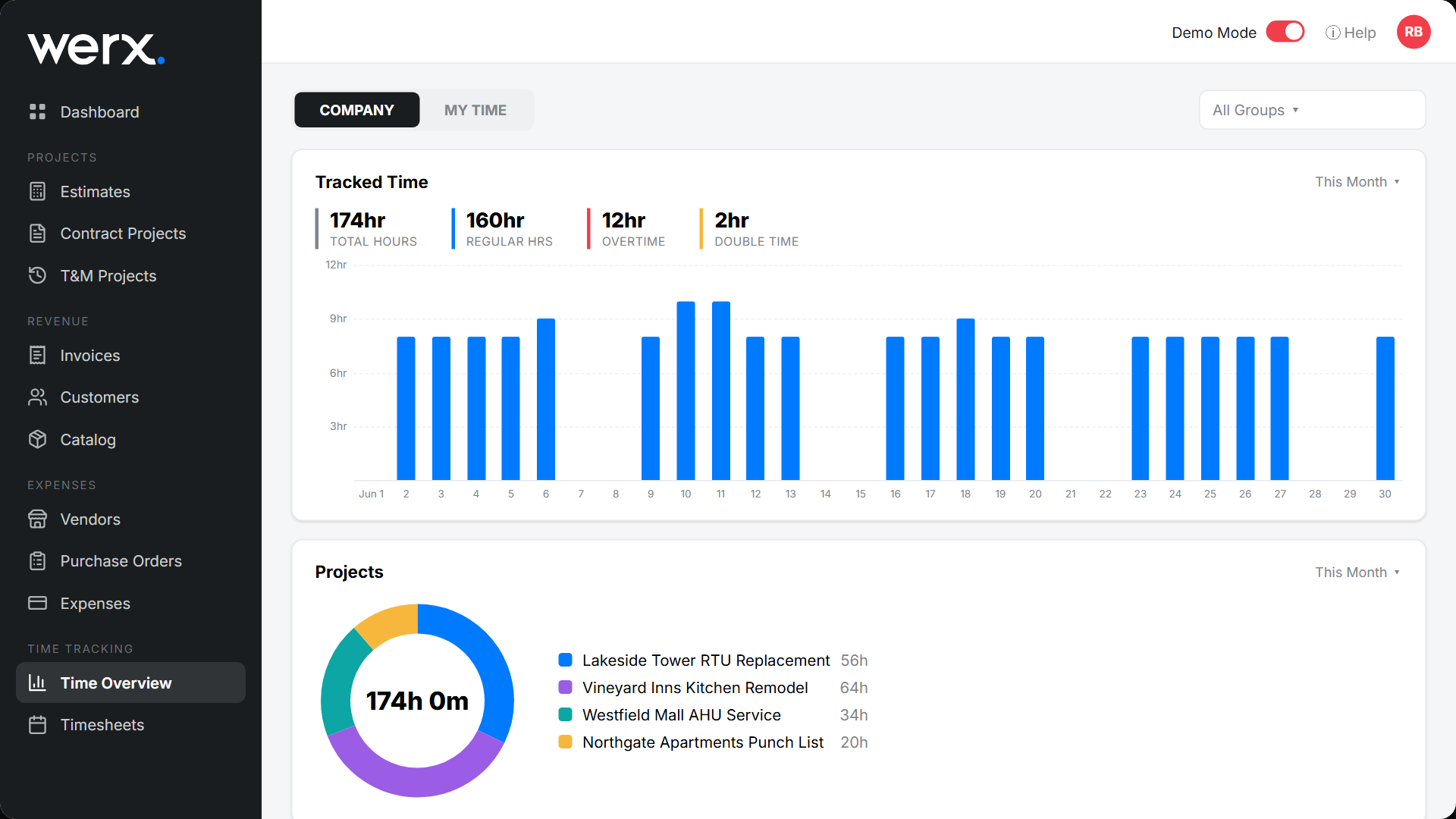
These numbers tell you if the fixes are sticking. Watch the trend, not one week.
- On-time submission rate for daily entries and weekly approvals
- Edit rate at approval, which should fall over time
- Uncoded hours, with a target of zero
- T&M dispute rate, which should drop with better backup
When is more control worth it?
Add more control when the loss is real or the crew is large. A few padded minutes per person per day adds up across a year. A one-person shop needs far less.
Match the control to the risk. Daily entry and approvals fit almost everyone. Save PINs and location checks for bigger crews or repeat problems. Clean hours also protect payroll readiness and T&M billing.
- Crews are large or spread across sites
- You see repeat editing at approval
- Payroll re-runs are common
- T&M disputes keep showing up
How does Werx reduce time theft and errors?
Contractor software like Werx guides crews through correct coding and keeps an audit trail. The Werx Field App syncs to accounting, so payroll and job costs match.
- Mobile entry with job, phase, and cost-code pickers
- Supervisor approvals and full change history
- Notes and photos for T&M billing backup
- Clean sync to QuickBooks Online for payroll readiness
Key takeaways
- Daily entry plus weekly approval beats surveillance
- Pickers, validation, and audit trails prevent bad data
- Unique logins or PINs deter buddy punching
- Werx aligns field time, T&M backup, and QuickBooks
Frequently Asked Questions
Do we need GPS or geofencing to stop time theft?
No. Optional location snapshots can verify entries, but the biggest wins come from daily logging, required codes, and approvals.
How do we handle teams without smartphones?
Use a shared tablet or kiosk with unique PINs. Enforce daily entry and weekly approval to keep the audit trail.
What if someone forgets to clock out?
Require a note on edits, alert the supervisor, and cap edits after weekly approval. Patterns surface fast in the audit log.
Ready to grow your business?
Start your 14-day free trial today. No credit card required.
No credit card required · Free migration assistance · Cancel anytime