

Werx Academy
How to Set Up Labor Approvals & Payroll Readiness
Capture hours daily, review weekly, and lock before export. Payroll runs clean and job costs hold up.
Labor approvals and payroll readiness mean every hour is captured, reviewed, and locked before export. Each entry carries the right job, phase, and cost code. With a clear approval chain and closed periods, payroll runs faster. Job costs stay accurate and your billing gets cleaner.
How do you build a simple approval chain?
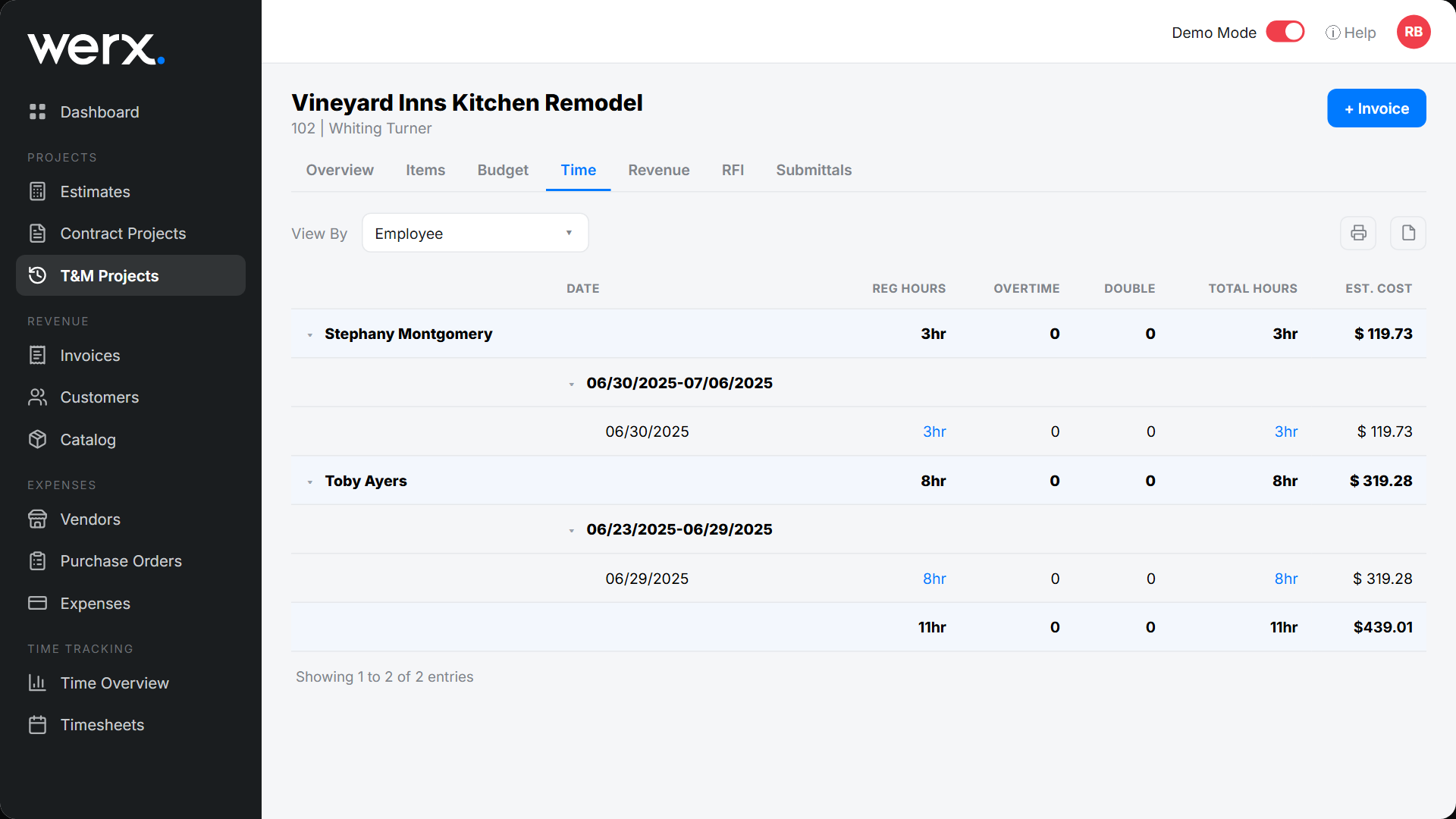
Short, predictable checkpoints prevent last-minute fixes and payroll re-runs. Everyone should know their step.
- Daily entry by the crew: hours logged to job, phase, and cost code
- Weekly supervisor sign-off: the foreman reviews entries and notes
- PM exception review: resolve overtime, miscoding, and missing proof
- Office lock: approve the period and block edits before export
How do cutoff dates and closed periods work?
Publish a payroll calendar so everyone knows the deadlines. Clear rules end the weekly scramble.
- Cutoff: entries in by Friday, approvals done by Monday morning
- Lock: once approved, timesheets are read-only
- Late entries: handle them next cycle with a required note
- Audit: store approval history and change logs
What coding and validation rules keep data clean?
Design the system so the right choice is the easy choice. The field will follow the simplest path.
- Pickers only, no free text, for job, phase, and cost code
- Inline checks for overtime limits and missing fields
- Optional location snapshot for light verification
- Require notes or photos when billing T&M
How should you handle exceptions?

Solve common issues the same way every time. Fair and fast beats case-by-case.
- Missed punch: edit with a required note, then supervisor approval
- Miscoding: fix to the right cost code before lock
- Outlier overtime: flag for PM review and a comment
- Disputed hours: attach photos, tickets, or an EWA for backup
What belongs on a payroll readiness checklist?
Check these items before export to avoid re-runs and journal fixes.
- All timesheets submitted and approved
- Uncoded hours at zero, every entry mapped to a code
- Regular and overtime split correct, rates and classes confirmed
- Notes and attachments present for T&M or unusual work
How do you export to accounting without rekeying?
Keep project truth in operations and your books clean in accounting. One sync should do both.
- Sync approved time to QuickBooks Online, with items mapped
- Keep job, phase, and cost-code references for reporting
- Post payments and adjustments to the right GL accounts
- Reconcile the payroll journal with job-cost reports monthly
When should you lock a period (and when to reopen)?
Lock the period as soon as approvals are done and the checklist is clean. A locked period protects the audit trail. As a rule, do not reopen it.
Handle late changes in the next cycle with a note and approval. Reopening invites errors and breaks payroll math. This discipline keeps certified payroll defensible.
- Approvals are complete and the checklist passes
- You are ready to export to accounting
- A change can wait for the next cycle
- You need a clean trail for audits
How does Werx enable approvals and payroll readiness?
Contractor software like Werx drives the cadence from entry to export. The Werx Field App and admin tools keep it on track.
- Daily mobile entry with job, phase, and code pickers
- Supervisor and PM approvals with a full audit trail
- Locked periods and a clear exception path
- Clean sync to QuickBooks for payroll and job costs
Key takeaways
- Daily entry, weekly approvals, and locked periods mean clean payroll
- Pickers, validation, and a clear exception path prevent rework
- Run the readiness checklist before every export
- Werx unifies approvals and QuickBooks sync for accurate job costs
Frequently Asked Questions
Who approves time, and when?
Crews enter daily, supervisors sign off weekly before payroll, and PMs resolve exceptions. The office locks the period and exports.
What if hours change after the period is locked?
Do not reopen the period. Record an adjustment next cycle with a note and approval to protect the audit trail.
Can this support different pay classes or rates?
Yes. Use standard cost codes and confirm rate or class at approval. Mapped exports to QuickBooks keep payroll and job costing aligned.
Ready to grow your business?
Start your 14-day free trial today. No credit card required.
No credit card required · Free migration assistance · Cancel anytime