

Werx Academy
What Is Certified Payroll & Prevailing Wage Compliance?
Certified payroll proves you paid the right wage by trade. It is the price of admission on public works jobs.
Certified payroll is a weekly, signed payroll report. You submit it on prevailing-wage projects to prove correct pay.
It shows each worker got the required base rate and fringe for the classification worked. Prevailing wage rules set minimum pay by trade. You track hours by job, classification, and day, then report them.
When does prevailing wage apply?

Prevailing wage usually applies to public works and government-funded jobs. Check your bid documents for the wage determination and compliance terms. Rules and thresholds vary by state.
- Federal Davis-Bacon work and related acts on qualifying federally funded jobs
- State or city prevailing-wage laws on public projects, with thresholds that vary
- A wage determination that lists trades, rates, and fringes by county
What are the key requirements?
Compliance comes down to correct classifications, pay, and records. Get these three right and the rest follows.
- Classification: pay the rate for the work performed, even with multiple roles
- Base plus fringe: provide fringe as cash or bona fide benefits
- Overtime: calculate it correctly when you pay fringes in cash
- Apprentices: follow ratio rules and registration requirements
- Weekly reporting: submit certified payroll with a signed statement of compliance
What goes on a certified payroll report?
Many agencies accept the federal WH-347 or a state equivalent. The report summarizes each worker's pay for the week.
- Worker name, masked ID, work classification, and project ID
- Daily and weekly straight and overtime hours by classification
- Rates of pay, fringes, gross pay, deductions, and net pay
- A signed statement of compliance for the weekly period
Some owners require electronic filing or their own form. Follow the contract instructions.
How do you set up for compliance?
Make compliance the default by designing your codes and approvals up front. This is far easier than fixing reports later.
- Create job, phase, and cost codes with trade classifications
- Define fringe handling: cash in lieu or bona fide benefits
- Require daily time entry with a classification per task
- Run supervisor weekly approvals, then lock the period before export
- Map exports to payroll so pay and job costs line up
When should you tighten your process?
Tighten up the moment you bid public or government-funded work. Do not wait for the first report deadline. A clean system before the job starts saves penalties later.
- You see a wage determination in the bid documents
- The contract names Davis-Bacon or a state prevailing-wage law
- You add apprentices who need ratio and registration tracking
- Your crews work multiple classifications in one day
How do you stay audit-ready?
Keep a clean trail so reviews are quick. Records vary by jurisdiction, so confirm your retention period.
- Store timesheets, certified payroll PDFs, pay stubs, and fringe records
- Retain documents for the required period in your state, often several years
- Track apprenticeship registrations and ratio compliance
- Post wage determinations and notices on site if required
How does software simplify certified payroll?
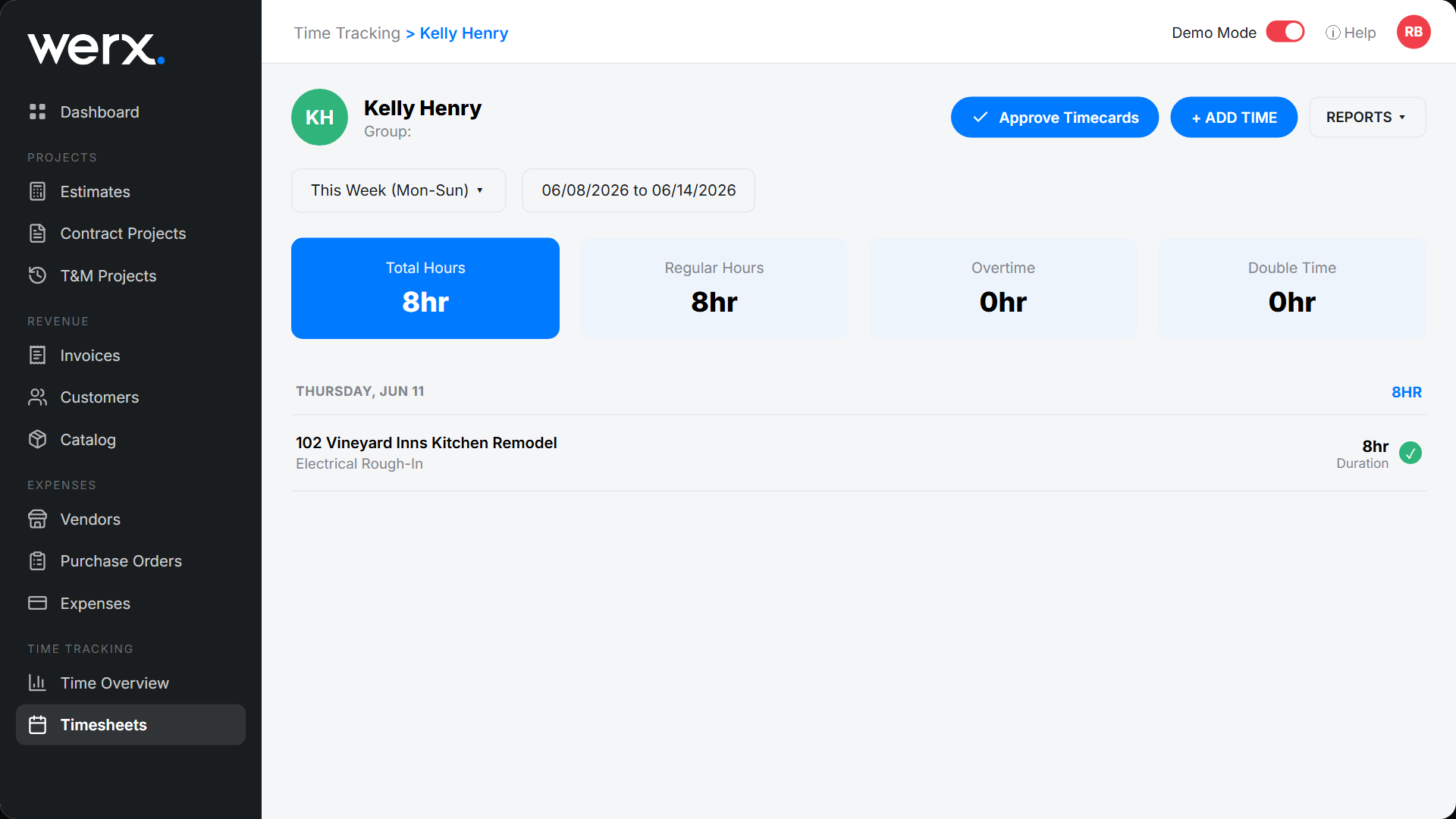
Contractor software like Werx captures correct hours and classifications in the field. Then it exports clean data for payroll and reporting.
- Daily mobile time by job, classification, and day with approvals
- Audit trails on edits, plus notes and photos for unusual work
- Map classifications and rates, then sync to QuickBooks Online
- Back up T&M labor with itemized entries and attachments
Key takeaways
- Certified payroll proves prevailing-wage pay by classification each week
- Rules apply mostly to public and government-funded work, and vary by state
- Correct classifications, fringe handling, and records drive compliance
- Werx captures field hours by classification and exports clean payroll data
Frequently Asked Questions
What exactly is certified payroll?
It is a weekly payroll report, signed under penalty of perjury. It shows each worker's hours by classification, rates, fringes, and net pay on a prevailing-wage job.
Do I have to use the WH-347 form?
Not always. Many agencies accept the WH-347 or their own electronic form. Always follow your contract and the agency instructions.
How do fringes work for overtime?
If you pay fringes in cash, follow your jurisdiction's overtime rules. If fringes are bona fide benefits, treat them per policy and law. When in doubt, confirm with your payroll provider.
Ready to grow your business?
Start your 14-day free trial today. No credit card required.
No credit card required · Free migration assistance · Cancel anytime