

Werx Academy
How to Standardize Cost Codes & Assemblies for Estimating
One code structure, from bid to invoice, so your numbers always reconcile.
Standardizing cost codes and assemblies means one structure for how you estimate, track time, buy materials, and bill. The same codes flow from estimate to schedule of values to job costing to invoices. That cuts rework and protects margins. Your reports finally reconcile.
Why should you standardize codes and assemblies?
Consistency turns estimating into a repeatable system. It also makes field reporting and billing faster and cleaner.
- Aligns estimating, field time, purchasing, and billing to one structure
- Improves job-cost accuracy and budget-versus-actual analysis
- Speeds AIA and progress billing because SOV lines match your estimate
- Makes training easier and cuts one-off methods by crew or PM
How do you build a master cost code list?
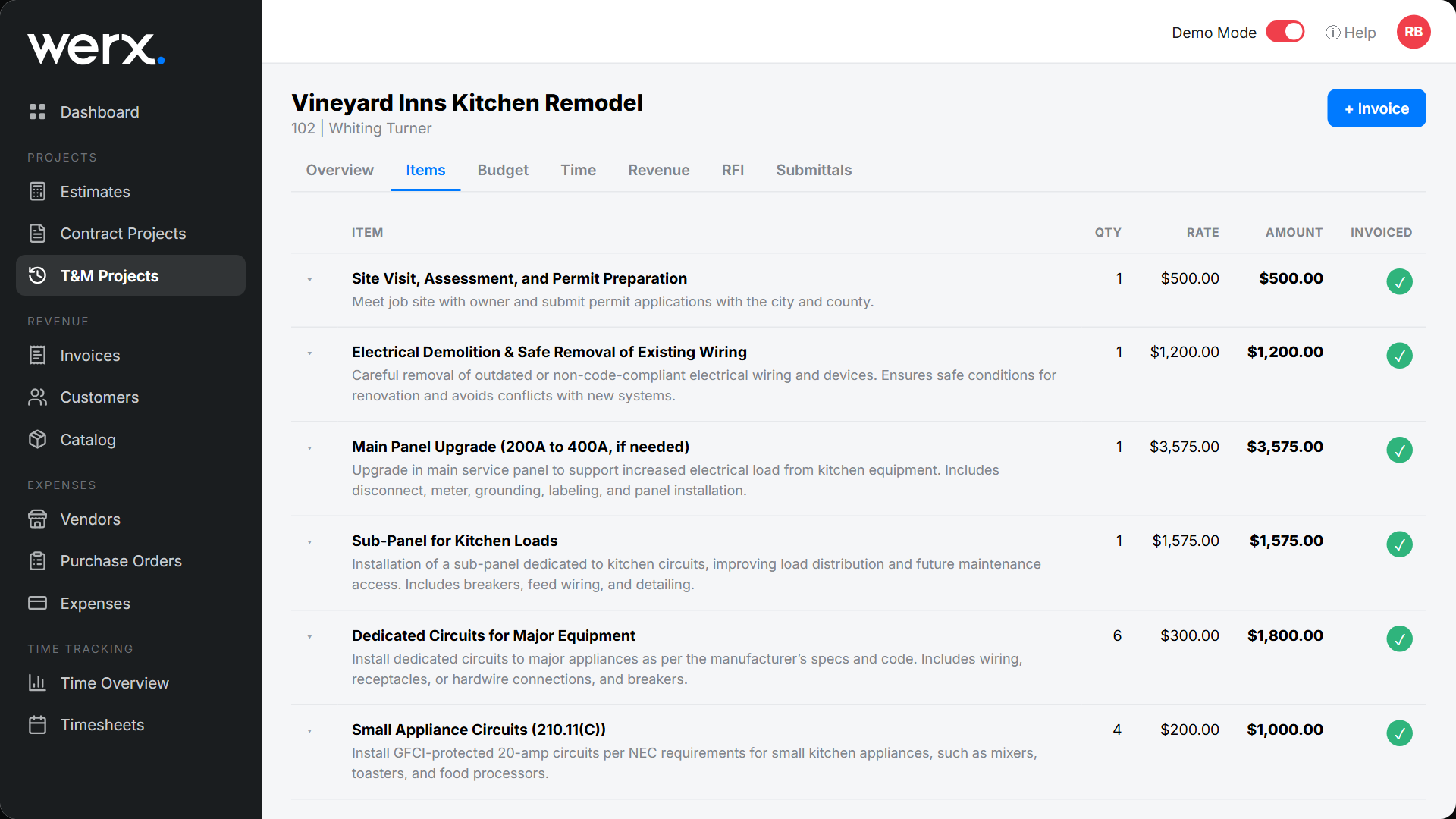
Create one company-wide list and use it on every job. Keep the detail practical. Enough to manage, not so much it slows the team.
- Organize by division or trade, like demo, concrete, framing, MEP, finishes
- Use a simple numbering scheme, like 01-010 Demolition, 03-100 Footings
- Define a clear description and default unit (LF, SF, EA, HR) per code
- Map each code to SOV groups and to QuickBooks items or accounts
How do you define assemblies that reflect real work?

Assemblies bundle labor, materials, and equipment for common tasks. Estimators then price quickly and the same way every time.
- Include components: labor hours with burden, materials with waste, equipment
- Use production rates (LF per day, SF per hour) and note crew assumptions
- Add default markup and overhead rules for reliable margins
- Build templates for repeat scopes, like outlet install or roof square
How do you map codes across SOV, field, and purchasing?
The same codes must carry through estimating, progress tracking, and billing. If they do not, your reports will not reconcile.
- Build schedule of values lines that roll up your master codes
- Require field time entry by job, phase, and cost code, with no free text
- Code POs, receipts, and sub invoices to the same codes
- Reference codes on G703 lines for review clarity
How do you govern naming, versions, and training?
Own the standard. A few process rules keep your library clean as you grow.
- One owner approves new or changed codes and assemblies
- Document naming rules and units, and avoid near-duplicate codes
- Review quarterly: retire unused items and update production rates
- Train estimators and foremen, and publish a quick-reference guide
What mistakes should you avoid?
Over-complication and inconsistency cause most of the rework.
- Codes so granular the field cannot track them
- Mismatched codes between estimate, SOV, and QuickBooks
- No burden in assemblies, so labor looks cheap and margins fade
- Crews using custom names or ad-hoc codes
When should you standardize your codes?
Standardize before your next estimate, not in the middle of a job. A clean baseline pays off on every future bid. Pair it with accurate estimating for the best results.
Hold major changes until a quarterly review. Keep a change log so old jobs still reconcile.
- You run more than one job at a time
- Field, office, and accounting use different codes today
- You bill AIA or progress and need clean SOV rollups
- You are onboarding new estimators or foremen
How does Werx make your standard easy to use?
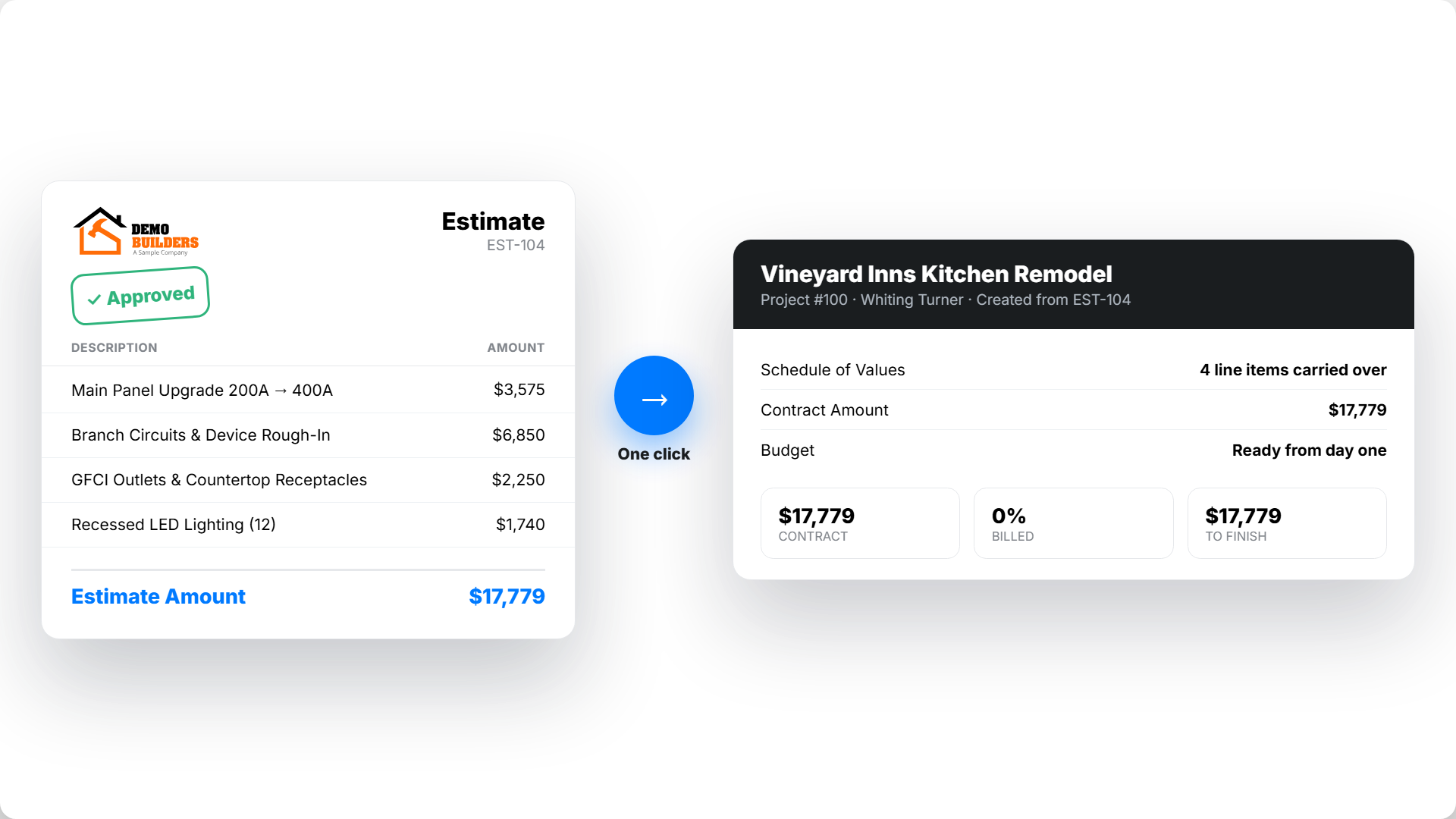
Contractor software like Werx makes your standard easy to use. It runs from takeoff to billing and keeps accounting in sync.
- Build estimates with templates, cost codes, and assemblies
- Turn accepted estimates into a schedule of values
- Generate AIA billing with retainage and stored materials
- Capture labor to codes with time tracking, then sync to QuickBooks Online
Key takeaways
- Standardize one master cost-code list and a set of practical assemblies
- Carry the same codes from estimate to SOV to field to billing
- Govern with naming rules, approvals, and quarterly reviews
- Werx keeps templates, SOV, billing, time, and QuickBooks aligned
Frequently Asked Questions
What is the difference between a cost code and an assembly?
A cost code is a tracking bucket for how you categorize work. An assembly is a prebuilt recipe of labor, materials, and equipment used to price that work.
How detailed should our cost codes be?
Use the least detail that still drives decisions. If the field cannot reliably code time or receipts to it, it is too granular.
How often should we update assemblies and production rates?
Review quarterly or after major jobs. Update for new materials, labor rates, and productivity, and keep a change log.
Ready to grow your business?
Start your 14-day free trial today. No credit card required.
No credit card required · Free migration assistance · Cancel anytime