

Werx Academy
What Is a Change Order (and How Do They Work)?
A change order is a written change to a contract's scope, price, or time. Done right, it protects your margin and your timeline.
A change order is a written change to your contract. It adjusts the scope, price, or schedule of a job.
It records what changed, why, the cost, and the time impact. That keeps owners, GCs, subs, and lenders on the same page. Good change order habits protect your margin and stop payment fights.
Why do change orders happen?
Even well-planned jobs change once work starts. The cause usually falls into a few buckets.
- Owner changes to scope, selections, or finish level
- Hidden conditions like rot, bad soil, or tight access
- Clarifications from RFIs or revised drawings and specs
- Code, inspection, or material substitution needs
What should a good change order include?
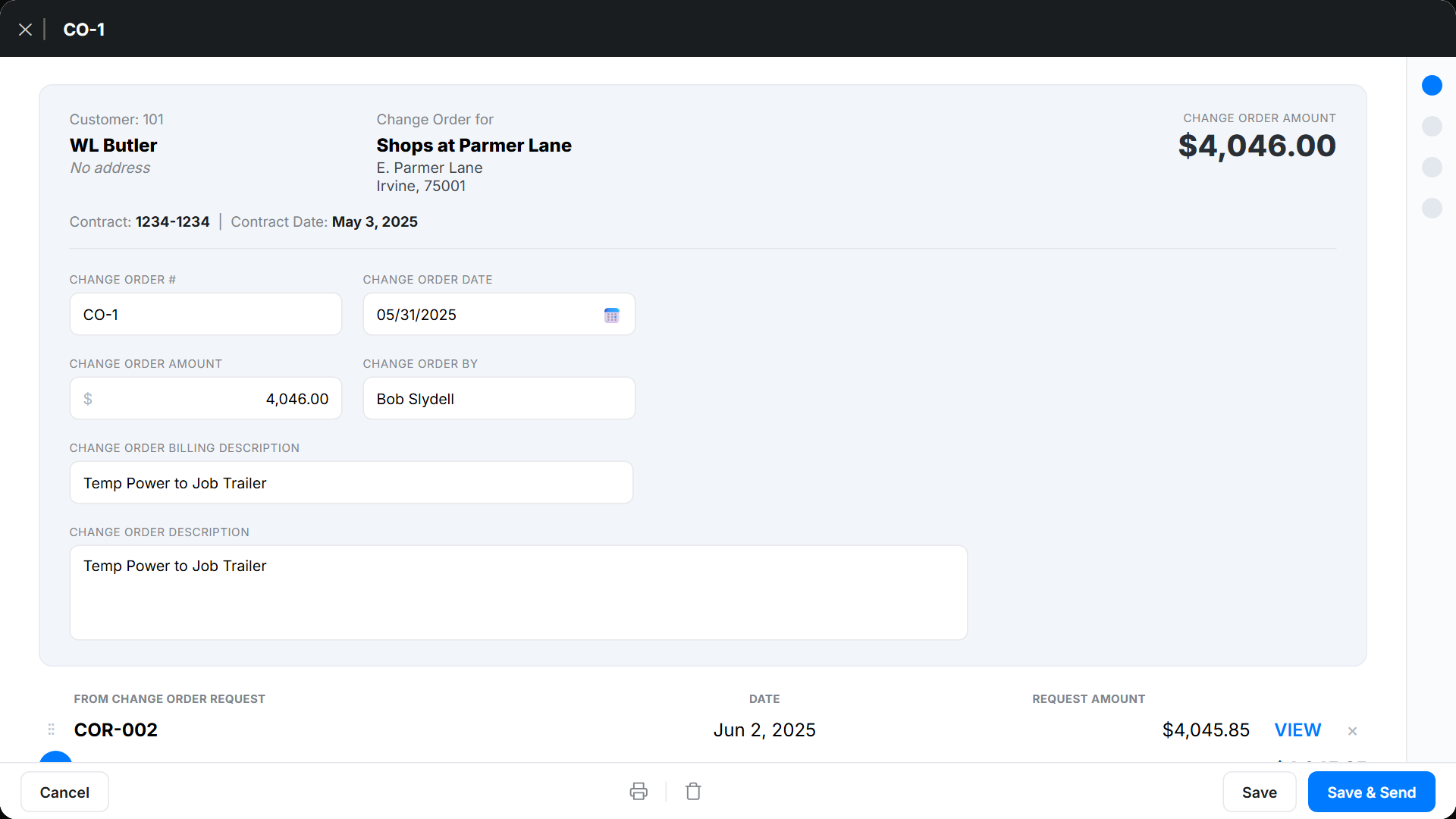
Specifics speed approval and keep billing clean. Vague change orders stall in review.
- A clear description of the change and its location
- References to drawing, RFI, or spec numbers, plus photos
- Pricing for labor, materials, equipment, subs, and markup
- Schedule impact in days and any sequencing notes
- Contract amount before and after, with updated schedule of values lines
- Tax and retainage handling, plus signatures (e-sign is fine if allowed)
How do you price a change order?
Match the pricing method to the situation and your contract terms. Each fits a different kind of change.
- Lump sum: one fixed price when the scope is clear
- Time and materials: actual hours times rates plus materials and markup, backed by tickets and photos
- Unit price: a pre-agreed rate per unit, like linear foot or square
For full detail on the second method, see time and materials billing.
How does the change order process work?
Capture the change fast in the field. Then formalize it before work moves ahead.
- Field records an Extra Work Authorization with notes, photos, and a signature
- Office prices the change and issues a written change order
- Get approval before work starts, especially on lump sum
- Update the budget and SOV, and track the change on its own line
Here is how the two documents compare:
| Document | What it is | When it's created | How it's signed |
|---|---|---|---|
| Extra Work Authorization (EWA) | A quick field agreement to proceed with extra work and capture proof | In the field, the same day the change comes up | On-the-spot signature at the job site |
| Change order | The formal contract change with final scope, price, and time | Priced by the office and issued before the changed work moves ahead | Both sides of the contract sign; e-sign is fine if allowed |
How do change orders affect AIA and progress billing?
Tie every change order to your SOV so pay apps stay audit-ready. This keeps your billing in sync.
- Add new SOV lines or adjust existing ones for the change
- Reference change order numbers on the G703 continuation sheet
- Apply retainage to change order lines the same way you do elsewhere
- Show prior and current billings cleanly on the G702
When should you write a change order?

Write one any time the work strays from the signed contract. That includes added scope, swapped materials, or a longer timeline.
Skip a formal change order only for true no-cost, no-time clarifications. When in doubt, document it. A signed change order is cheaper than a dispute.
- The scope, price, or schedule moves off the contract
- The owner asks for extra or different work
- Hidden conditions force added labor or materials
- A delay shifts your completion date
What are common change order mistakes?
A few habits cause most change order disputes. Fix them early.
- Starting work with no written authorization, so capture an EWA the same day
- Vague scope, so reference drawings and attach photos
- No schedule note, so list added days or state "no time impact"
- A misaligned SOV, so add or adjust lines before the next pay app
How does software simplify change orders?
Change order management software like Werx connects field capture, pricing, and billing. Change orders move from the job site to the office without retyping.
- Create EWAs with on-the-spot signatures in the field time tracking app
- Convert EWAs to change orders and update the SOV
- Bill through AIA and progress pay apps or T&M invoices
- Sync invoices and payments with QuickBooks Online
Key takeaways
- A change order formally adjusts scope, price, or time on a contract
- Capture an EWA in the field, then issue a written change order before work
- Tie change orders to your SOV and reference them on pay apps
- Werx links EWAs, change orders, SOVs, billing, and QuickBooks together
Frequently Asked Questions
What is the difference between an EWA and a change order?
An Extra Work Authorization is a quick field agreement to proceed and capture proof. The change order is the formal contract change with final scope, price, and time.
Can I bill a change order before it is signed?
It is risky. If work must proceed, use a signed EWA and bill as T&M with full backup. Then convert to a formal change order fast.
How do I handle overhead and profit on change orders?
Follow your contract's terms. Price labor, materials, equipment, and subs, then apply the agreed markup. List it clearly on the change order.
Ready to grow your business?
Start your 14-day free trial today. No credit card required.
No credit card required · Free migration assistance · Cancel anytime