

Help Center
Time overview
See where labor hours go, by day and by project.
Updated June 21, 2026
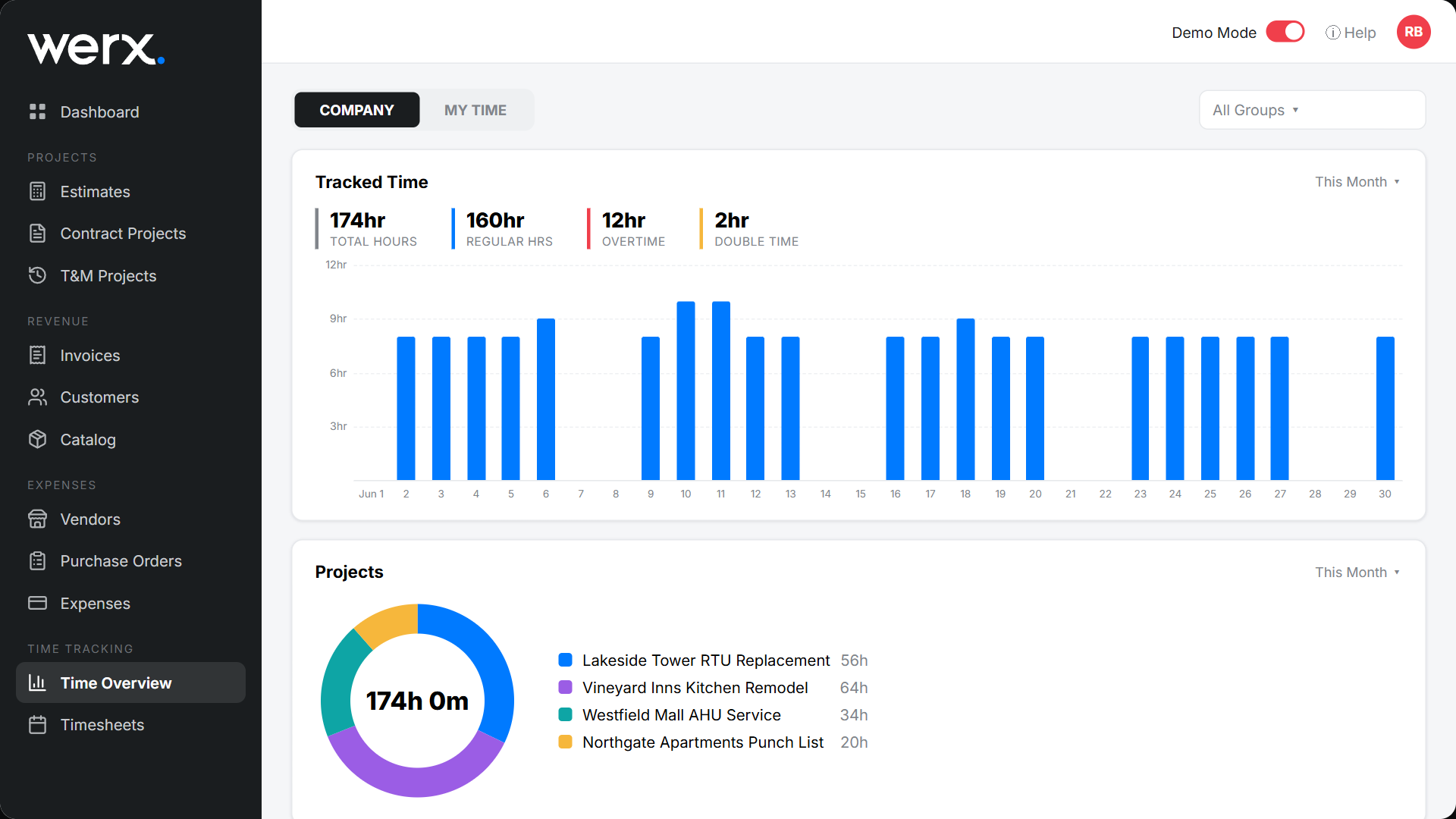
The Time Overview is your time-tracking dashboard — a quick read on how many hours the team logged, when, and on which jobs.
Read the dashboard
Go to Time Tracking → Time Overview. Toggle Company / My Time and filter by group. The Tracked Time panel shows Regular, Overtime, and Double-time for the period with a daily bar chart, and the Projects donut shows how hours split across jobs.
Time overview FAQ
What is the Company / My Time toggle?
Company shows the whole team's hours; My Time shows only yours.
How do hours get here?
From time logged in the field or web app, then reviewed on timesheets.