

Help Center
Vendor accounts
See every transaction and the open balance for a vendor in one place.
Updated June 21, 2026
A vendor account is the statement view for a single vendor — every bill and purchase order, plus what you owe them right now. It is the fastest way to answer "what is our balance with this supplier?"
Open a vendor account
- Go to Expenses → Vendors.
- Click the vendor you want to review.
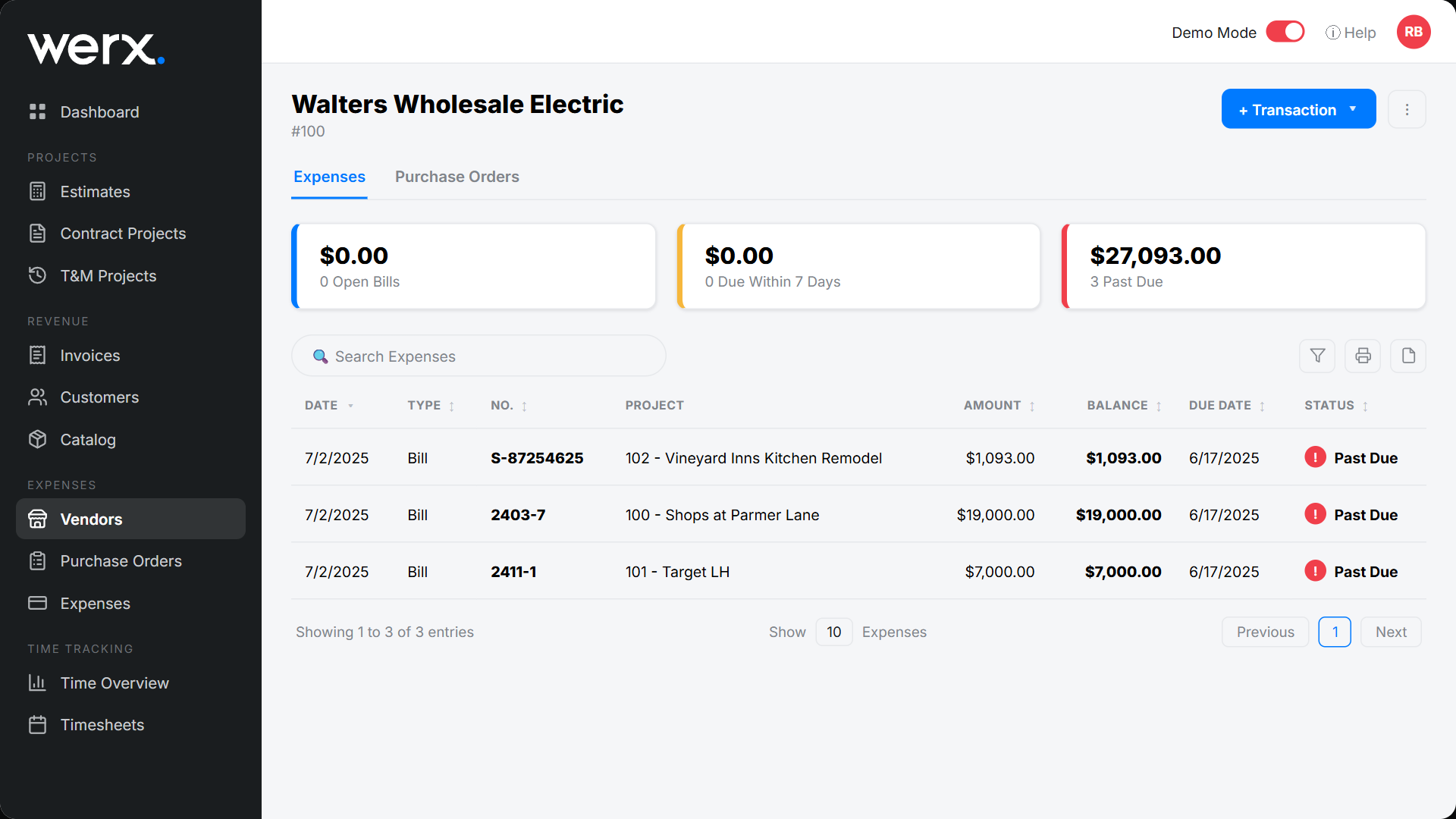
- The account opens with Expenses and Purchase Orders tabs and accounts-payable aging tiles.
Read the account
The KPI tiles show open, due soon, and past-due balances. The table lists the vendor's bills and purchase orders by project, so you can trace each charge and see the running balance. Open any line to view the underlying bill or PO.
Vendor account FAQ
Where does the open balance come from?
It is the total of unpaid vendor bills. Record a payment on a bill to reduce it.
Can I see purchase orders here too?
Yes. Switch to the Purchase Orders tab to see this vendor's POs alongside their bills.