

Werx Academy
What Is Construction Accounting (and How Is It Different)?
Standard accounting tracks the whole company. Construction accounting tracks profit one job at a time.
Construction accounting tracks costs and revenue by job, phase, and cost code. It handles progress billing, T&M, retainage, change orders, and work-in-progress (WIP). So you always know profit by project, not just by company.
How is construction accounting different from standard accounting?
Standard accounting reports company-wide income and expenses. Construction accounting drills down to each job. It also recognizes revenue over time, not all at once.
- Job costing by project, phase, and cost code
- WIP tracking for in-progress jobs and backlog
- Special billing: AIA, progress, T&M, and stored materials
- Retainage and change orders built into billing and the GL
What are the core components of construction accounting?
Use a consistent structure on every job. Then labor, materials, subs, and equipment roll up the right way.
- Cost codes and an SOV to categorize work and match billing
- Job costing for labor, materials, equipment, and subs
- Time tracking tied to jobs and phases for labor accuracy
- AP and AR workflows that respect retainage and partial payments
How does revenue recognition and billing work?
| Labor — journeyman, 32 hrs @ $95 | $3,040 | |
| Labor — apprentice, 24 hrs @ $55 | $1,320 | |
| Materials — pipe, fittings, valves | $1,180 | |
| Equipment — trencher rental, 2 days | $640 | |
| Markup on materials & equipment (15%) | $273 |
Projects span weeks to months. So revenue is recognized over time, using methods that match progress on the work.
- Percentage-of-completion through AIA or progress billing
- Time and materials (T&M) based on actual hours and parts
- Stored materials billed before install, with documentation
- Retainage held back, then released at milestones or closeout
Which financial reports should contractors track?
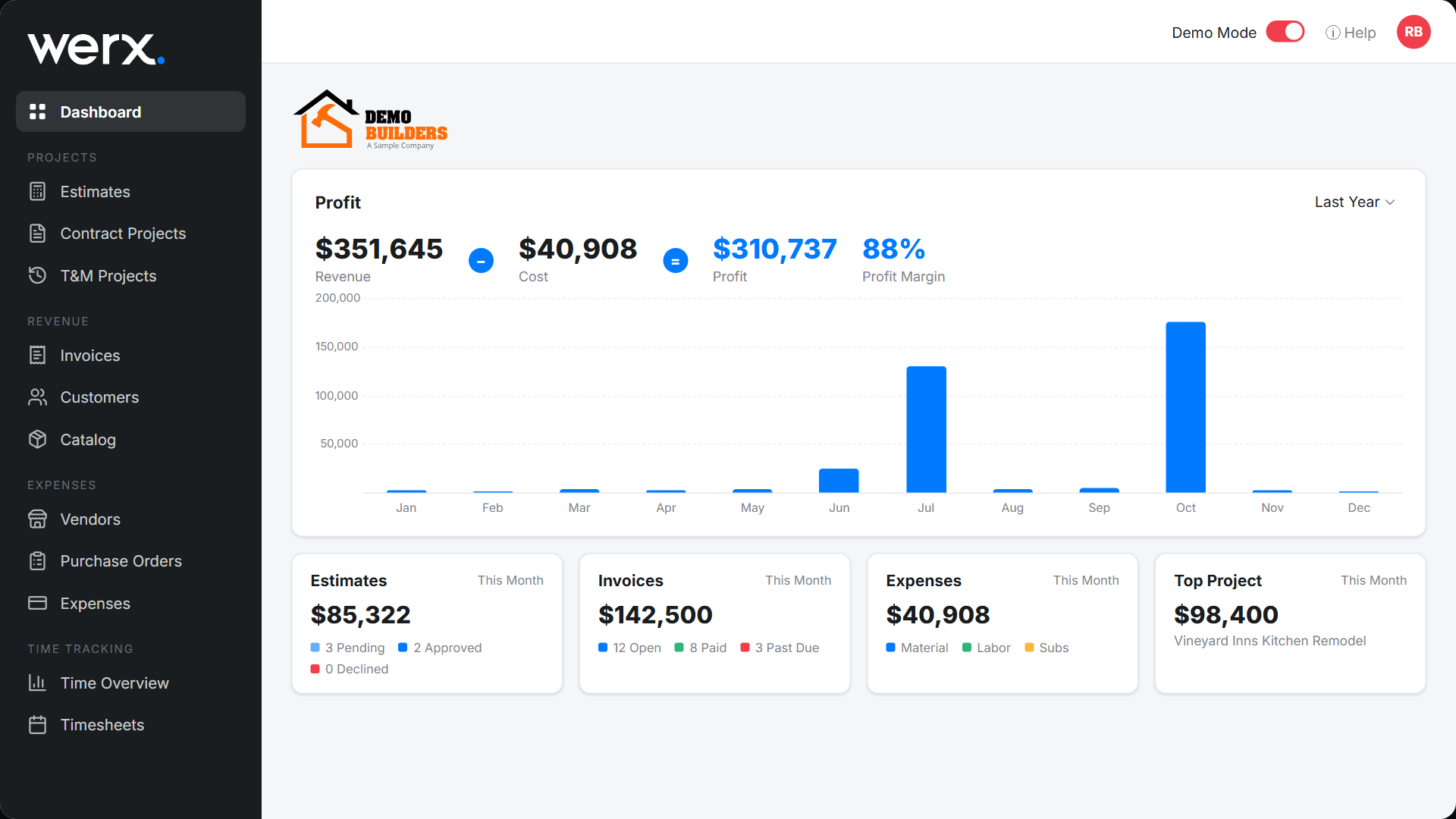
Review job-level numbers on a routine. That keeps profit and cash in clear view all month.
- WIP report: over and under-billing and earned revenue
- Cost to complete: forecasted cost and final margin
- Labor cost report: burdened hours by job and phase
- AR aging with retainage: cash outlook by project
What are the common construction accounting challenges?
Spreadsheets and disconnected tools create errors. Those errors hurt margins and delay payments. A connected system removes most of them.
- Mismatched SOV and cost codes across field, billing, and books
- Lost labor hours or materials from poor tracking
- Retainage and change order math errors
- Double entry between your project system and accounting
How does software simplify construction accounting?
Contractor software like Werx connects estimating, billing, time, and payments. Then it syncs to QuickBooks Online. Your general ledger stays clean and rework drops.
- Build SOVs and generate AIA and progress billing with retainage
- Manage T&M billing with live labor and materials
- Capture field time with Werx time tracking for better job costing
- Sync to QuickBooks to end double entry
- Collect faster with online payment processing
When should you use construction accounting?
Use it the moment you run jobs with phases and progress billing. Use it when one job can lose money while the company looks fine. Use it when owners or lenders ask for pay apps.
A single handyman with quick cash jobs can keep it simple. Once you bid, schedule, and bill by progress, switch over. See how live costs feed your books in real-time job costing.
- You bill by AIA, progress, or T&M
- You hold or owe retainage
- You need profit by job, not just by company
- You sync project data to QuickBooks
Key takeaways
- Construction accounting is project-based, with job costing, WIP, and special billing
- Align SOV, cost codes, labor, and billing to protect margins
- Track WIP, cost to complete, labor, and AR with retainage
- Werx and QuickBooks reduce errors and speed cash collection
Frequently Asked Questions
Do I need specialized construction accounting software?
You need job costing and construction billing. Many contractors pair Werx for project and billing work with QuickBooks Online for the GL, kept in sync.
What's the difference between job costing and cost codes?
Job costing tracks all costs to a project. Cost codes sort those costs by labor, materials, or phase. Together they let you compare budget versus actual.
Which revenue recognition method should I use?
Small contractors often start with completed-contract for simplicity. Percentage-of-completion gives better visibility on longer jobs. Confirm the right choice with your CPA (see the IRS construction industry audit technique guide).
Ready to grow your business?
Start your 14-day free trial today. No credit card required.
No credit card required · Free migration assistance · Cancel anytime