

Werx Academy
What Is Real-Time Labor Tracking in Construction?
Record crew hours by job, phase, and cost code as work happens. You catch overruns early and bill faster.
Real-time labor tracking means recording crew hours as work happens, not days later. Each hour ties to the right job, phase, and cost code. With live data from the field, you see budget vs. actual today. You fix overruns early and bill faster on AIA, progress, and T&M jobs.
Why does real-time labor tracking matter?

Labor is the most variable cost on a job. When hours lag reality, your decisions lag too. That gap is where profit fade and schedule slips start.
- Live budget vs. actual by job and phase to protect margins
- Accurate percent-complete for AIA and progress billing
- Cleaner T&M invoices with field backup
- Faster crew moves when production drifts
How does it work from field to office to accounting?
Capture hours at the point of work, approve fast, and sync once. Then every system shows the same numbers.
- Crews log time to job, then phase, then cost code on mobile
- Supervisors approve weekly, and PMs review exceptions
- Approved time updates job-cost and pay-app math
- Sync to QuickBooks Online for payroll readiness
What metrics should you watch?
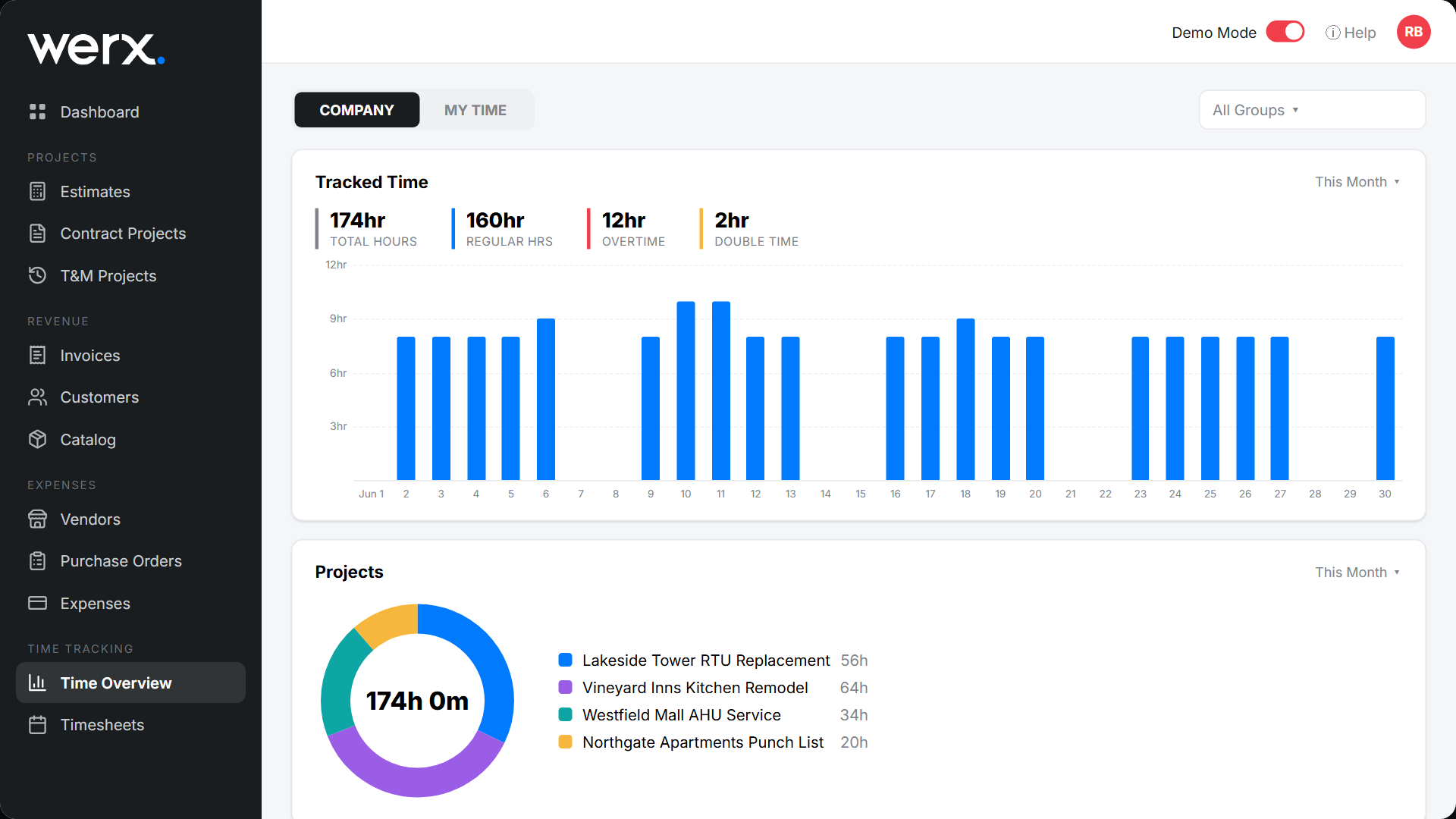
Track a small set of numbers that expose trouble early. More dashboards do not help if no one reads them.
- Labor burn rate: hours used vs. planned by phase
- Productivity: units installed per labor hour
- Variance: budget vs. actual labor cost by code
- Submission health: percent of hours entered on time
How do you roll it out so it sticks?
Make the workflow simple and consistent. Crews follow what saves them time. See the coding details in tracking crew time by job, phase, and cost code.
- Daily entry, with weekly supervisor approval before payroll
- One standard cost-code list across all jobs
- A short toolbox talk and a one-page cheat sheet
- Spot-check the first two weeks and celebrate on-time teams
When do you need real-time data instead of weekly?

You need it when a day of bad labor can sink the job. Fast-moving phases, tight schedules, and T&M work all qualify. A small fixed-price job with one crew can run on weekly review.
The bigger the crew and the tighter the margin, the more live data pays off. Same-day hours also feed real-time job costing and cleaner forecasts.
- Production swings day to day
- You bill T&M and need current backup
- Several crews share one budget
- A slip in one phase delays the next
How does Werx enable real-time labor tracking?
Contractor software like Werx captures hours against projects and phases. The Werx Field App supports Extra Work Authorizations for extra scope. It keeps billing and accounting aligned, so the field and the office agree.
- Mobile time entry with job, phase, and cost-code pickers
- Supervisor approvals and audit history
- Photos and tickets attached for T&M billing
- Sync to QuickBooks for clean payroll and job costing
Key takeaways
- Real-time labor tracking means same-day hours by job, phase, and code
- It sharpens job costing, billing accuracy, and scheduling
- Use pickers, daily entry, and supervisor approvals
- Werx captures, approves, and syncs labor with no double entry
Frequently Asked Questions
What counts as real-time in practice?
Daily capture is enough for most jobs. The goal is same-day entries, weekly approval, and no month-end guessing.
Do I need connectivity on remote sites?
Many crews enter at breaks or end of day where coverage exists. If offline, batch entry works. Just keep the daily rhythm.
How is this different from basic timekeeping?
Basic timekeeping records hours. Real-time labor tracking ties those hours to job, phase, and cost code so reports stay accurate.
Ready to grow your business?
Start your 14-day free trial today. No credit card required.
No credit card required · Free migration assistance · Cancel anytime