

Werx Academy
Why Is Time Tracking Important in Construction?
Good hours feed job costing, payroll, and billing. Track them right and you protect your margins.
Accurate time tracking is the backbone of a profitable job. Labor is usually your biggest variable cost. When you capture hours by job, phase, and cost code, you see real performance fast. That means you catch overruns early, bill sooner, and keep more margin.
How does time tracking protect your margins?

You cannot fix a problem you cannot see. Late or mis-coded hours hide the truth until month-end. By then the job is over and the money is gone.
Daily, coded time gives you a live read on each job. You compare budget to actual by phase and act while it still matters.
- Real-time budget vs. actual by job and phase
- Faster, cleaner billing for AIA, progress, and T&M projects
- Reliable payroll, with fewer corrections each cycle
- Better crew planning and tighter schedule control
What should you capture on every time entry?
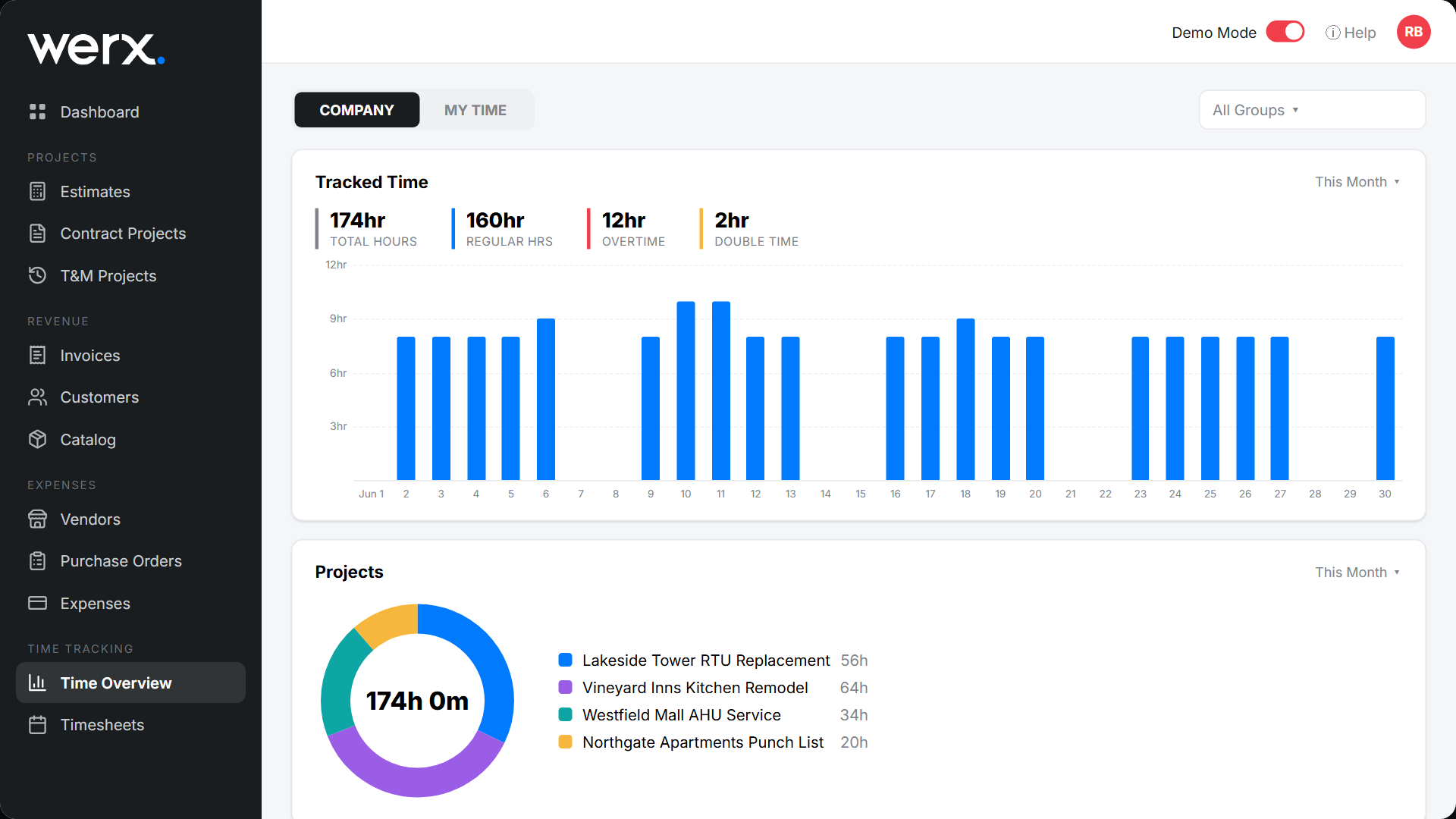
Keep it simple so crews actually do it. Every entry should answer who, where, what, and how long. Consistency beats detail here.
- Job, phase, and cost code on every entry
- Regular and overtime hours, split correctly
- Short notes for unusual or out-of-scope work
- Photos or tickets for T&M billing backup
What field-to-office workflow actually works?
A steady cadence keeps data clean and approvals fast. The goal is same-day entry, not Friday memory. See the full method in tracking crew time by job, phase, and cost code.
- Crews log hours daily, not at week's end
- The foreman reviews and submits each week
- The office posts to jobs and flags exceptions
- Approved hours sync to payroll and billing in one pass
What are the most common time tracking mistakes?
Most problems come from manual steps and loose standards. Fix the process and the errors mostly disappear.
- Paper timesheets and late entry that lose hours
- One-off job labels that do not match your SOV
- No supervisor approval before the payroll run
- No proof to support a T&M invoice
When should you tighten up time tracking?
Tighten it the moment labor cost decides your profit. That covers most jobs over a few days. The bigger the crew, the more a small error costs you.
A one-day handyman call may not need phase codes. A month-long job with five trades does. When in doubt, code the hours. Clean data also speeds up real-time job costing and payroll.
- Crews run more than a day or two
- Several phases or trades share one job
- You bill T&M, AIA, or progress
- You owe certified or prevailing wage payroll
How does contractor software make time tracking easy?
Contractor software like Werx captures hours at the source and ties them to billing. The Werx Field App lets crews pick the job, phase, and code, then add notes or photos. Approved time syncs to accounting, so you stop rekeying and start reviewing.
- Mobile entry with job, phase, and cost-code pickers
- Supervisor approvals and a full audit history
- Photos and tickets attached for T&M backup
- Sync to QuickBooks Online for clean payroll and job costs
Key takeaways
- Daily, coded time capture drives accurate job costs and faster billing
- Code every hour to job, phase, and cost code
- Supervisor approvals stop payroll and billing rework
- Werx makes entry easy and syncs hours to QuickBooks
Frequently Asked Questions
Is GPS required for good time tracking?
No. GPS can help verify location, but accuracy comes from daily entry, clear codes, and supervisor approvals.
How often should crews submit time?
Log daily and submit weekly. This cadence keeps job costs current and prevents Friday recall errors.
What if a crew works multiple phases in one day?
Split the entry by phase and cost code. It is a few extra taps and pays off with precise job-cost data.
Ready to grow your business?
Start your 14-day free trial today. No credit card required.
No credit card required · Free migration assistance · Cancel anytime