

Help Center
Advanced settings
Control how your documents are numbered and what fine print they carry.
Updated June 21, 2026
Numbering, prefixes & disclaimers
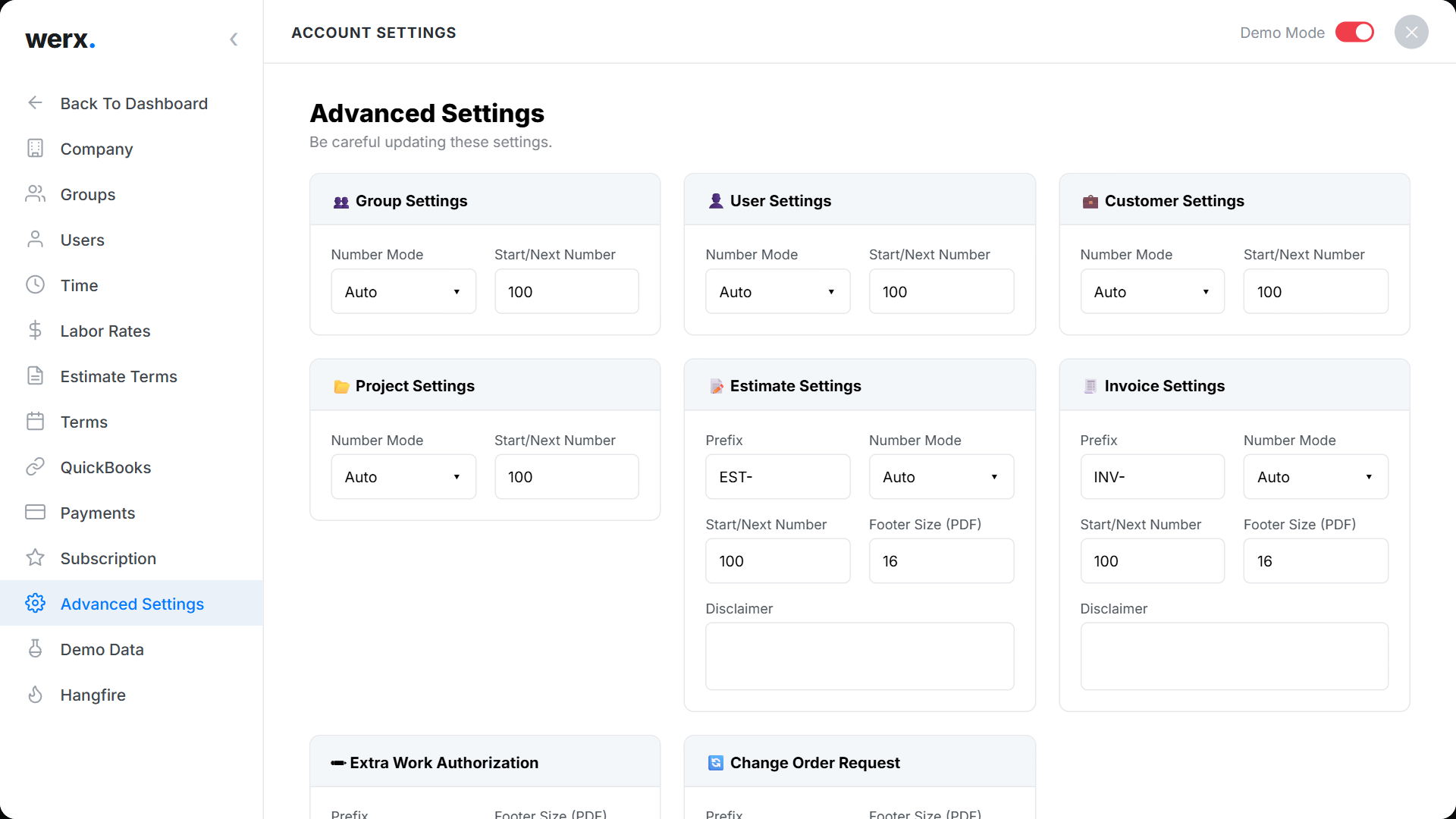
Go to Account Settings → Advanced Settings. Here you can set:
- Auto-numbering and prefixes for each document type — EST-, INV-, EWA-, COR-, plus project and customer numbers.
- Manual vs Auto numbering, where supported.
- The PDF footer size and per-document disclaimers (the legal fine print on your PDFs).
Advanced settings FAQ
Can I change a prefix later?
Yes, but existing documents keep their numbers; new ones use the updated prefix.
What are disclaimers for?
They add standard legal or payment language to the footer of your PDFs (estimates, invoices, etc.).