

Help Center
What your customer sees
A clean, branded portal to approve estimates and pay invoices online — no login required.
Updated June 21, 2026
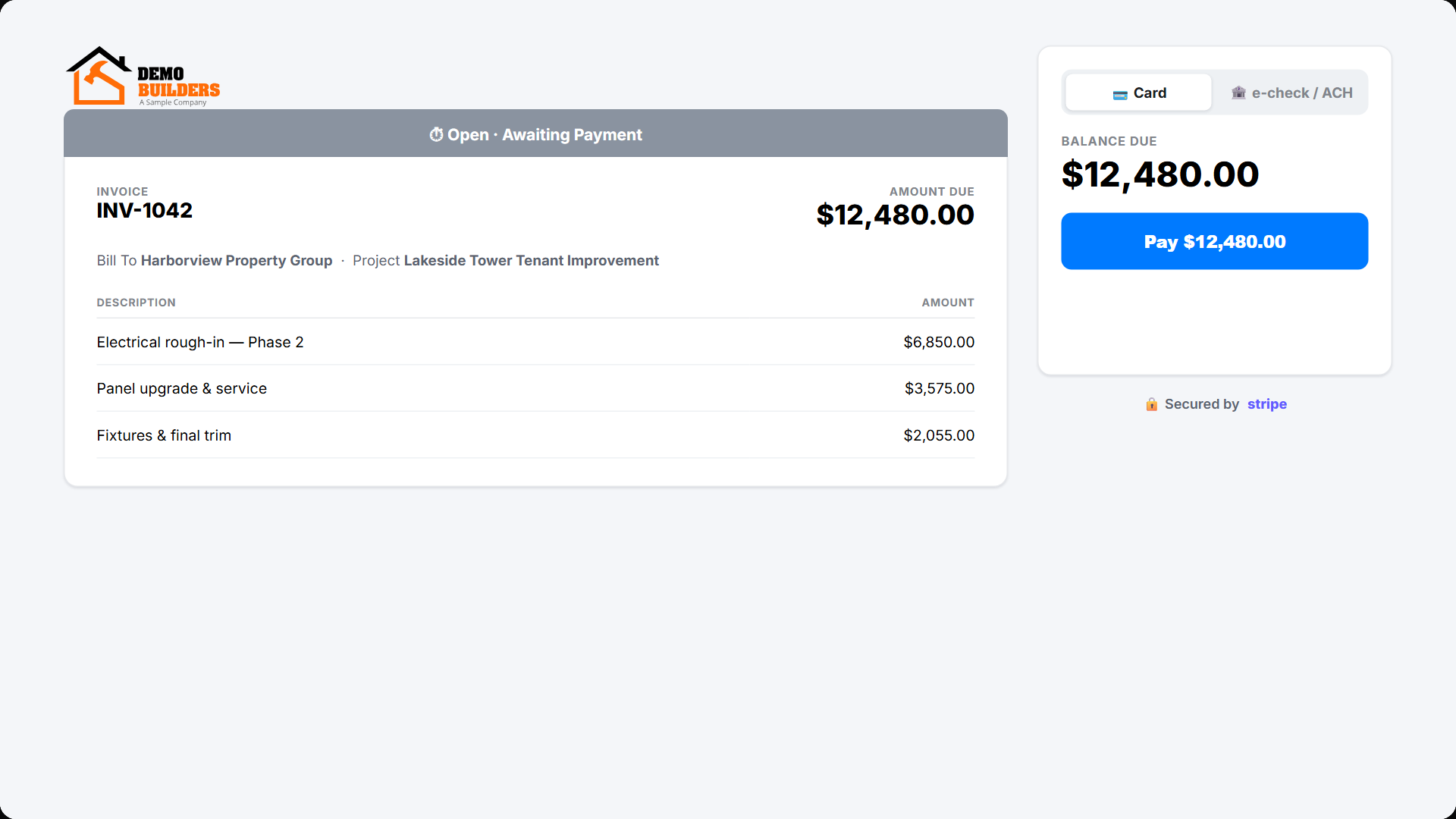
When you send an estimate or invoice with Save & Send or Save & Link, your customer opens a branded portal page — no app account needed. You also see when they viewed it.
Approving an estimate
The customer reviews the estimate and clicks Approve or Decline, signing digitally. Once approved, you can turn the estimate into a project. See itemized and proposal estimates.
Paying an invoice
For invoices, the portal shows the balance due and — when Stripe is connected — a Pay button so the customer can pay by card. The payment records back in Werx automatically.
Customer portal FAQ
Does my customer need an account?
No. They open a secure link — no login required.
Can they pay online?
Yes, once you connect Stripe; otherwise the portal shows the amount due without a Pay button.