

Help Center
Your dashboard
See profit, revenue, and the health of your business at a glance.
Updated June 21, 2026
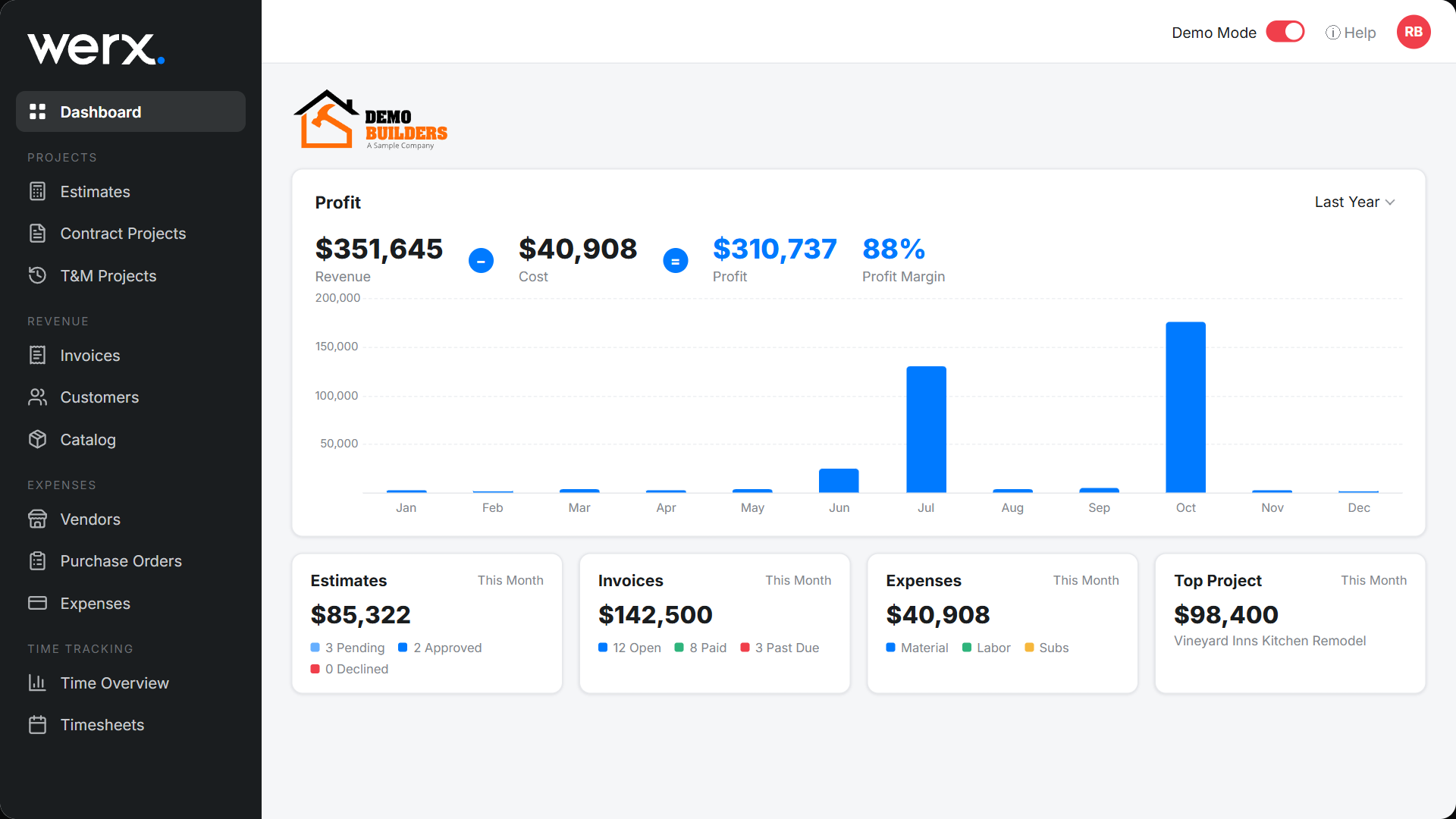
The dashboard is your financial command center. It answers one question fast — are we making money? — with a live profit panel, a revenue chart, and period cards for estimates, invoices, and expenses.
Profit at a glance
The Profit panel shows Revenue − Cost = Profit along with your profit margin, plus a month-by-month revenue chart. Use the period dropdown (for example This Month or Last Year) to change the range.
Period cards
Below the profit panel, cards summarize the selected period:
- Estimates — pending, approved, and declined totals.
- Invoices — open, paid, and past due.
- Expenses — broken down by Material, Labor, Subcontractors, Equipment, and Other.
- Top Project — your highest-value job for the period.
Dashboard FAQ
Can I change the time period?
Yes. The profit panel and each card have a period selector (for example This Month or Last Year).
Where does the profit number come from?
It is revenue minus cost across your projects for the selected period, so it reflects real job costs, not just invoices.