

Help Center
Getting started with Werx
A quick tour of how Werx is organized and what to set up first.
Updated June 21, 2026
Werx runs the money side of your contracting business: estimates, projects, invoicing, job costs, and labor, with a two-way QuickBooks Online sync. This page shows how the app fits together and what to do first.
How Werx is organized
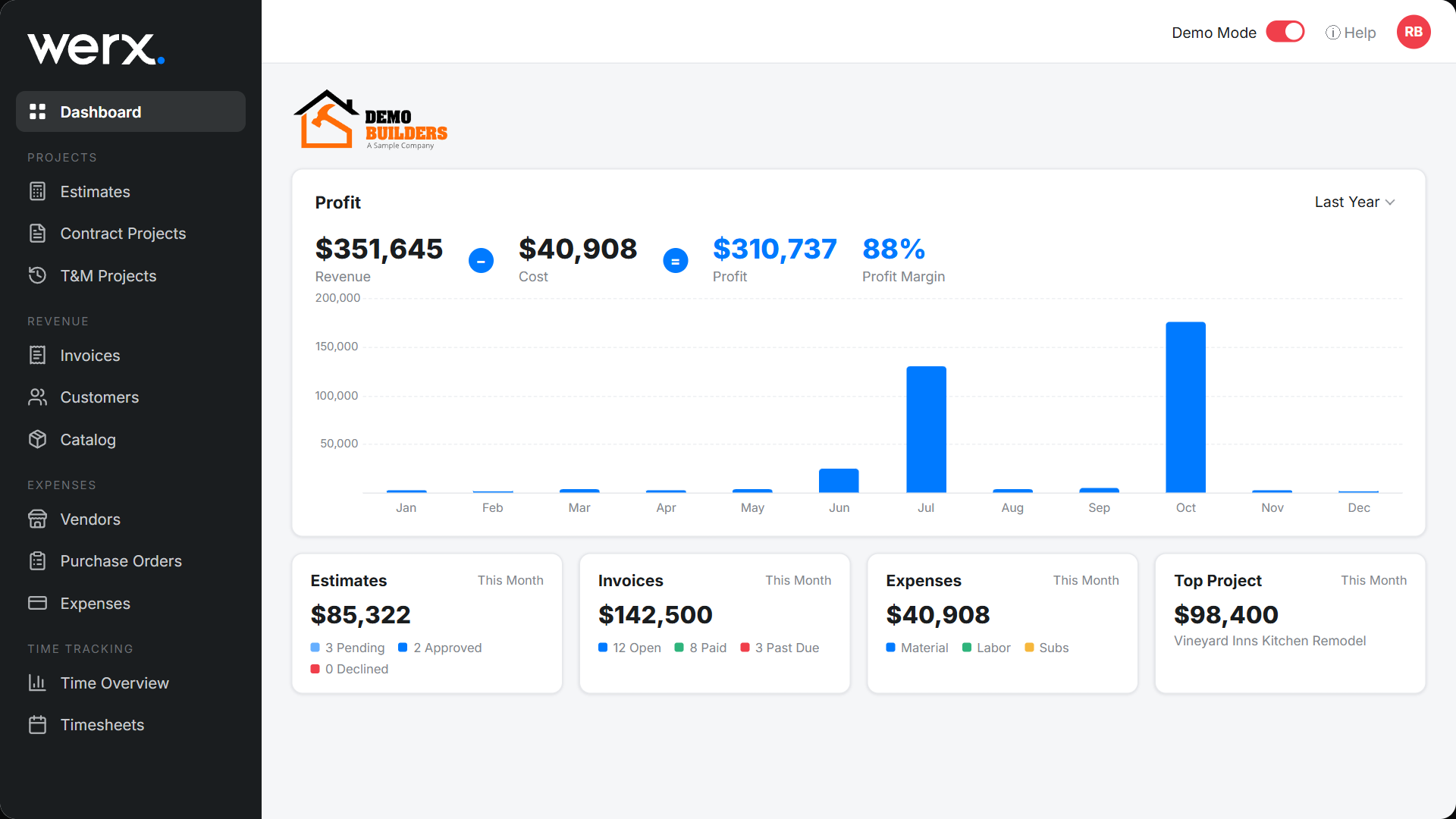
The left sidebar follows the path a job takes, from winning the work to getting paid:
- Estimates - build and send estimates customers approve online.
- Contract Projects and T&M Projects - run the job once it is won, fixed-price or time and material.
- Revenue (Invoices, Customers, Catalog) - bill the work and track who owes you.
- Expenses (Vendors, Purchase Orders, Expenses) - capture job costs as they happen.
- Time Tracking (Time Overview, Timesheets) - tie labor hours and cost to each project.
The Dashboard sits on top of all of it, showing profit and job health at a glance.
The estimate-to-paid flow
Most work in Werx follows the same line:
1. Win it with an estimate. 2. Turn it into a contract or T&M project. 3. Bill it with invoices and pay applications, and get paid online. 4. Track expenses and time against the job. 5. Watch the profit on your dashboard.
Set up your account
If you are brand new, do these once to get the most out of Werx:
- Fill in your Company Settings so your logo and license details show on documents.
- Add your team in Users and organize access with Groups.
- Connect QuickBooks Online if you use it, so customers, invoices, and bills stay in sync.
- Build your Catalog of products and services so estimates and invoices fill in fast.
- Set Labor Rates so job costing reflects your true cost of labor.
- Add your Customers.
For your crew
Your field team does not need a laptop. The Werx Field App lets them track time and capture extra work right from the job site.
Getting started FAQ
Where should I start?
Set up your company and team, connect QuickBooks if you use it, build your catalog, and add a customer. The checklist above walks through each step.
Do I need QuickBooks to use Werx?
No. Werx works on its own. If you use QuickBooks Online, you can connect it for a two-way sync. See the integration overview.
Is there a mobile app?
Yes. The Werx Field App is built for crews to log time and capture extra work from the field.