

Help Center
Employee timecards
Review one person's time, coded to the right project and cost code.
Updated June 21, 2026
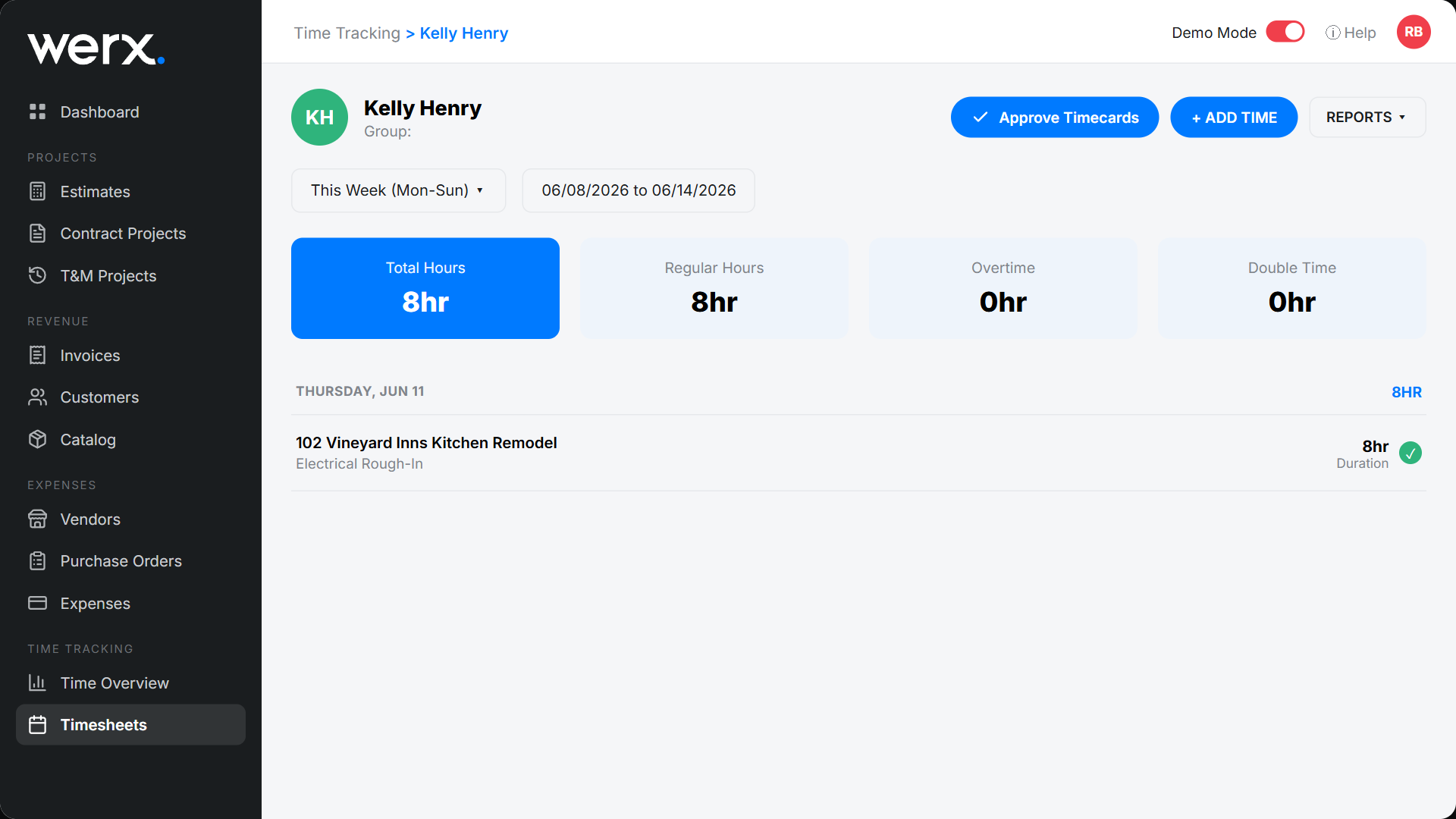
An employee timecard is one person's week in detail — total, regular, overtime, and double-time hours, plus every daily entry coded to a project and budget line. This is the foundation of accurate labor job costing.
Review a timecard
- From Timesheets, open the employee you want to review.
- Check the Total / Regular / Overtime / Double hour cards.
- Review each daily entry — every one is coded to a project + budget item.
- Use Approve Timecards, or + Add Time to add an entry on their behalf.
Timecard FAQ
Can I add time for someone?
Yes. Use + Add Time on their timecard to record an entry, coded to a project and budget item.
How does this reach job costs?
Each entry's hours and burdened labor rate roll into the project's Labor cost.