

Werx Academy
How to Choose Your Contractor Tech Stack (and Why)
The best stack is the one with no double entry. Prove it on one job first.
Your contractor tech stack should connect sales, estimating, field time, billing, payments, and accounting. The goal is one flow of data with no double entry. Information should move once and get reused everywhere.
Start with your must-have workflows, not a feature list. Confirm the integrations you need, especially QuickBooks Online. Then pilot on one active job before you buy for the whole company.
Why map workflows before picking tools?

Choose software around how you work, not the other way around. List your real steps first. Then match tools to those steps.
- Lead to estimate to proposal: options, e-approvals, and deposits
- Project setup: schedule of values, retainage, and change orders
- Field: mobile time, photos, and tickets
- Billing and accounting: AIA or progress, T&M, payments, and QuickBooks
What features are must-haves for small contractors?
Prioritize a short list that drives cash flow and margin. Skip the nice-to-haves at first. You can add niche tools later.
- Flexible estimates and proposals with options and e-sign
- Time tracking by job, phase, and cost code
- Progress billing with SOV, retainage, and G702/G703
- Payment processing for deposits and invoices
- QuickBooks Online integration for items, customers, and AR
How should data flow with no double entry?
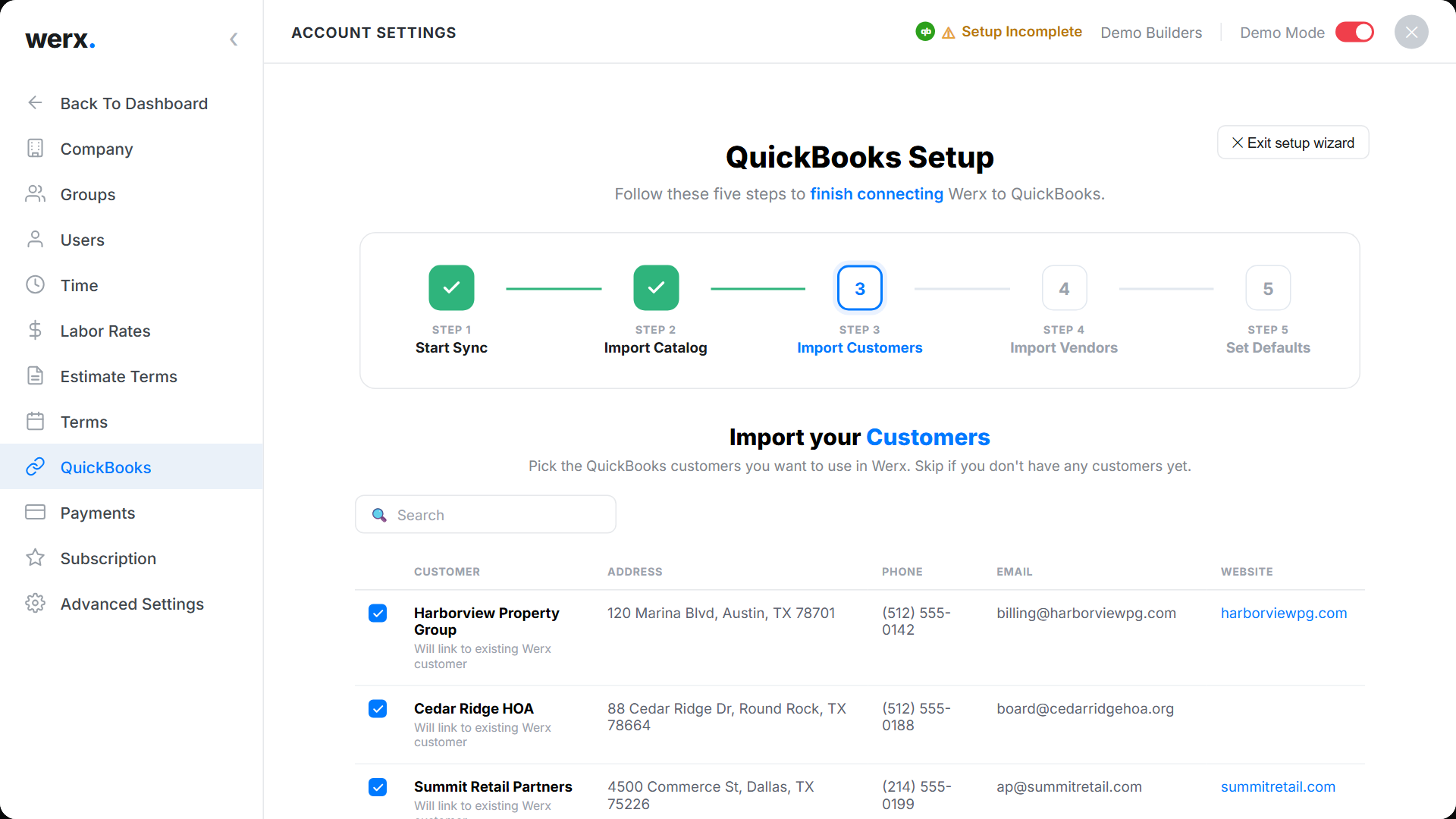
Your stack should move data once and reuse it everywhere. The estimate should become the SOV, then the invoice. Field data should feed billing on its own.
- One source of truth: estimate, then schedule of values, then invoice
- Field to office: time, photos, and tickets flow to billing
- Accounting: customers, items, and AR sync to QuickBooks
- Payments reconcile automatically with deposits
What is the real total cost of ownership?
Price is more than the subscription fee. Factor in setup time, training, and risk. The cheapest tool can cost the most in lost hours.
- Licenses and add-ons for users, storage, and payments
- Implementation and training time, measured in field days
- Process change costs for new forms, codes, and templates
- Risk: contract lock-in, data export, and support response
How do you pilot a tool on one job?
Run a 30-day pilot from estimate to first invoice. Use a real project, not a demo. Touch every step you care about.
- Use a live project with a real SOV and change orders
- Test mobile time, signatures, and photo capture
- Issue a T&M invoice and an AIA pay app
- Collect an online payment and verify the QuickBooks sync
What mobile and security checks matter?
Confirm field reliability and data protection before you commit. The crew uses it on phones in the field. Your data has to stay yours.
- Works on common phones and tablets with some offline tolerance
- Role-based permissions and audit logs for edits and approvals
- Export and backup options with clear data ownership
- Compare options against cloud tools that save time
When should you replace a tool vs. add one?
Replace a tool when it forces double entry or blocks your data. A core platform that connects your flow beats a pile of point apps. Fewer logins means fewer mistakes.
Add a niche tool only when a real gap shows up. Do not buy software for a problem you do not have yet. Prove the gap, then fill it.
- Replace tools that cause double entry or lock your data
- Add a niche tool only for a proven gap
- Favor one connected platform over many point apps
Where does Werx fit in the stack?
Contractor software like Werx connects estimating, field work, and billing. It adds payments and QuickBooks sync in one place. That keeps your data moving once.
- Estimates and proposals with e-approvals and deposits
- A schedule of values with retainage and change-order tracking
- The Werx Field App for time, photos, and backup
- Online payments and QuickBooks Online sync
Key takeaways
- Design your stack around workflows, not features
- Require no double entry from field to billing to QuickBooks
- Pilot one live job end to end before a full rollout
- Contractor software like Werx connects estimates, field time, billing, and payments
Frequently Asked Questions
What should I integrate first?
Start with QuickBooks Online sync and online payments. Clean accounting and faster cash collection fund the rest of your stack.
How many tools do I actually need?
Most small teams run best on one core platform for estimating, field time, and billing, plus QuickBooks. Add niche tools only when a gap is proven.
How do I know the vendor will support us long-term?
Ask for uptime stats, support response times, and export options. Run a real pilot and reference check contractors in your trade.
Ready to grow your business?
Start your 14-day free trial today. No credit card required.
No credit card required · Free migration assistance · Cancel anytime