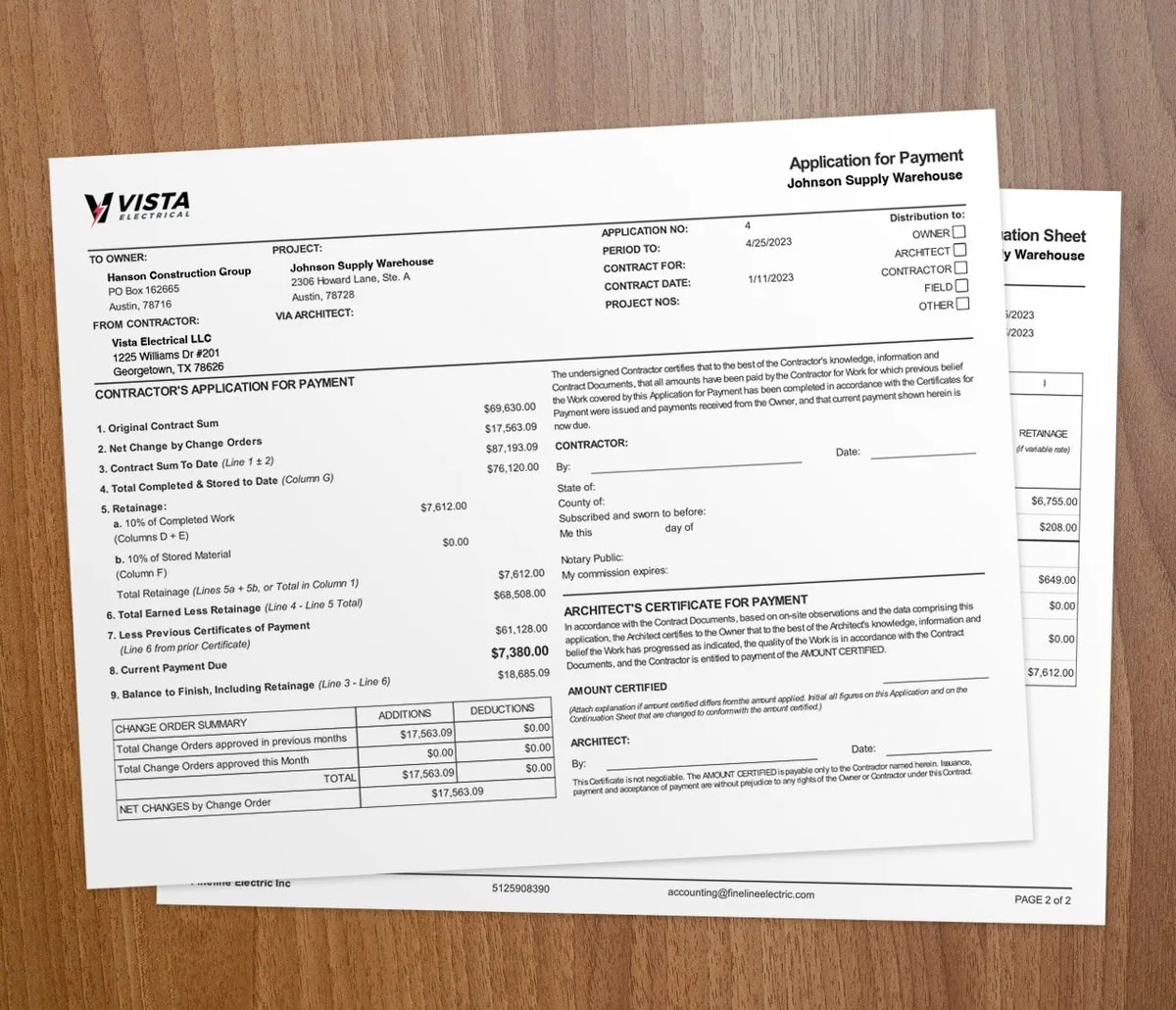

AIA-style billing software builds your pay applications for you. It fills the G702 and G703 forms, tracks retainage, and updates your schedule of values as work gets done. You bill in minutes and chase fewer rejections.
What is AIA-style billing?
AIA-style billing is a standard way to ask for payment on construction jobs. It uses two forms from the American Institute of Architects. The G702 and G703 forms show work completed, materials stored, retainage held, and the net amount due.
Owners on commercial, government, and multi-phase jobs usually require this format. Most of these jobs bill monthly on net-30 or net-60 terms. Clean AIA pay apps keep that cash moving.
Why is manual AIA billing so hard?
Many contractors still run AIA billing on spreadsheets or paper. That creates problems fast:
- Math errors that delay payment or start disputes
- Numbers that do not match between the G702 and G703
- Slow data entry every billing cycle
- Lost retainage across many pay periods
- Change orders that force you to redo the whole schedule of values
A rejected pay app means you wait another cycle to get paid. On net-30 terms, that is 30 more days without the money.
How does AIA billing software fix this?
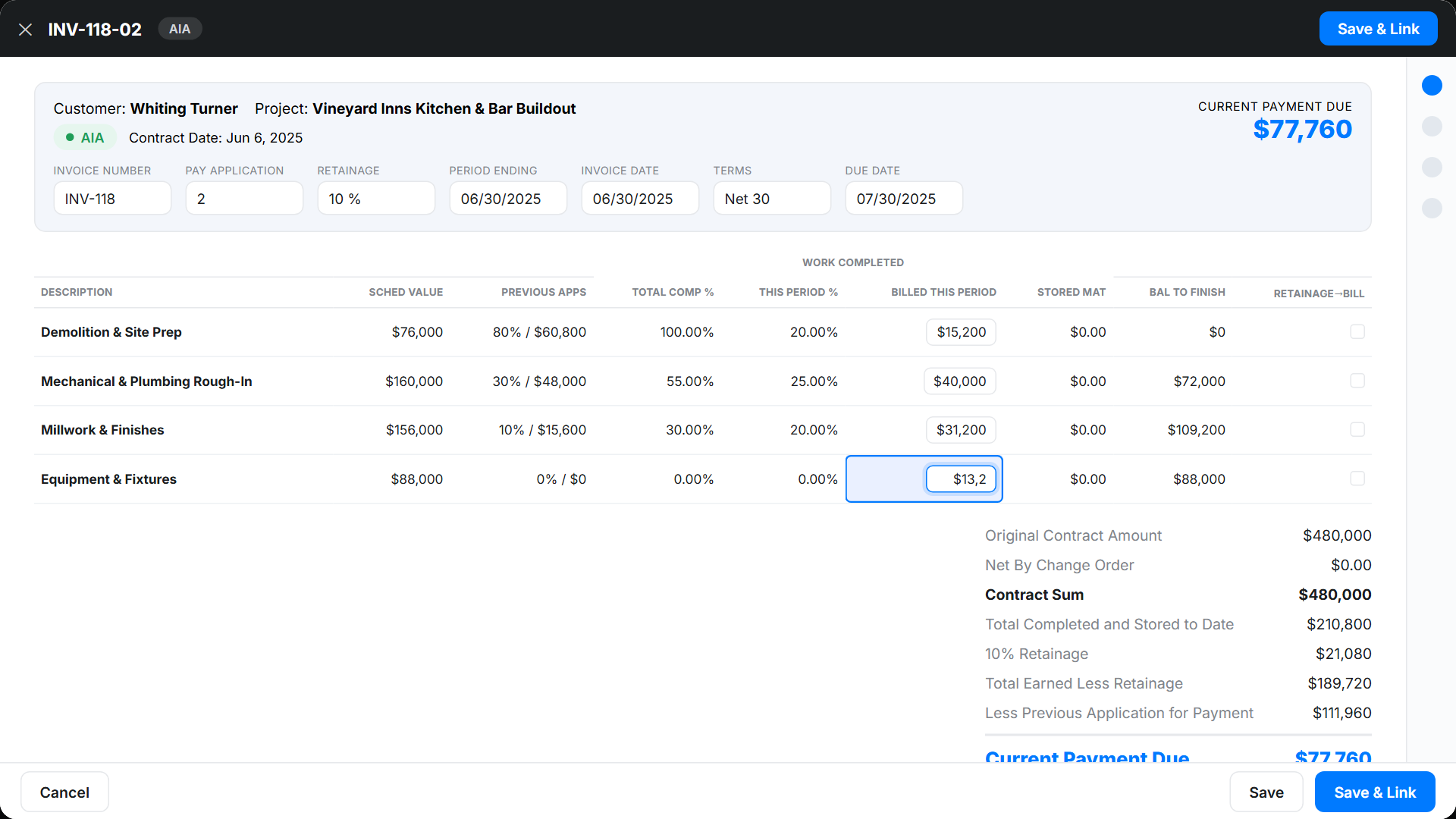
Automatic schedule of values
With AIA billing software, you build your schedule of values once. Often you build it straight from the estimate. The software then tracks percent complete, prior billing, current billing, and the balance left on each line.
Retainage that tracks itself
The software applies your retainage percent on every line. Retainage usually runs 5% to 10% of each payment. When held funds are due for release, the system flags it so you do not leave money behind.
Change orders that update the SOV
Approve a change order and it flows into your schedule of values. The software redoes totals, retainage, and remaining work for you. Your next pay app stays correct.
Fewer errors before you submit
Built-in checks confirm the G702 and G703 agree before you send them. Fewer rejections means faster approvals.
How do progress billing and AIA billing work together?
Progress billing and AIA billing go hand in hand. You bill the percent of work finished each period. The software adds up the running total and keeps billing tied to the schedule of values.
For a side-by-side breakdown, see AIA billing vs progress billing.
What you gain
- Faster billing cycles with forms already filled in
- Clear tracking of work done vs work left
- Clean documents that build client trust
- A live view of billing status and open payments
Does it work with QuickBooks?
Yes. Your AIA billing should match your books. QuickBooks integration sends every pay app, payment, and retainage amount into your accounting on its own.
That cuts double entry and gives you one clear money picture across jobs. For the manual route and its limits, read our guide on AIA billing in QuickBooks Online.
Who needs AIA billing software?

- General contractors on commercial or government jobs
- Subcontractors who must send AIA pay apps to a GC
- Specialty trades (electrical, plumbing, HVAC, roofing) on bigger jobs
- Any contractor who wants to look sharp and get paid faster
When should you use AIA billing software?
Use it when your contract requires G702 and G703 forms, or when a job runs for months in phases. The pay-app paperwork pays off when waiting until the end would drain your cash.
Skip it on short, one-visit jobs. A simple invoice is faster for a half-day repair. For long commercial work with retainage, AIA billing software is the safer call.
What to look for in AIA billing software
- Schedule of values built from your estimates
- Automatic retainage math and tracking
- Change order updates
- G702 and G703 form generation
- QuickBooks Online sync
- Mobile access for field updates
- Fair pricing for small and midsized contractors
Key takeaways
- AIA-style billing uses standard G702 and G703 forms to request progress payments.
- Manual AIA billing is slow and easy to get wrong.
- Software removes math errors, tracks 5% to 10% retainage, and folds in change orders.
- QuickBooks integration sends billing data straight into your books.
- Any contractor on commercial or multi-phase jobs gains from AIA billing software.