

Construction financial software keeps billing, cost tracking, and reporting in one place, so you can see where each job stands and act fast. You juggle timelines, labor, surprise material costs, and clients all at once. Smart money decisions are what keep you profitable instead of falling behind.
For contractors, financial planning is more than crunching numbers. It is having tools that handle billing disputes, track project costs, and improve cash flow. Software like Werx does that work so you decide with current data, not guesses.
What financial challenges do contractors face?
Construction runs on tight budgets, surprise changes, and demanding clients. For small and midsized shops, limited resources and old tools make it harder.
Progress billing and payment delays
Billing sits at the core of every job. Many contractors deal with incomplete progress billing or late payments that choke cash flow. A weak process invites disputes over accuracy and slows the whole job. With AIA-style billing software, you create clear, professional pay applications that cut errors and build client trust. For a deeper look at holdbacks, see our guide to progress billing and retainage.
Tracking real-time costs
Staying on top of a job means watching labor and material costs closely. With time tracking software, you log field hours and feed accurate, timely cost data. Pair it with a QuickBooks integration to sync labor costs into your accounting.
Scattered data and blind decisions
When numbers live across spreadsheets, invoices, and notebooks, every decision is a guess. Tools like time and materials billing break costs down in detail, so every expense is accounted for.
How does financial software improve decisions?
The right tools give contractors the clarity to keep jobs profitable.
One place for your numbers
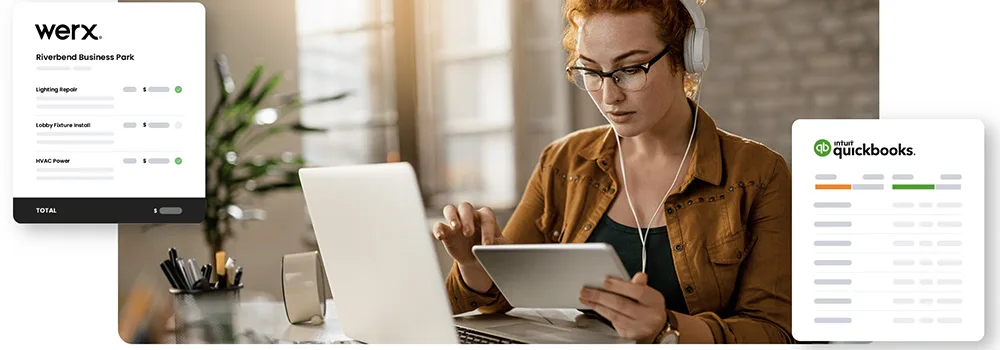
Centralizing data is the biggest win. Instead of juggling spreadsheets and paper, everything sits together. The Werx QuickBooks integration keeps accounting current by syncing project expenses, labor costs, and payments. If QuickBooks alone has been a struggle, see why contractors find QuickBooks hard.
Simple budget analysis
The Werx AIA-style billing tools let you build progress billing schedules that match payments to milestones. You get paid as work moves and see the job's financial health at a glance.
Cost management
The Werx time and materials tracking lets you bill materials and labor as they are used, so no expense slips through. Flexible invoicing in payment processing helps you collect fast and protect cash flow.
What role does AIA billing play?
| Billing period | Work billed | Retainage held (10%) | |
|---|---|---|---|
| 1 | Application 1 | $22,000 | $2,200 |
| 2 | Application 2 | $34,500 | $3,450 |
| 3 | Application 3 | $28,700 | $2,870 |
AIA-style billing, from the American Institute of Architects, is the common format for progress billing on commercial jobs. It keeps invoicing clear and helps protect both sides from disputes.
The process uses G702 and G703 forms to show progress and request payment. Those forms break a job down by schedule of values, showing how much work is done and what is due. The Werx AIA-style billing software builds these forms with data pulled from your estimates and schedule of values.
With Werx, you can:
- Generate AIA-style forms from your estimates and schedule of values
- Track retainage so you collect the final payment when the job wraps
- Watch payments against milestones in real time to avoid surprises
To weigh formats, read how AIA and progress billing affect cash flow.
How do you tighten financial planning?
Build accurate estimates
Every job starts with an estimate. The Werx estimate features let you build detailed, itemized proposals or full project-wide estimates that win work and set the budget.
Get paid faster
Getting paid on time is the goal. The Werx online payment processing lets clients pay electronically through a secure platform powered by Stripe.
Track labor and materials in real time
The Werx time tracking tools let field teams log hours and costs in real time from the Werx Field App. For materials, time and materials tracking lets you add billable items and invoice promptly. For the fundamentals behind it all, see our construction accounting 101 guide.
When is it time to upgrade your financial tools?
Spreadsheets can carry a brand-new shop with one or two small jobs. While the work is simple and cash is steady, basic tools may be enough.
Upgrade once you run several jobs, bill in phases, or lose track of costs between the field and the office. The moment a billing dispute or a missed cost eats your margin, purpose-built software pays for itself. Not sure where you stand? Our free business health score shows where your pricing and billing leak money in about two minutes. To compare options, see how to choose construction accounting software.
Key takeaways
- Construction financial software keeps billing, costs, and reporting in one place.
- AIA-style billing uses G702 and G703 forms to match payments to milestones.
- Real-time time and materials tracking keeps job costs accurate.
- QuickBooks sync ends double entry and keeps your books current.
- Contractor software like Werx helps you bill faster and decide with real numbers.


