

An extra work authorization (EWA) is your written record of work beyond the original scope. Get a clear process for documenting, approving, and billing these changes and you protect both your margin and your client's trust. Define scope up front, get a signature before you start, price it right, and invoice fast.
Extra work happens on almost every job. Clients ask for more, or hidden conditions force a change. The five steps below keep those changes from costing you.
Why do extra work authorizations matter?
Without a formal process, extra work can cost you in four ways:
- Scope creep that eats margin when added work goes unbilled
- Disputes over what the contract covered versus what is extra
- Cash flow gaps when change order billing lags the work
- Missing records that make added charges hard to justify
A clear EWA process protects both sides. It documents what was agreed and what it costs, before the work starts.
How do you build an EWA process?

1. Define scope clearly up front
The best way to manage extra work is to remove doubt about what the contract covers. A detailed contract with itemized deliverables makes added work easy to spot.
Use detailed estimates that break down every part of the job. The more specific your scope, the easier it is to flag and document additions.
2. Put everything in writing
Never do extra work on a verbal okay alone. Before any added work, write a change order that includes:
- Description of the added work
- Reason for the change (client request, hidden condition, design change)
- Cost impact including materials, labor, and any schedule change
- Client signature approving the work and the cost
Digital tools make this fast and professional. Clients review and approve changes online, which cuts delays. Our free change order template covers all four items. For the full chain, read how to handle extra work authorizations.
3. Get approval before you start
This is the top rule: never start added work without written approval. Even when the client says yes out loud, wait for the signed authorization. This one habit prevents most extra-work disputes.
4. Price extra work accurately
Price extra work with the same method as your original estimate. Cover materials, labor, overhead, and profit. Do not discount added work to keep the peace. The client already values your work enough to ask for more.
For time and materials jobs, make sure your time tracking captures hours tied to the change order.
5. Invoice promptly
Bill approved extra work fast, ideally on the next cycle. Late invoicing confuses clients and makes costs hard to match against approvals. For AIA-style billing jobs, fold approved changes into your next pay application.
How does technology help?
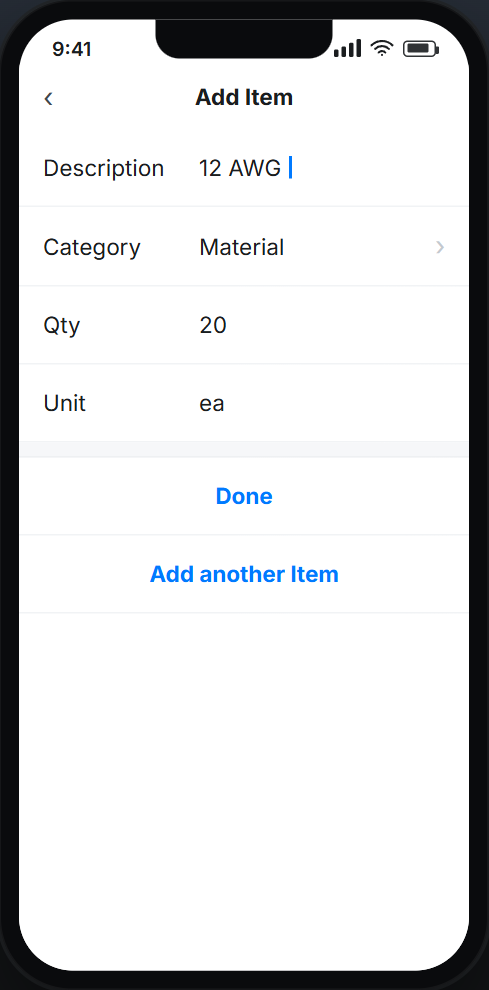
Contractor software turns the change order process from a paper headache into a clean digital flow:
- Digital records create a clear trail of every request, approval, and cost
- Electronic signatures cut delays in client sign-off
- Built-in billing flows approved changes into invoices
- Real-time alerts keep everyone posted as changes are submitted and approved
To take it further, see how to automate extra work authorizations.
How should you communicate about extra work?
How you talk about extra work drives client trust:
- Be proactive: Flag a possible need for added work as soon as you spot it.
- Explain the why: Help clients see why the work matters and what happens without it.
- Give options: Offer choices at different price points when you can.
- Document the call: Whether the client approves, changes, or declines, record the decision.
When should you require an EWA?
Require an EWA any time the work falls outside the signed scope. That covers added tasks, swapped materials, or a longer timeline. Get it signed before crews start.
For a tiny, no-cost field fix, a quick written note may be enough. For anything that touches price or schedule, use the full process. For a wider workflow, read how to automate work authorizations to prevent disputes.
Key takeaways
- An EWA documents work beyond the original scope before it starts.
- Define scope clearly up front so added work is easy to spot.
- Get a signed approval before crews begin any extra work.
- Price extra work like the original estimate, with no goodwill discount.
- Change order software records, approves, and bills changes in one flow.


