

Carpentry Contractor Software
Werx is the office software for carpenters who want to quote fast and get paid faster. Build estimates, invoice or bill by progress, take payment online, and track job costs. Then sync it all to QuickBooks.
- Quote and invoice from the field or the office
- Progress billing for larger jobs
- Two-way QuickBooks Online sync

Stop the busywork
Run your carpentry business without the spreadsheets
Carpentry runs from small finish jobs to bigger build-outs. When quotes, billing, and costs live in spreadsheets, work slips and cash comes in slow.
- Quote in Excel
- Invoice by hand
- Change orders unbilled
- Job costs after the fact
- Quote fast in Werx
- Bill or progress-bill
- Change orders billed
- Job costs in real time
Werx gets carpenters out of spreadsheets. Quote, invoice or bill by progress, take payment, and track job costs in one app.
The money side of a carpentry business for $49 a month
Construction billing and job costing platforms publish entry prices from $149 to $599 a month, with per-user fees up to $20 and features like job costing often gated to higher tiers (as of July 2026). Werx takes the opposite approach: flat plans from $49 a month, every feature on every plan, and users are $6.
For a carpentry shop, that is less than one hung-and-cased door a month to run the entire office side. See pricing for the full breakdown, or compare Werx to the platforms you are looking at.
- Every feature on every plan, from day one
- Estimates, invoicing, progress billing, and job costing included
- Users are $6 a month, time-only users $4, no caps
- No contracts, 14-day free trial, no credit card
Where carpenters lose money
Most lost margin hides in quoting, billing, and job costs. Here is where it slips, and how Werx catches it.
Slow quotes lose jobs
A late quote loses the job. Build clean estimates fast and send them for online approval.
EstimatesMissed invoices
Small jobs add up and some never get billed. Invoice each one fast so none slip through.
Invoicing and paymentsBig jobs billed late
Build-outs need phased billing. Bill by progress instead of one lump invoice.
Progress billingUnbilled change orders
Extra scope often never gets billed. Werx turns field tickets into change orders.
Change ordersNo profit picture
Without job costs, you cannot tell which jobs make money. Track cost and profit per job.
Job costingChasing checks
Waiting on mailed checks slows your cash. Let customers pay by card or ACH online.
Online paymentsFeatures built for carpentry work
Werx gives carpenters the office tools to quote, bill, and get paid. Just the tools you actually use, done well.
- Carpentry estimates and proposals
- Online estimate approval
- Fast invoicing
- Progress billing for larger jobs
- Change order tracking
- Field time tracking
- Job costing
- Job profitability
- Online card and ACH payments
- QuickBooks integration
- Mobile field app
From quote to paid, without the paperwork
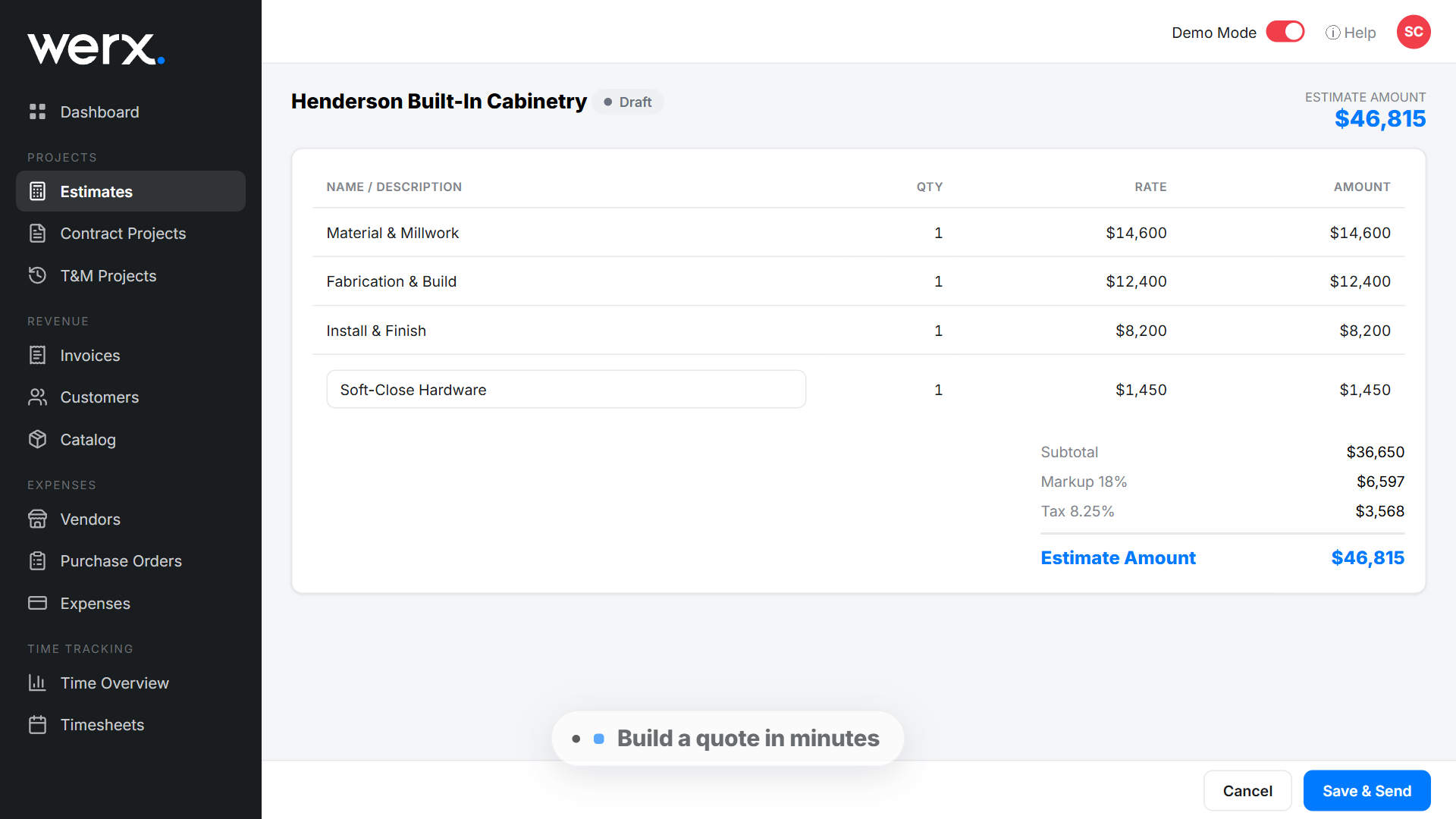
Build an estimate in minutes and send it for online approval. The customer taps approve, and you turn it into an invoice.
Invoice small jobs in one go, or bill bigger build-outs by progress. Customers pay by card or ACH, and the money lands faster.
See how estimates and online payments work in Werx.
What a trim package estimate looks like
Say a builder asks you to price the trim package on a two-story house: hang and case the doors, case the windows, run base everywhere, crown the main floor. In Werx, the estimate might break down like this:
| Estimate line | Qty | Rate | Line total |
|---|---|---|---|
| Interior doors, hung and cased | 14 doors | $175 per door | $2,450 |
| Window casing | 11 windows | $90 per window | $990 |
| Baseboard | 640 linear ft | $3.50 per ft | $2,240 |
| Crown molding, main floor | 320 linear ft | $6.00 per ft | $1,920 |
| Total | $7,600 |
The check is simple: $2,450 + $990 + $2,240 + $1,920 = $7,600. Because every line is a count times a rate, the next trim package prices in minutes: change the counts, keep your rates. When the builder adds a stair skirt and two cased openings mid-job, that is a change order priced the same way and added to the bill, not done for free. And since hours and material receipts land on the job as you go, you find out whether $175 a door actually pays before you price the next house. Need footage counts first? The baseboard calculator turns room dimensions into linear feet.
A quote and invoice your customer can approve and pay online
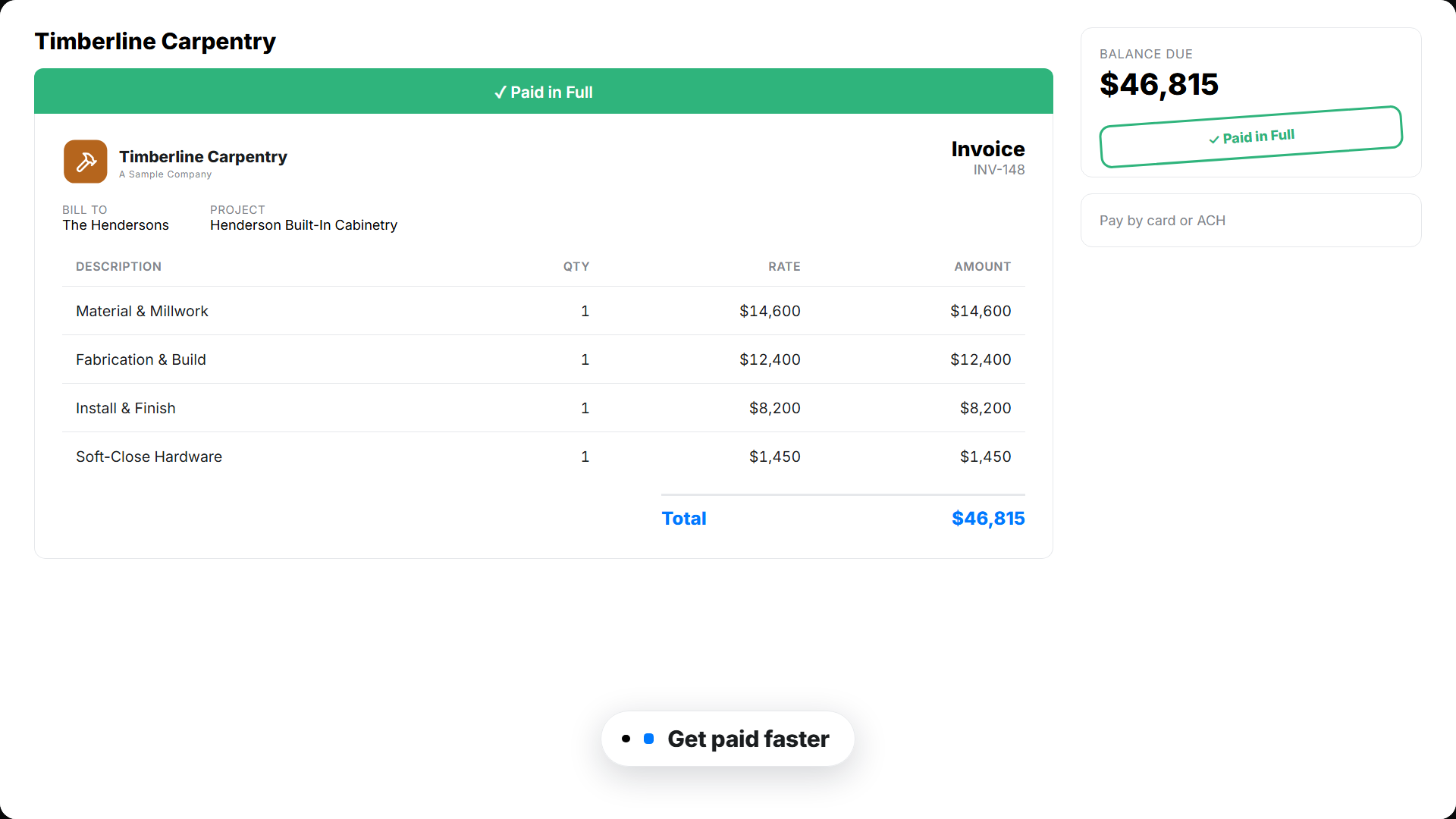
Your customer opens a clean, branded estimate or invoice. They approve or pay in a couple of taps. You see when they open it, so nothing stalls.
Software that runs the office side of your carpentry business
From the first quote to the final payment, Werx keeps your billing, costs, and cash in one place.
Estimates and proposals
Build clean estimates with your prices and send them for online approval.
Fast invoicing
Invoice small jobs in seconds. Add line items and send from the field or the office.
Progress billing
Bill bigger build-outs by percent complete instead of one lump invoice.
Job costing and profit
Track cost and profit on every job, so you know what is worth keeping.
Change orders
Capture extra scope in the field, get it approved, and add it to the bill.
Field time tracking
Crews log time by job from the Werx Field App. Labor cost updates in real time.
Free tools for carpentry estimates
No signup, no catch. Use them on your next bid, and keep the results.
Baseboard calculator
Turn room dimensions into linear feet of base, with waste included.
Run the numbersStair calculator
Work out rise, run, and stringers for a staircase that passes inspection.
Run the numbersConstruction estimate template
An itemized estimate format if you are still pricing by hand.
Get the template


Trusted by Contractors Like You

“It feels like the platform was built with real contractors in mind, not just software developers guessing what is needed.”

“It's a reliable tool that has helped me stay organized, manage tasks more efficiently, and keep projects on track.”
“Great program, user friendly and allows Project Managers easy access to monitor their project's budgets.”
Why carpenters choose Werx
Plenty of tools do field scheduling. Werx runs the money side of the business well.
Built for the work
Made for finish carpenters and build-out crews, not a generic invoice tool.
Bill any job
Invoice small jobs and progress-bill the big ones, all in one place.
Know your profit
Cost and profit on every job, so you can price the next one right.
Works with QuickBooks
Two-way QuickBooks Online sync on every plan, at no extra cost.
One office app
Estimates, invoices, payments, time, and costs in one place.
Build all day, skip the bookkeeping night
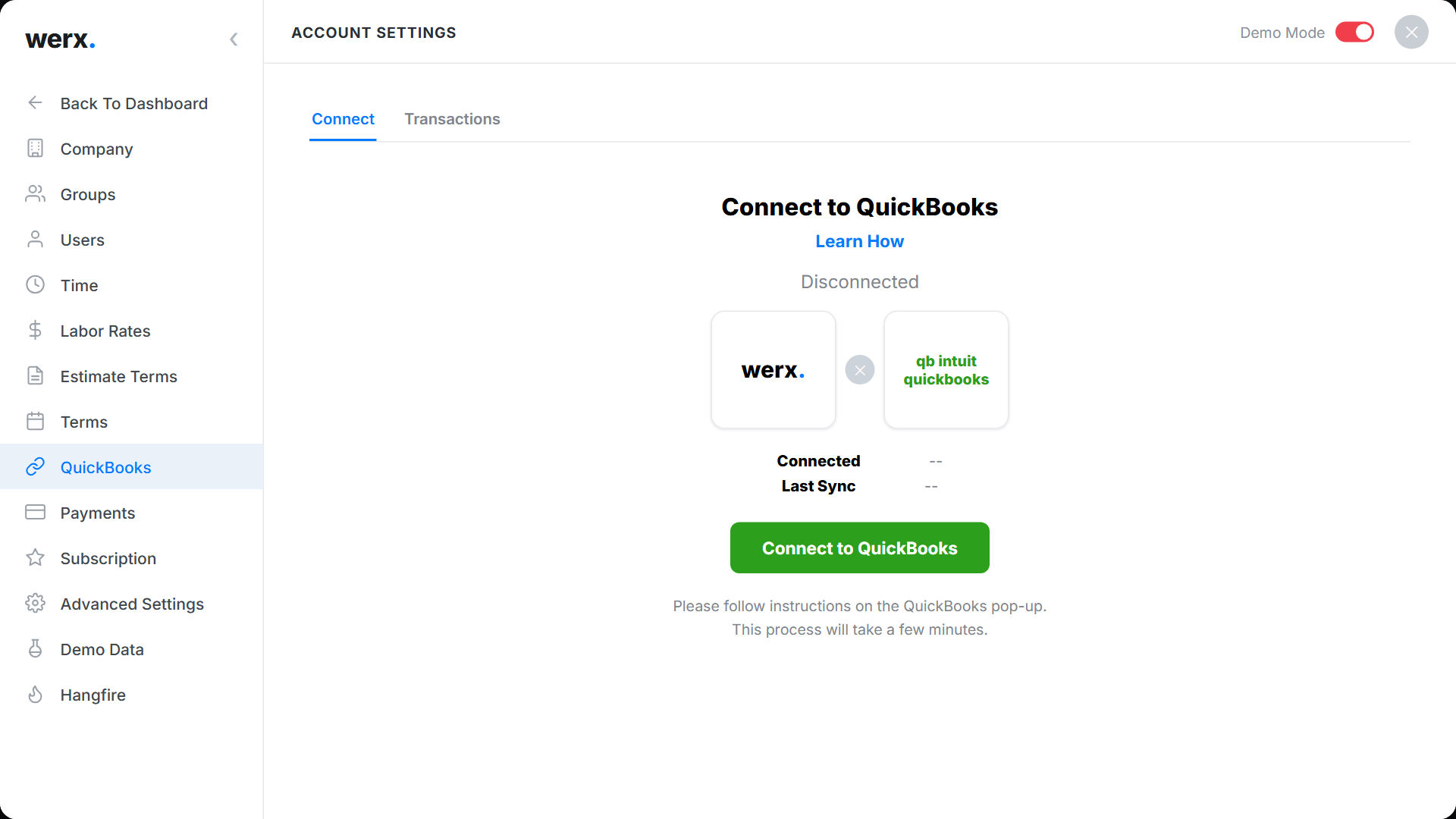
Plenty of carpentry shops are one truck and a laptop, and the books get done at the kitchen table after dark. Werx takes the retyping out of that evening. Every invoice, progress bill, and payment flows into QuickBooks Online on its own, and customers and items stay matched in both systems. You cut and hang during the day, and the books stay current without you.
Carpentry business guides worth your time
Practical reads for the office side of a carpentry shop.
Mastering accurate project estimates
The habits behind estimates that come in on the money.
Read the guideHow to create accurate construction estimates
A step-by-step estimating method that holds up on site.
Read the guidePrice jobs for profit: markup vs margin
What your markup really earns once the job is done.
Read the guideWhat is carpentry contractor software?
Carpentry contractor software is an office tool that handles quotes, invoicing, billing, job costs, and payments for carpentry businesses. It replaces paper and spreadsheets for the money side of the business.
Finish carpentry alone counts 32,219 contractor establishments in the U.S. per the Census Bureau's 2023 County Business Patterns, and the trade behind it is one of the largest in construction: the Bureau of Labor Statistics puts carpenter employment at 959,000 in 2024, with roughly 74,100 openings a year through 2034. Plenty of work, and plenty of competition for it.
Werx fits both sides of carpentry work. Quote and invoice small finish jobs fast, and bill bigger build-outs by progress.
Take payment online, track time from the field, and see job costs on every job. You quote, bill, and get paid from one place.
FAQ - Carpentry Contractor Software
Is Werx carpentry invoicing software?
Yes. Werx invoices jobs fast, takes card and ACH payments online, and tracks what is paid and overdue.
Can I build carpentry estimates and proposals?
Yes. Build clean estimates with your prices and send them for online approval, then turn the won job into an invoice.
Can Werx bill bigger build-outs?
Yes. Bill large jobs by percent complete with progress billing instead of one lump invoice.
Can my customers pay online?
Yes. Werx connects to Stripe, so customers pay by credit card or ACH right from the invoice.
Can Werx do job costing?
Yes. Werx tracks cost and profit on every job, with projected and to-date margin.
Does Werx sync with QuickBooks?
Yes. Werx syncs two ways with QuickBooks Online. Invoices, payments, and time flow into your books, included on every plan.
Is Werx carpentry pricing software?
Yes, in the sense that matters. Build estimates from unit counts and your rates, see cost next to price on every job, and use what past jobs actually cost to set the next rate.
Can Werx bill builders and GCs for subcontract carpentry?
Yes. Invoice small jobs in one go, or bill a builder by percent complete on larger packages. Payments come in online by card or ACH.
Does Werx work for a one-person carpentry shop?
Yes. It is built to be run by the person who also swings the hammer: estimate in the evening, invoice from the truck, and let the QuickBooks sync keep the books.
Does Werx do cut lists or crew scheduling?
No. Werx stays on the money side: estimates, invoicing, progress billing where a job needs it, job costing, time tracking, and payments.
What is carpentry contractor software?
Carpentry contractor software is the office tool that handles quotes, invoicing, job costs, and payments for a carpentry business. Some platforms focus on scheduling or takeoffs; Werx focuses on the money side, from fast quotes on finish work to progress billing on bigger build-outs.
How much does Werx cost for a carpentry business?
Plans start at $49 a month with every feature included, and extra users are $6 a month. There is no contract and no feature gating. Start with a 14-day free trial, no credit card required.
Simple to use. Free to try.
No credit card required · Free migration assistance · Cancel anytime