

Werx Academy
How to Use Purchase Orders to Control Costs
A simple rule stops most cost leaks: no PO, no pay. Here is how to make it work.
A purchase order is your written commitment for materials, equipment, or subs. It sets the scope, quantity, price, and delivery before anyone ships or shows up. That paper trail is what protects your budget.
Standardize POs with clear approvals and a simple 3-way match. The match compares the PO, the receipt, and the vendor invoice. It locks pricing, stops overbilling, and keeps job costs accurate by job, phase, and cost code.
Why do purchase orders matter?
POs turn "we thought" into "we agreed." That protects budget, schedule, and cash flow. They also give owners and auditors the records they expect.
- Lock unit pricing and delivery terms before work or materials
- Prevent duplicate or unauthorized buys with a no-PO, no-pay rule
- Track committed vs. actual cost by job, phase, and cost code
- Provide the documentation owners and lenders ask for
What should every PO include?
Keep line items specific so receiving and billing are easy. A vague PO causes disputes later. Spell out each detail once.
- Vendor, ship-to job address, contact, and PO number
- Job, phase, and cost code for each line
- Description, quantity, unit, unit price, and extended price
- Taxes, freight, required-by date, and delivery instructions
- Terms for returns and lead times, plus required tickets or photos
How does the PO workflow prevent overbilling?
Use the same steps every time to avoid exceptions and delays. The 3-way match is the control that catches errors. Approve only what was ordered and received.
- Create the PO from your estimate or schedule of values groupings
- Route for approval by amount thresholds
- Issue it to the vendor and attach it to the job record
- Receive goods with a delivery ticket, photos, and quantities
- Match the vendor invoice to the PO and receipt, then approve
What approvals and controls do you need?
Light controls stop small leaks before they grow. Separate who creates a PO from who approves it. Check the budget before you issue.
- Keep a no-PO, no-pay policy for materials and equipment
- Set amount-based approvals with separate creator and approver
- Check the budget against the job and phase before issuing
- Revise the PO or issue a change order for price or quantity changes
How do POs handle subs and stored materials?
For subcontract scope, use a subcontract or PO-style commitment tied to your SOV. That keeps sub pay apps aligned with your billing. Stored materials need their own proof.
- Reference SOV lines so sub pay apps match your billing
- Track change orders as PO revisions with new lines or rates
- Require stored-materials proof: photos, invoices, and location
- Collect lien waivers with each payment application
How do POs tie into billing and job costing?
POs should make billing easier, not harder. Map their lines to how you bill. Reconcile committed against actual every month.
- AIA or progress: map PO lines to SOV items and use receipts to support percent complete
- Time and materials: pass materials through with agreed markups and attach tickets, as in T&M billing
- Reconcile committed vs. actual monthly to catch variance early
- Feed the numbers into real-time job costing
When should you require a PO?
Require a PO for anything that affects job cost. Even small buys add up across a job. The rule is simpler when it has no exceptions.
Use a quick, simplified PO for small purchases. Skip the formal process only for trivial petty-cash items. When in doubt, write the PO.
- Require a PO for all job-cost purchases
- Use a simplified PO for small buys
- Issue it before the order, never after delivery
How does Werx fit your PO process?
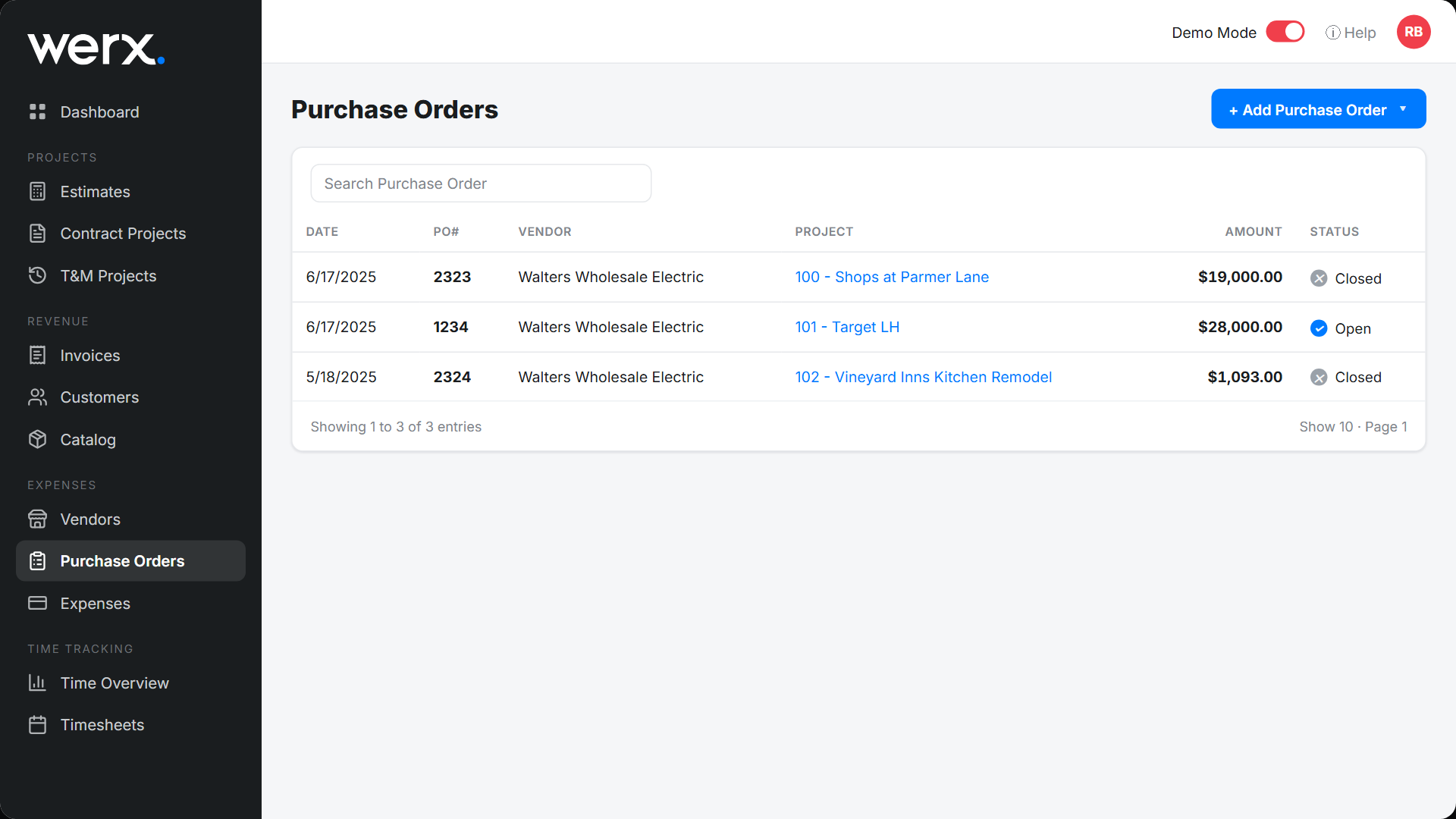
Purchase order software like Werx centralizes job setup and documentation. POs, receipts, and vendor bills roll into clean job costs. Billing follows without rework.
- Build estimates and map lines to a schedule of values
- Attach POs, tickets, and photos to the project record
- Match vendor bills and sync to QuickBooks Online
- Support AIA or progress and T&M billing with solid backup
Key takeaways
- Issue POs before ordering to lock price and scope
- Use a 3-way match to prevent overbilling and errors
- Map PO lines to job, phase, cost code, and SOV items
- Contractor software like Werx ties POs and vendor bills to clean job costs
Frequently Asked Questions
What is a 3-way match?
It compares the PO, the receipt or delivery ticket, and the vendor invoice. You approve and pay only for what was ordered and actually received.
Do I need POs for small buys?
Yes. Use a simplified PO for anything that affects job cost. Small purchases add up, and a PO stops duplicate orders and price drift.
How do I handle price changes after a PO is issued?
Require a revised PO or a change order before receiving. Do not approve invoices that fail the match, and update the budget if scope changes.
Ready to grow your business?
Start your 14-day free trial today. No credit card required.
No credit card required · Free migration assistance · Cancel anytime