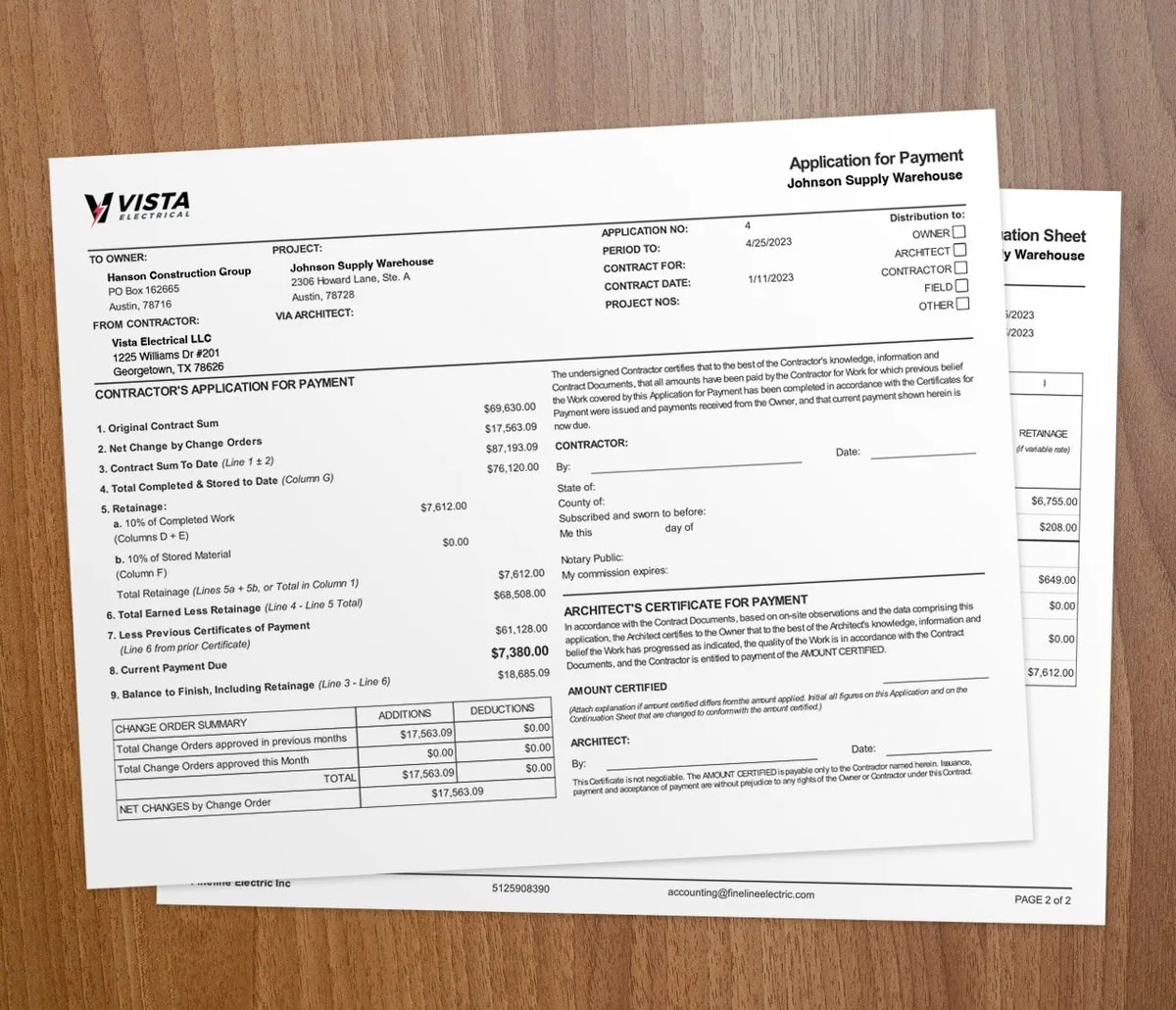

A change order is a written agreement that changes your original contract. It covers added scope, new costs, or a new timeline. Handle it with one clear process and you avoid the delays and disputes that eat your margin. The AIA G701 form is the standard change order document on many commercial jobs.
Changes come from design tweaks, hidden site conditions, or material shortages. Each one can push your schedule and budget. The fix is simple: log every change, price it, get a signature, then bill it.
What counts as a change order?
A change order is any work outside the signed contract scope. If the task was not in your estimate or schedule of values, it is extra work. Treat it as a change order, not a freebie.
Spell out what counts as a change before the job starts. Write it into the contract. Clear rules stop the "I thought that was included" argument later. For the basics, see this guide on what a change order is.
How do you build a change order process?
Start every job with one written process so the whole team knows the steps.
Steps to set up the process
1. Give every crew member a fast way to flag and report a change 2. Name one person to own change orders from request to approval 3. Define what counts as a change so there is no gray area 4. Use the same form and steps on every job
Our free change order generator builds a signature-ready PDF if you need a standard form to start with. A repeatable process keeps small changes from turning into big fights. It also gives you a paper trail if a claim comes up later.
Keep communication tight
Hold short, regular check-ins with owners and architects. Talk about progress, open items, and any coming changes. Early talks catch problems before they cost you. A shared platform with AIA-style billing keeps change order records in one place.
How do you price a change order?
Price extra work the same way you priced the original job. Cover direct costs like labor and materials. Then add indirect costs like extended time on site.
Use your estimating tools to build the number fast. Digital estimates update in real time, so you spot budget problems before they hit. Do not discount the change to keep the peace. The client already wants more of your work.
Fold the approved amount into the project budget right away. Watch the budget against the schedule so nothing drifts.
Why does documentation matter?
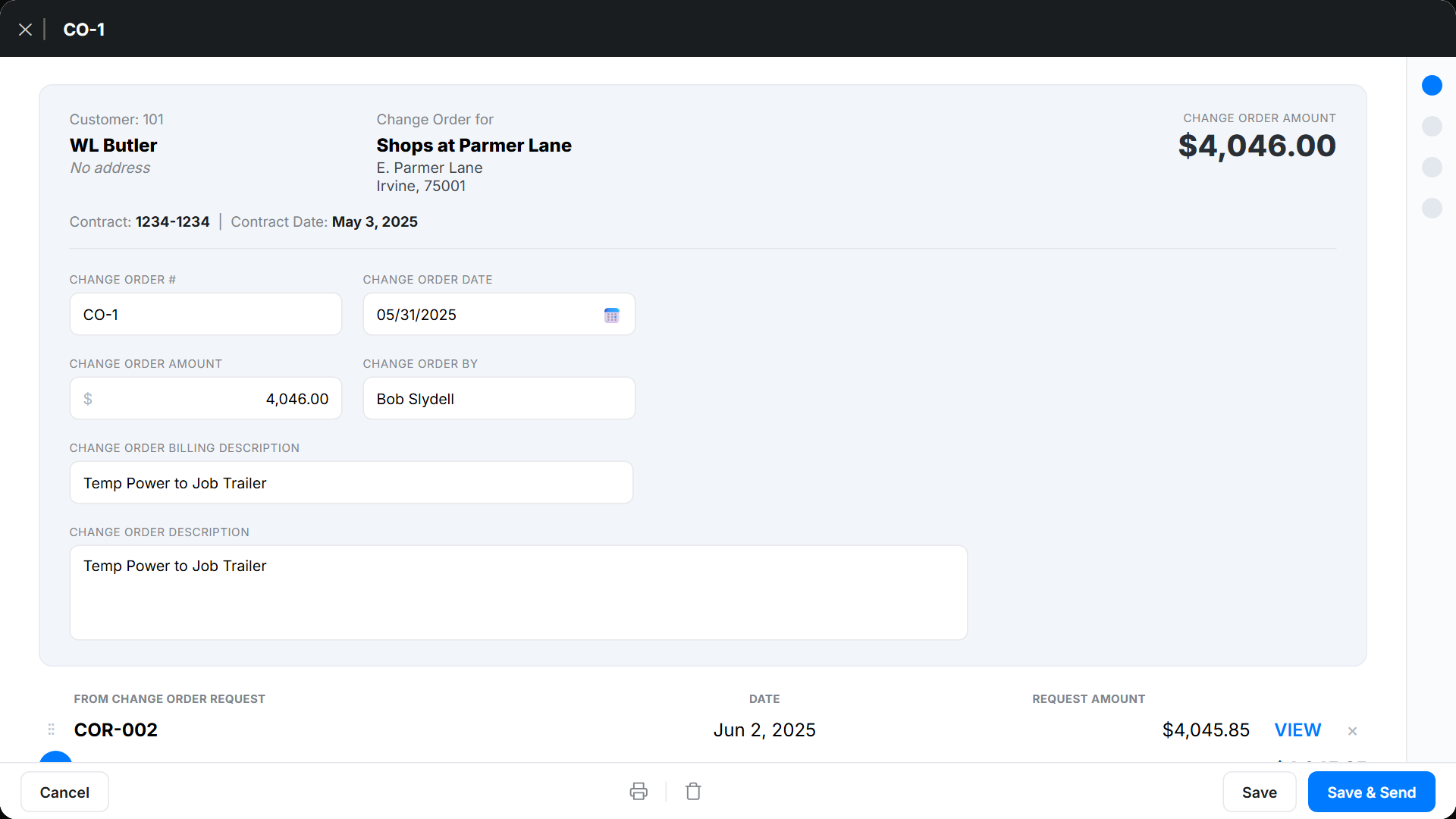
Documentation is the backbone of clean change orders. Record the change, the reason, the cost, and the approval. Date-stamp each one.
Software logs every change order and keeps it easy to find. Tie labor hours and dollars to the right change so nothing slips. If a dispute starts, your records settle it fast. For a deeper workflow, read how to track change orders in construction.
When should you require a signed change order?
Require a signed change order any time the work falls outside the contract scope. That means new tasks, swapped materials, or a longer timeline. Get the signature before crews start.
Skip the full process only for tiny, no-cost field tweaks that do not touch price or schedule. Even then, jot a quick note. For field-level requests, read how to handle extra work authorizations and how to automate extra work authorizations.
Key takeaways
- A change order is a written change to scope, cost, or schedule; the AIA G701 is the standard form.
- Set one clear process and name an owner before the job starts.
- Price extra work like the original estimate, including labor, materials, and added time.
- Get a signed approval before crews begin any out-of-scope work.
- Change order software logs every change and ties it to billing for a clean paper trail.