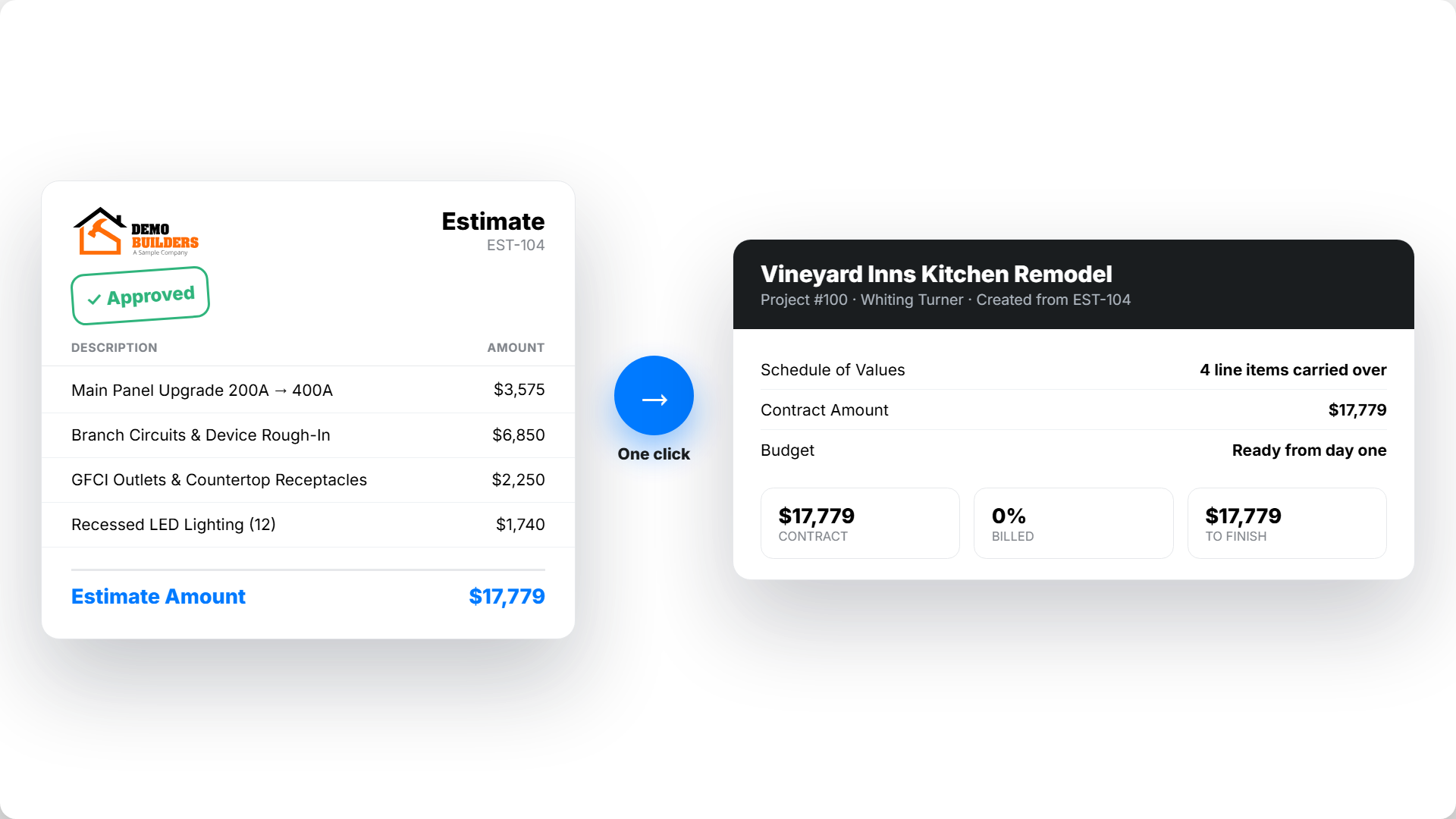
Electrical contractor accounting software should show what each job earns and costs. QuickBooks Online handles the books. Werx connects estimates, field time, job costs, and invoices to those books.
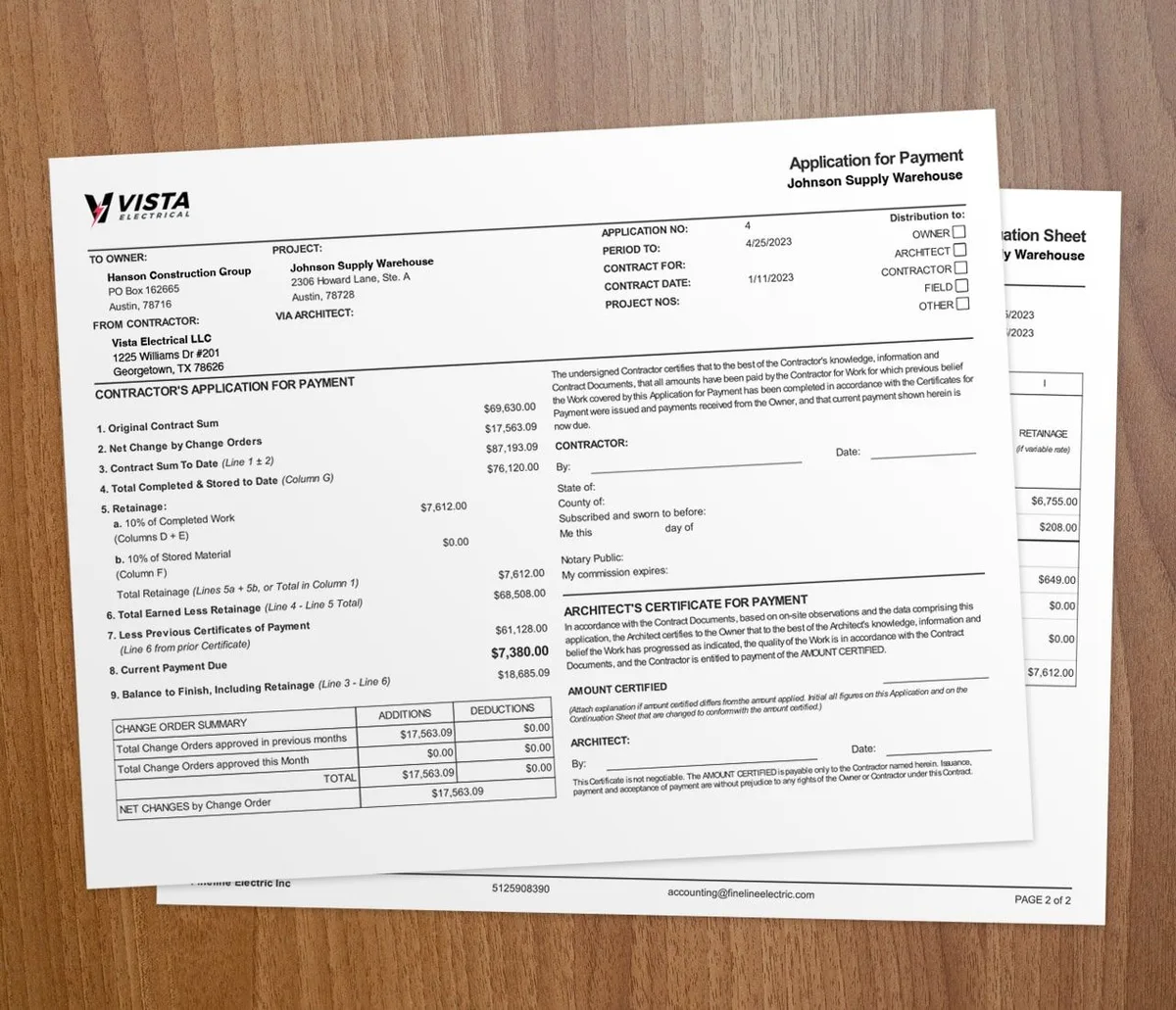
Your choice depends on the work you bill. A shop doing service calls may need T&M invoices. Commercial fit-outs may need AIA-style pay apps and retainage. See how electrical contractor software handles both.
What challenges do electrical contractors face?

Electricians hit the same pain points on most jobs:
- Running many projects at once. Each job needs its own costs and billing records.
- Tracking time and labor costs. Field hours are hard to capture, and bad records lead to underbilling.
- Slow or late billing. Late invoices turn into cash flow problems.
- Material costs. Purchases need to land on the right job.
- Field-to-office communication. Crossed wires cause costly delays and rework.
- AIA-style billing. Pay apps need an accurate schedule of values and retainage.
- Customer approvals for extra work. Slow sign-offs stall progress and stretch timelines.
- Financial record management. Manual records drain time and invite errors.
- Winning more bids. Professional estimates help you win more competitive work.
- Choosing the right mix. Accounting and job billing must share the right records.
How does Werx solve these challenges?
Time and labor cost tracking
The Werx time tracking feature is built to manage labor costs. Crews log time from the field, so labor lands on the right job budget. To get the most from it, see how to track crew time by job, phase, and cost code.
Faster billing
Werx can bill service work by time and materials. Commercial jobs can use progress invoices or AIA-style pay apps.
Material costs by job
Record material purchases against the job. Compare those costs with the estimate as work moves forward. Werx does not manage warehouse stock.
Field and office communication
Crews log time in the field. The office can use those hours for job costs and T&M billing.
AIA billing and documentation
Werx builds AIA-style pay apps from a schedule of values. It tracks prior billing, retainage, and stored materials.
Customer approvals and work orders
Werx lets clients sign off on work electronically inside the platform. For change work, see how to automate extra work authorizations.
Accounting that connects to QuickBooks
Werx syncs invoices, payments, bills, and expenses with QuickBooks Online. QuickBooks remains your accounting system. See the QuickBooks integration for the record flow.
Competitive estimates
Werx builds itemized estimates and proposals. See the estimates feature. For bookkeeping basics, read construction accounting 101.
When should electrical contractors invest in software?
If you run one small job at a time and bill from a notebook, simple tools may carry you for now. Our free electrical estimate builder covers the quoting side at that stage.
When several jobs share crews and materials, check how each tool tracks costs. For commercial work, test a pay app against your contract's billing fields. Read how to choose construction accounting software.
Key takeaways
- QuickBooks Online handles accounting; Werx handles estimates, job costs, and billing.
- Field time and material costs should reach the right job.
- Check AIA-style pay apps against the fields your commercial contracts require.
- Werx syncs key financial records with QuickBooks Online.