

Construction estimation software builds your bids faster and with fewer errors than spreadsheets. It pulls current costs, applies your markup, and turns an approved estimate into an invoice. The result is tighter bids and better margins.
Your estimate sets your profit before the first day of work. Whether you bid a kitchen remodel or a commercial build-out, the number decides if you win and if you make money. Good software makes that number both fast and accurate.
This guide covers why estimation software matters, the features that count, and how to pick the right tool. For a primer on the kinds of estimates you will build, see the main construction estimate types.
Why does estimation software matter?

Speed without losing accuracy
Manual estimating with spreadsheets is slow. Each bid can take hours, which limits how many jobs you can chase. Estimation software speeds it up by automating the math and pulling from cost databases. You bid more without sacrificing accuracy.
Consistency across your team
When different people build estimates their own way, pricing gets messy. Software enforces the same formats, markups, and cost structures for everyone. Every bid that leaves your office follows the same rules.
A professional presentation
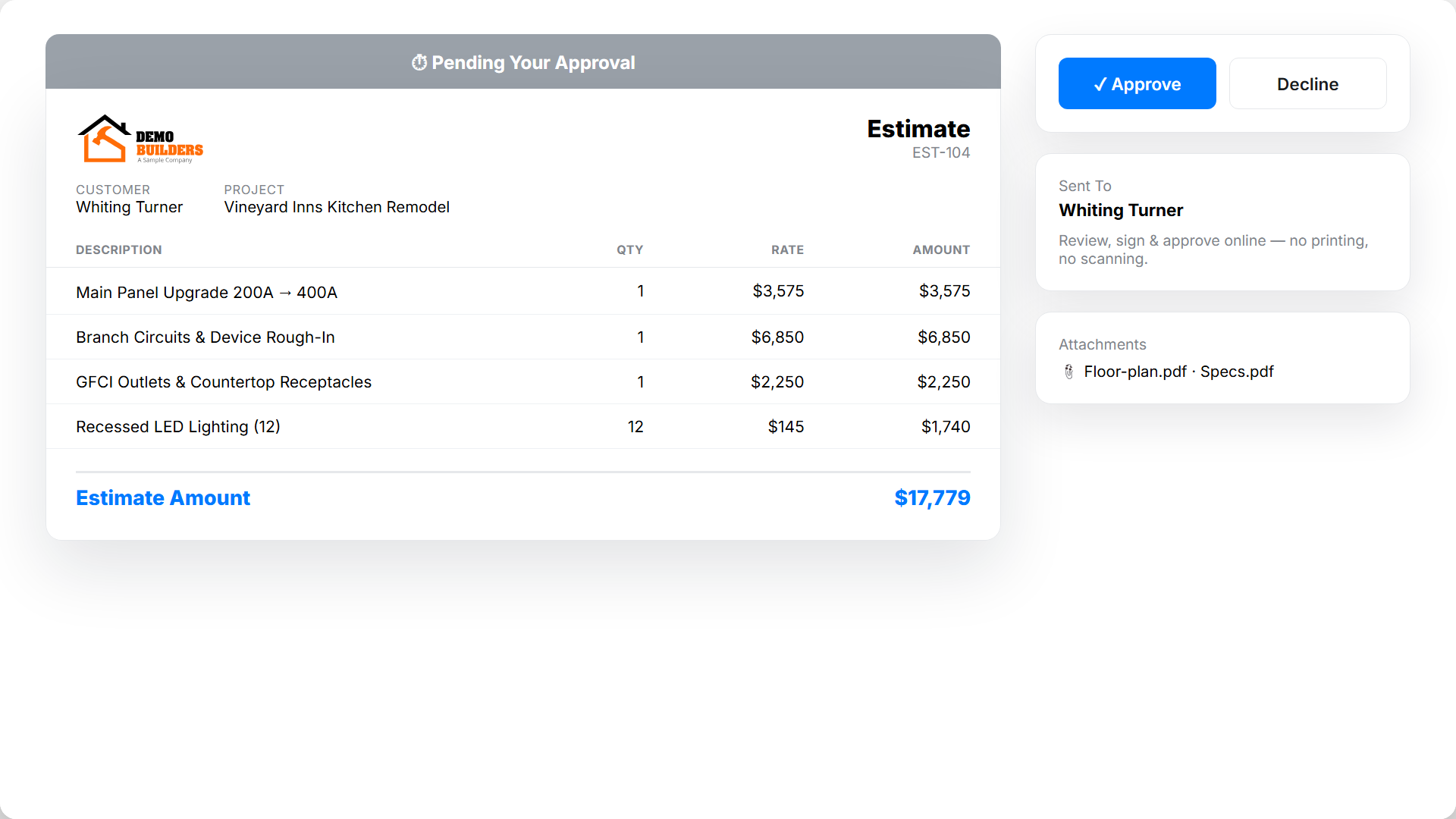
A clean, detailed estimate signals you run a tight operation. Clients compare the quality of proposals, not just the price. Branded estimates with itemized breakdowns and clear terms make a strong first impression.
What features should construction estimation software have?
Material and labor databases
Good software includes or connects to current material and labor rates. This keeps your bids tied to real pricing, not last year's guesses.
Customizable templates
Templates for common jobs, like a bathroom remodel or roof replacement, pre-fill standard line items. You adjust quantities and specs per job instead of starting from scratch each time.
Markup and overhead math
The software applies your markup, overhead, and profit margin to base costs automatically. This kills the mental math errors that lead to underpriced bids. For the difference between the two ways to add it, read markup vs margin.
Digital delivery and tracking
Send estimates electronically and see when a client opens them. That visibility helps you time follow-up calls for the best shot at a yes.
Estimate-to-invoice conversion
When a client approves a bid, the best software turns it into a project and then an invoice. No re-entering data, and the final bill matches the approved proposal. For larger jobs, that estimate feeds straight into AIA-style billing.
How estimation fits your whole workflow
Estimation software pays off most when it connects to the rest of the job:
1. Estimate the project from templates and current cost data. 2. Track time against the approved estimate with time tracking tools. 3. Watch costs in real time to catch budget drift early. 4. Bill accurately using progress or time and materials methods. 5. Sync the books with QuickBooks for clean accounting.
Data flows from estimate to final payment without manual re-entry. Contractor software like Werx ties these steps together in one place.
How do estimates get better over time?

The biggest payoff is the feedback loop. When you track actual costs against your estimates, you build a record of real numbers. Each new bid gets sharper.
After a job, compare estimated and actual costs. Were labor hours higher? Did material prices move? Were there scope changes? Those answers tighten your future bids and protect your margin.
How to choose the right solution
When you compare estimation tools, weigh these points:
- Ease of use: Can your team build clean estimates without heavy training?
- Mobile access: Can you quote from the job site?
- Integration: Does it connect to your time tracking, invoicing, and accounting?
- Built for contractors: Is it made for construction, or is it generic business software?
- Room to grow: Will it handle bigger and more jobs as you scale?
When should you move off spreadsheets?
Make the switch once estimating eats real hours each week or bids start slipping through the cracks. If two people quote the same job two different ways, you have outgrown spreadsheets.
A spreadsheet is fine for a handful of small jobs a month. Our free construction estimate template works well at that scale. Past that, the time saved and the margin protected make software the cheaper option. For the full method behind accurate numbers, see our guide to the five construction estimate types.
Key takeaways
- Estimation software builds bids faster and with fewer errors than spreadsheets.
- Look for cost databases, templates, automatic markup, and estimate-to-invoice conversion.
- It pays off most when it connects to time tracking, billing, and accounting.
- Tracking actual vs estimated costs makes every future bid more accurate.
- Contractor software like Werx ties estimating to the rest of the job in one place.


