

Mobile time tracking lets your crew clock in and out from a phone right at the job site. Every hour ties to the right job and cost code. That gives you accurate labor costs and faster payroll, with no paper to chase.
For contractors running crews across multiple sites, this is one of the highest-impact moves for your bottom line. Labor is usually your largest cost, so getting the hours right protects your margin.
Why does mobile time tracking matter?
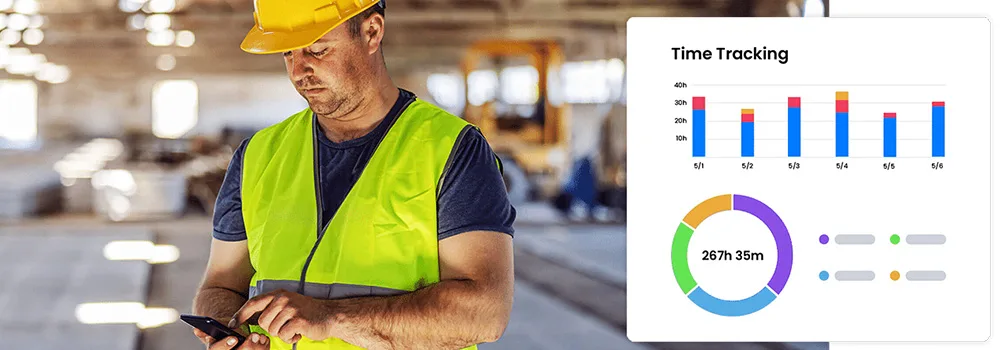
Paper timesheets, punch cards, and end-of-week guesses all drift. Workers forget exact start and stop times, round hours up, or log time to the wrong job. Over months, those small errors add up to real profit leaks.
Mobile tracking fixes this. Workers clock in and out from a phone or tablet at the site, and each entry is timestamped and location-checked. For the full cost of staying on paper, see the costly mistakes of manual time tracking.
Key benefits
- Real-time visibility: See who is working, where, and on which job, all in real time.
- Accurate job costing: Hours tied to a job and phase give you precise labor cost data to check against your bids.
- Less admin: Automated capture ends the manual collecting and verifying of timesheets each pay period.
- Better accountability: When hours are tracked digitally, attendance and punctuality tend to improve.
How does mobile time tracking boost productivity?

It cuts time theft
Buddy punching and over-reporting drain payroll on jobs you cannot watch all day. Per-worker mobile clock-ins with manager approval make it far harder to log hours nobody worked. Learn more about how to reduce time theft and timesheet errors.
It speeds up payroll
Accurate digital records flow straight into your payroll process, so pay runs faster and cleaner. A connection to QuickBooks keeps labor data in sync with your books and cuts double entry.
It improves planning
Past time data shows how long real tasks take. That helps you bid more accurately, schedule crews better, and spot where training would help.
How do you choose the right app?
Not every time tracking app fits field work. For contractors, look for these:
- Offline capability: Job sites lose signal. The tool should log time offline and sync later.
- Project and cost code tracking: Workers should log time against a specific job, phase, or task, not just clock in.
- Photo and note attachments: Jobsite photos and notes add context for billing and disputes.
- Billing integration: Hours should feed your invoicing, whether you bill time and materials or use AIA-style billing.
How do you get your crew on board?
Switching off paper takes a little change management. Explain the upside to the crew first. Digital tracking protects them too, because they get paid for every hour worked.
Run short training sessions and name one tech-comfortable person per crew as the go-to for questions. Most mobile time tracking tools are simple enough to learn in minutes.
When should you switch to mobile time tracking?
Switch as soon as you run more than one crew or one job at a time. Once hours have to split across jobs and cost codes, paper cannot keep up.
A solo operator on a single small job can still use a basic timesheet. But if you bill clients for labor or face payroll deadlines, mobile tracking pays for itself fast.
Key takeaways
- Mobile time tracking captures hours at the job site and ties them to the right job and cost code.
- It cuts time theft, speeds payroll, and gives you data for better bids.
- Look for offline support, cost code tracking, photo notes, and billing integration.
- Bring crews on board by showing how accurate hours protect their pay.
- Contractor software like Werx syncs hours to QuickBooks for clean payroll and books.


